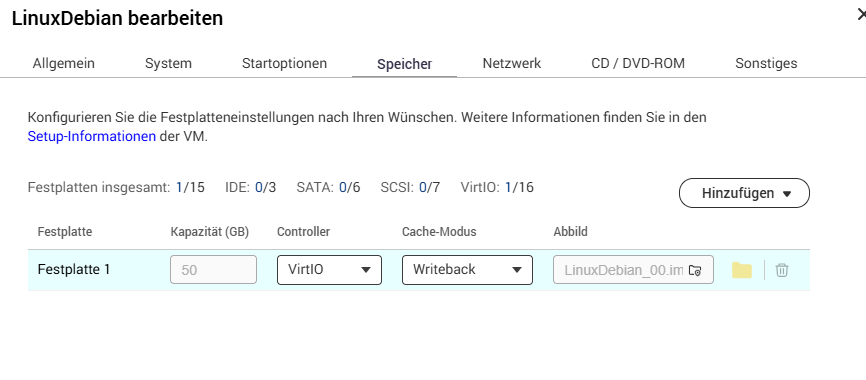
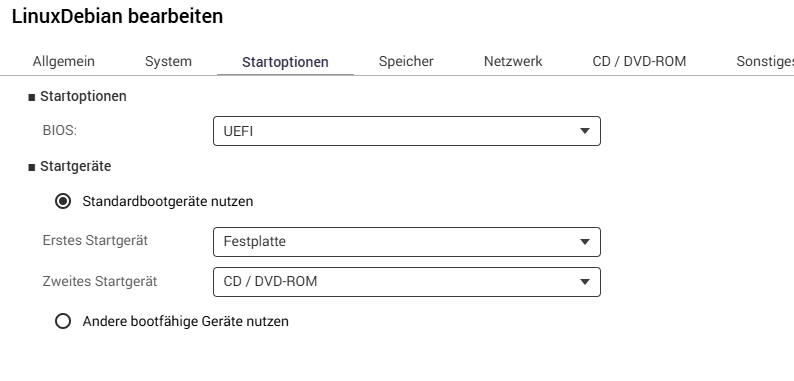
I updated the QTS firmware on my TS-264 to QTS 5.2.9.3499. After that, my virtual machine in Virtualization Station was no longer available. I then tried to import the machine. However, in the directory of the virtual machine, there is only an img file, which can’t be imported.
After that, I created a new VM and attached the img file as a hard disk. But the VM won’t start.
What can I do to get the virtual machine working again?
Kind regards
Moved to the German subforum, please pay attention to the language!
Hi,
I’ve never had a problem like this with any QTS update before.
Which version of VS do you have installed?
My NAS devices are running VS version 4.1.1.130.
Post a screenshot of your “newly” created VM.
Are the startup settings the same as well?
Especially the “UEFI” or “Legacy BIOS” setting has to be correct.
Note:
In the future, it would be a good idea to make a backup of the VM.
For this situation, we may need to obtain your logs and further review your case. Please open a support ticket so our support team can assist you further. Thank you!
(Translated by AI)