I would like to ask, after installing QuTScloud on VMware ESXi, can the installation vmdk be removed? Thank you.
Hello, I’m not sure which vmdk you are referring to.
-
If it’s the installation file downloaded and extracted from the official website, you can remove this file after installing QuTScloud; there’s no need to keep it:
-
After installing the QuTScloud VM, the system will generate a System boot disk. This cannot be removed. Removing it will cause the QuTScloud VM to fail to start.
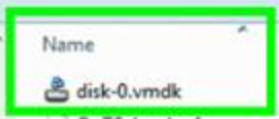
For your reference, thank you!
Hello, thank you for your reply.
Yes, it’s the vmdk extracted from step 1. When you mention removal here, do you mean that this virtual hard disk can be removed from the VM? So the disk-0.vmdk is just a vmdk-format installation file, and after setting up the system boot disk on the VM, you can remove this disk-0.vmdk?
Thank you!
Yes, however, to ensure we are on the same page, we still recommend that you temporarily move disk-0.vmdk to another location first and confirm that the VM can still start and operate normally before deleting this file.
If there are any issues, you can move the file back.
Thank you!
If Disk0 is removed, it’s basically the same as removing the boot disk from the NAS. If the NAS is reinitialized, it might use this image again. Personally, I don’t think there’s a need to remove it additionally and increase the risk.