I have a relatively new TVS-h674 running QuTS hero h6.0.1.3550 i512400 32GB
6x 20TB ST22000NT001-3LS101
2x 4TB SSD 9100 PRO with Heatsink 4TB
That gives me ~77.69TB using RAID 6
This is a home + 2x home office NAS with all our precious photos, backups of individual PCs, laptops, etc. The TVS-h674 will in turn back up to my old TVS-471 (i3-4150, 16GB), which is loaded with 4x new 24TB drives, giving ~65TB backup space. I plan to use RTRR once I get the this warning sorted. Is that a good approach? Both the NAS have individual UPSs. Both NAS plug into the same gigabit switch.
(As a side note, the TVS 471 was deployed in 2017 – the 4x 6TB Hitachi drives in it logged 8.7 years with nary a burp. Yes, it was backed up to an external 12GB USB drive.)
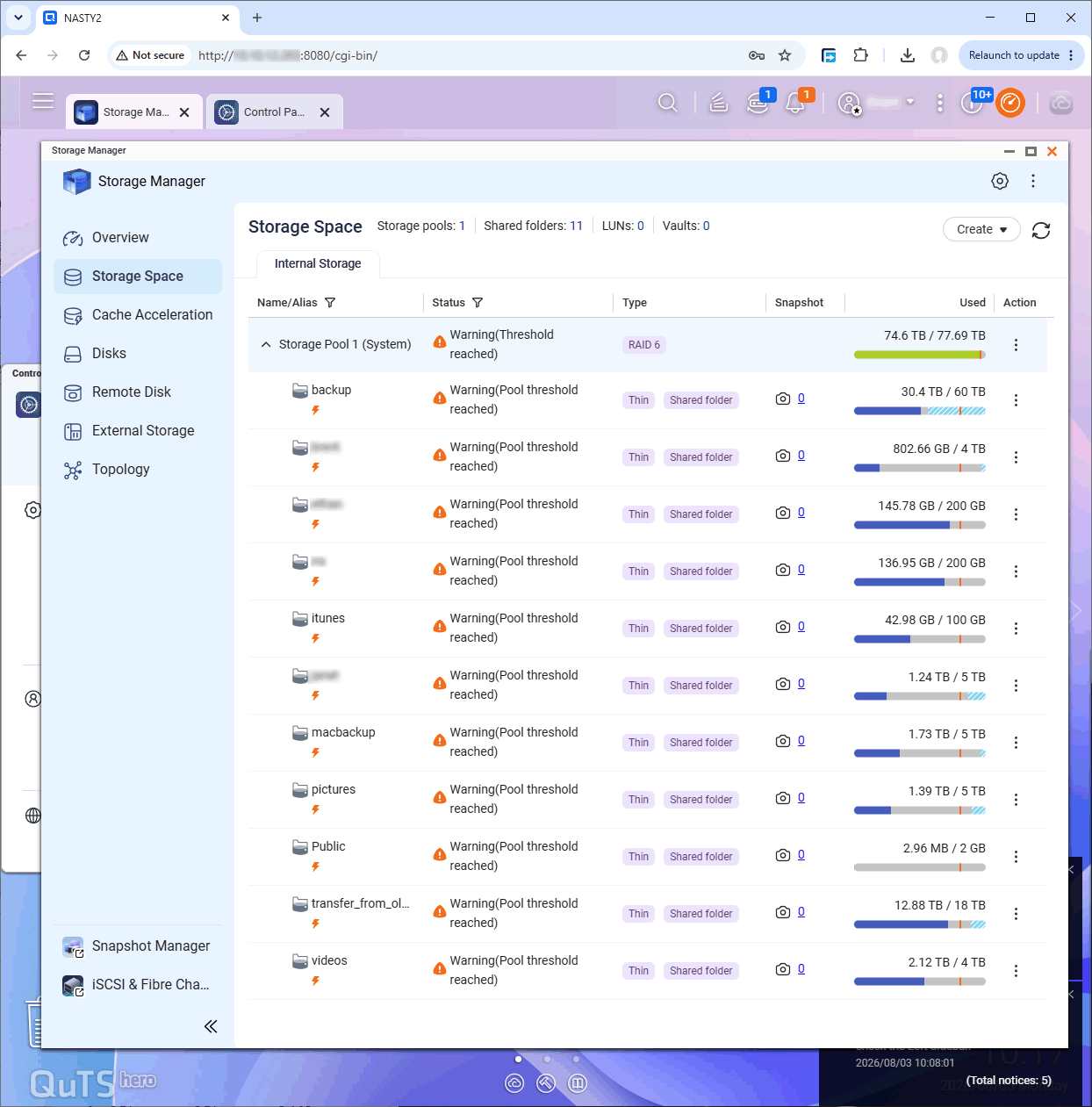
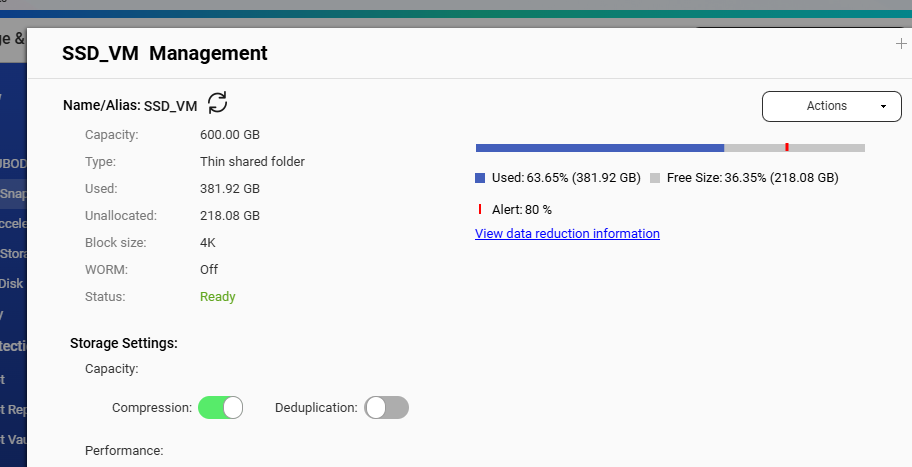
The problem: I configured the shared folders as “Thin” assuming that each folder could just use whatever portion of the 77.69TB it needed:
However, I get “Warning (Threshold reached)” for each folder.
I really want my shared folders to act the way folders would work on a normal hard disk – no warning until the entire storage pool is reaching a limit.
So, obviously I have something configured incorrectly.
What did I miss?
How can I fix this?
Thanks in advance for any advice or solutions you can offer.
The thin volumes seem to also have snapshots enabled, I hope none are overprovisioned.
Maybe you should switch to thick or just divide your storage via subfolders and not that many different provisioned folders (volume equivalent on QuTS)
P.S. as the cache warning was ignored, another warning about NOT having your system pool on SSD
Is this an issue that has been fixed? I’m not committed to the 2x NVME drives - they were an ordering mistake for another PC not caught until after the return window, and I thought “Why not?”
If it is still a stupid idea to have the NVME involved at all, is there a safe procedure for removing them?
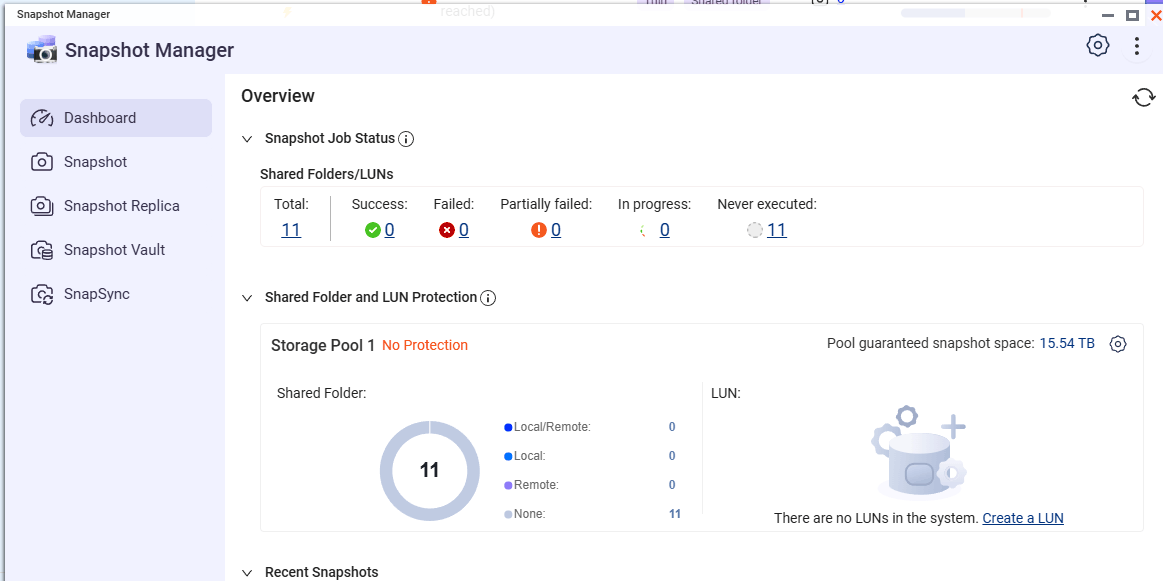
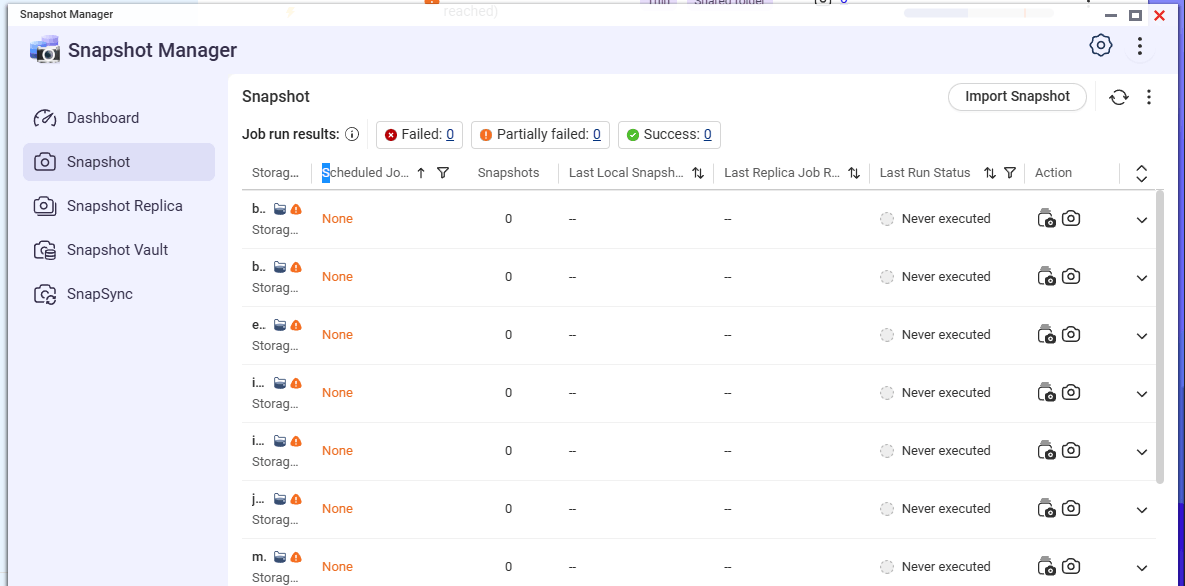
I do not intend to have snapshots enabled. They are all listed as “0” so maybe I don’t have them in use?
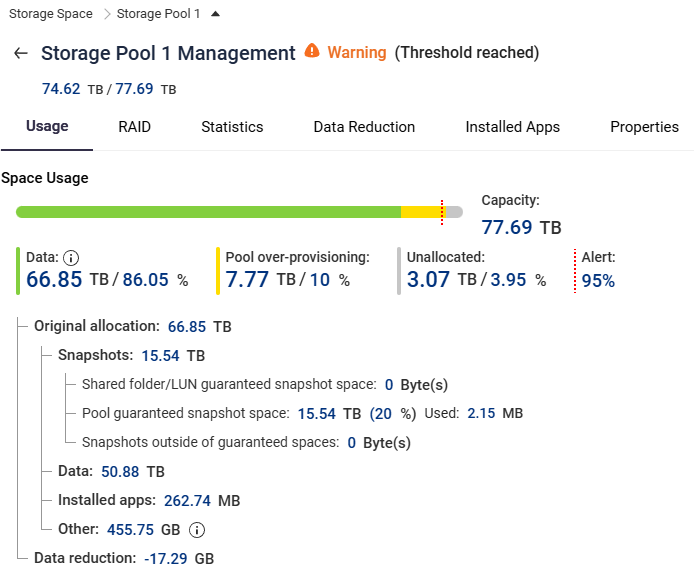
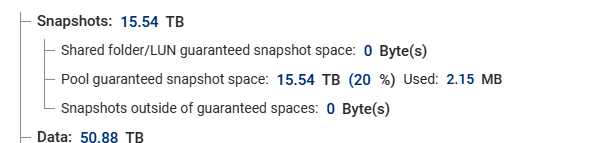
Since I am not using snapshots, can I somehow recover that 15.54 TB ?
In any case, I am at a loss as what step to take next. It seems like a thin shared folder should be able to use any amount of data – up to the whole pool if all the other shared folders were empty.
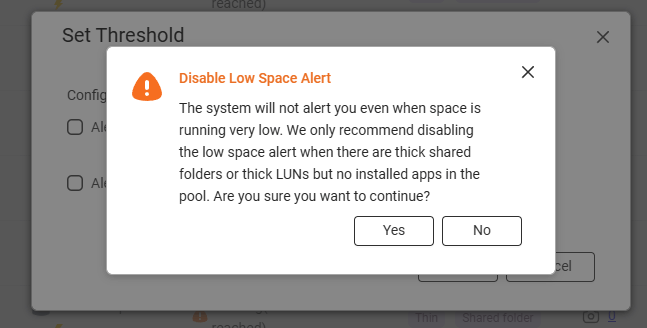
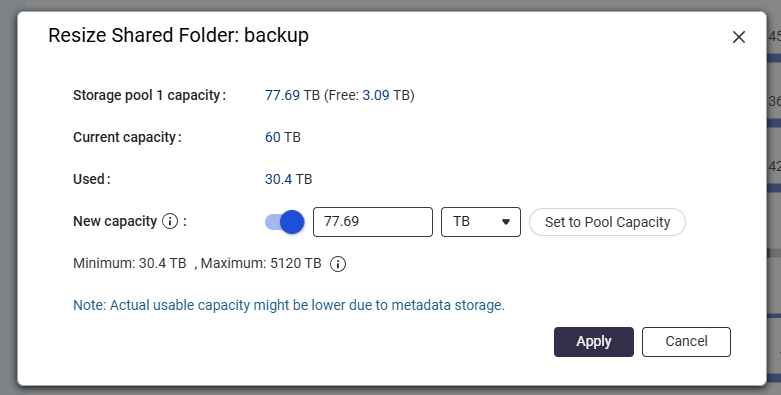
Should I resize each folder to “Set to Pool Capacity”:
OK. So, since I have just set up my old TVS-471 with 4x 24GB drives, I have room to do a copy of all the files to the TVS-471. So I guess I would just copy each folder from the TVS-h674 shared THIN folders to a “regular” folder on the TVS-471 then “start fresh” with the TVS-h674 using the 2x NVME in RAID 1 only for the system pool ?
I would need some guidance on how to set up the 6x 22TB RAID6 array and folders so I do not run into this same problem with thick vs thin etc on the TVS-h674’s new setup.
Is there a guide or tutorial to walk me through that so I do not make another dumb setup mistake?
The way I had the TVS-471 set up (in ~2017), each shared folder could have a different user list and logins, but each of the shared folders all shared any amount of the system’s RAID’s free space. Is there an equivalent way to set up the TVS-h674 ?
(apologies in advance for being slow on the uptake)
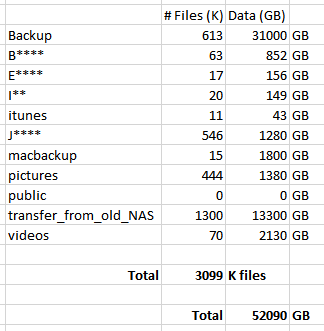
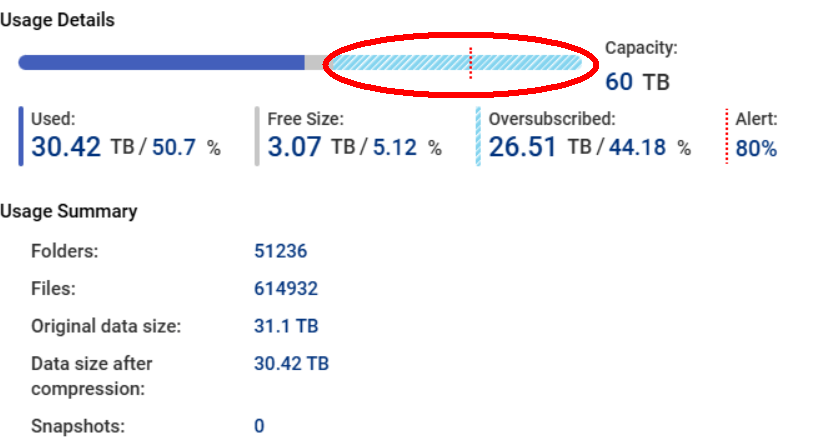
Based on the picture you first showed, you are over subscribed on your drive space (103.5 TB on your volumes vs. 77.6 TB physical). You volumes take up more space than you physically have. Now, that’s not necessarily a bad thing. I am way over subscribed on both of my NAS units. That said, you need to be very careful when approaching the storage limit of your NAS. According to the picture you are using 74.6 out of 77.6 TB. So the warning is legit. Now, it looks like you are only using about 51TB of data. So I think @dolbyman is correct - you must have some pool guaranteed snapshot space set up. So something is taking up the space on your drives.
Here is a ridiculously long image of all the individual thin shared folders. (I had them uploaded separately, but the forum complained of too many images.) I think if you, right click, open image in a new window you can scroll to see the details.
@dolbyman called it. You have guaranteed snapshot space allocated. This reserves a portion of your volume for snapshots. But you are not using snapshots. So, turn off guaranteed snapshot space and get 15.5 TB back immediately!
Right now I am busy copying the data from the TVS-h674 (with the SSD cache and some weird settings) to the TVS-471 (old NAS, new drives).
Once I have everything copied to the TVS-471 and verified, I plan to scrub the TVS-h674 from scratch, using the 2x NVME SSD + no spinny drives as a sort of boot + application pool.
Then I’ll add the 6x spinny drives, and configure them as RAID 6.
After that, my big question:
What is the simplest and most robust way to make all the shared folders able to use any amount of space, and have warnings only when all the space is over some threshold? (also no guaranteed snapshot, etc)
My plan is to follow @becker2020’s post – just do not want to go through all this process and make some-new-to-me dumb mistake.
First question, for my simple setup, should I use “QTS” or “QuTShero”? Or is that very question showing my ignorance?
The choice of QTS or QuTS Hero is really up to you. In Hero, shares folders are treated like volumes and you can “oversubscribe” your shared folders. This allows you to flexibly set up storage. So you can allocated multiple shared folders to the full size of your RAID array. You just need to be careful about running out of physical drive space when the time comes.
In QTS, you can’t do this. Share folders are folders on a volume and are just folders. You can’t oversubscribe your storage space.