I own a TVS-AIh1688ATX (QTS 6.0 beta 3) on which I might one day be tempted to do RAG locally. Given the power of the power supply in this NAS, which graphics card or RTX/RTX Pro (blackwell) could be compatible?
According to the manual, my power supply is 550W, not enough to power a RTX Pro 6000 for example (out of budget anyway), but I wonder if a 200W card could pass.
Afterwards, an RTX Pro 6000 seems to consume 600W according to the internet. I don’t know if it could pass, but at least there is a little more leeway for installing a board if the power supply is 750W and not 550W.
Per the QNAP compatibility list the drivers max out on the RTX 4060. I just installed a ZOTAC Gaming GeForce RTX 4060 8GB Twin Edge OC DLSS 3 8GB GDDR6 128-bit 17 Gbps PCIE 4.0 into my ATX-AIH1688atx, and it was immediately recognized. After insalling I was prompted to install the QNAP Nvidia driver from the store. I configured it as a QTS device so all app’s could see it. Other choices as I recall are Container Station and Virtualization something or other.
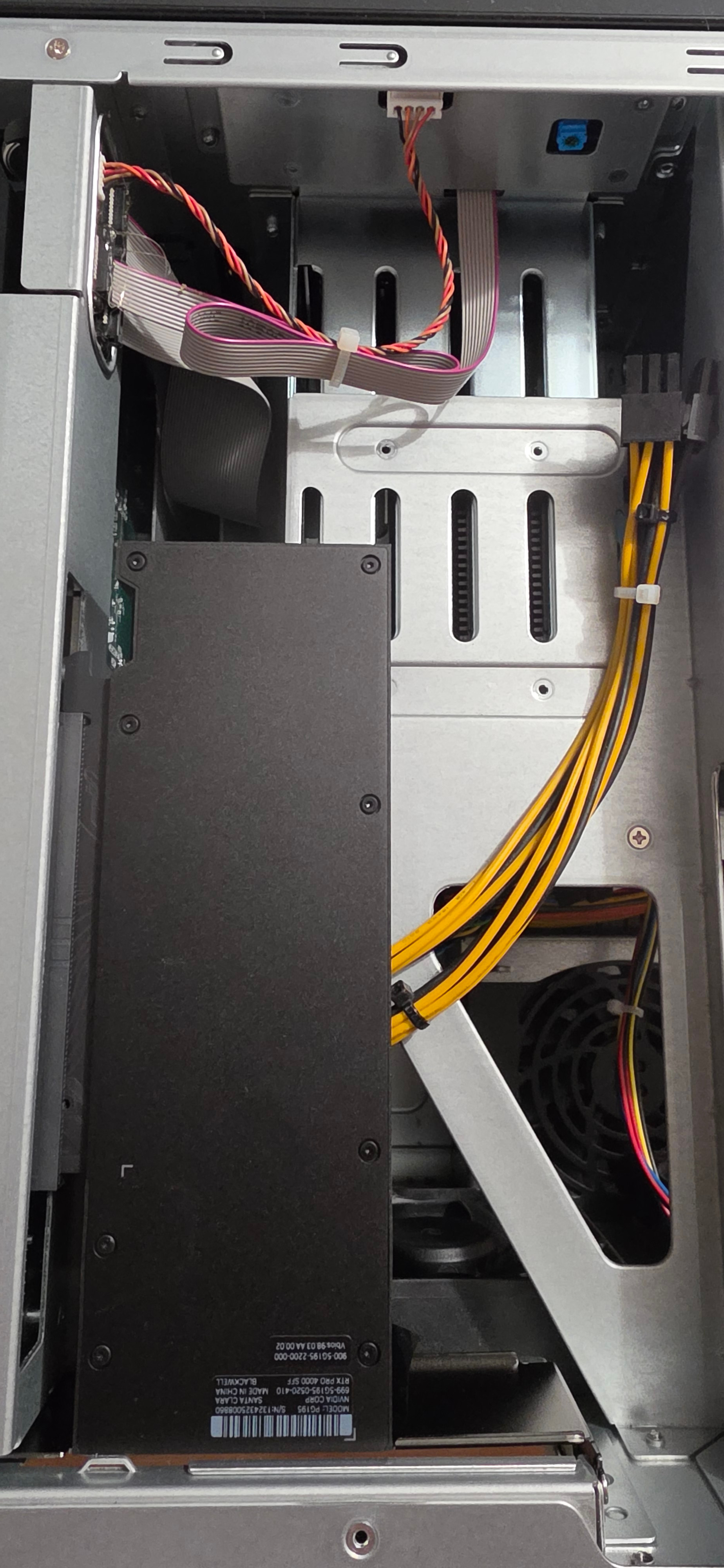
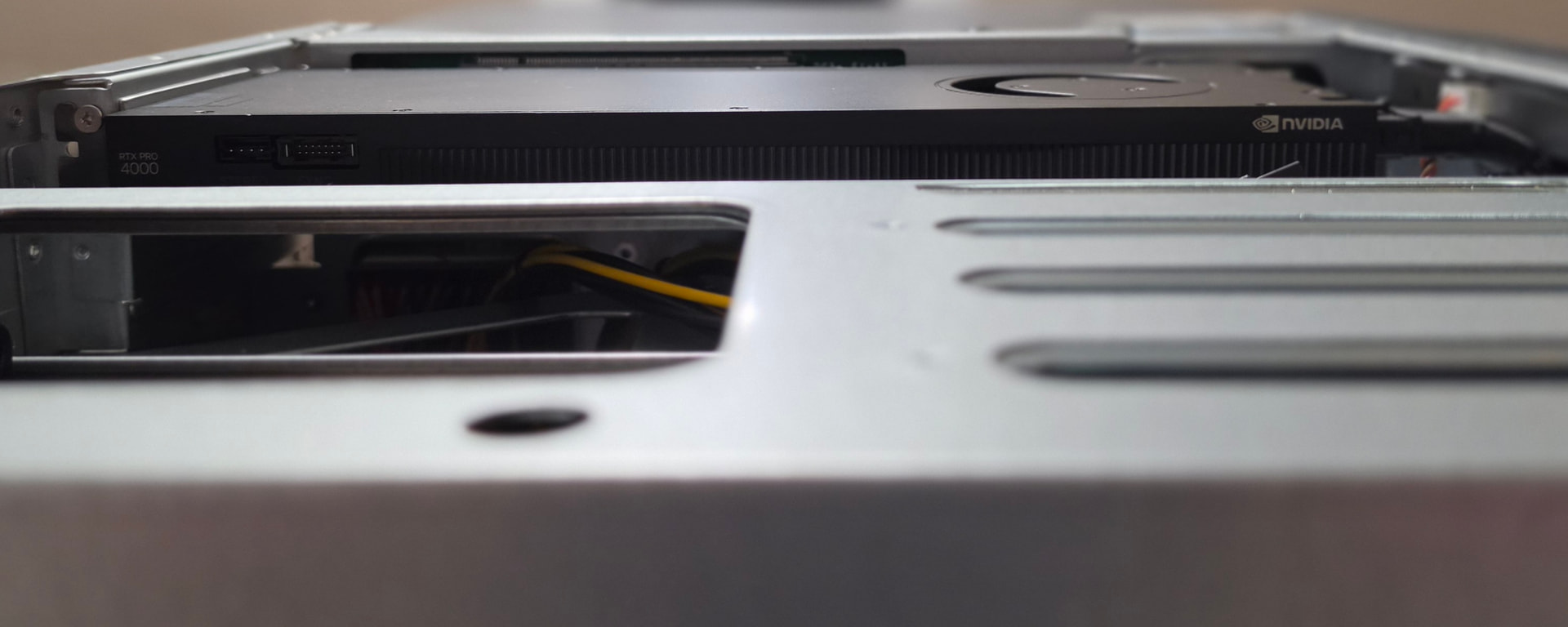
There is one other 4060 in the list as well. I forget the manufacture, but I’d take a look and see for yourself. The card I got while per spec is larger than what the TVS-AHI1688 supports, just fits. It was the height and width that were tight. Length was fine. Power was a single 8 pin which is supplied in your TVS-AHI1688 already.
I’m only interested in using it for transcoding video. It handles (4) simultaneous 4K streams without issue and that’s what I wanted it for. The NPU in the 1688 is plenty fast enough for any AI work I have ATM, so I wasn’t really interested in VRAM when I bought it.
The biggest problem I would anticipate with the RTX Pro 4000 SFF is that there are no QNAP drivers available for it. It’s a Blackwell based GPU (50xx) and currently the best drivers are for the Ada Lovelace GPU’s (40xx).
If you plan on running this in a virtual environment you can probably load drivers for that specific VM, but the big advantage of having QNAP drivers is that the 4060 will be seen across applications and in VM’s as well (untried but should work).
Your 4000 will only be available to a specific VM.
Updating my previous post due to new information. From QNAP…
2026/02/13
[New Features]
Added support for NVIDIA RTX 50 series and Blackwell architecture GPU cards.
[Important Note]
NVIDIA GPU Driver 6.2.2 will install NVIDIA GPU driver version 575.64.05 and then select the kernel driver type (open-source or proprietary) depending on what NVIDIA GPU cards are installed on your NAS device.
[Compatibility]
QTS/QuTS hero firmware versions 5.2.9 and later are only compatible with certain versions of NVIDIA GPU Driver 6.2.2 and later. When updating QTS/QuTS hero firmware, it is recommended to update NVIDIA GPU Driver first to avoid the system automatically disabling NVIDIA GPU Driver due to compatibility issues.
So it seems they have added support for Blackwell, you’ll just need to make sure the 4000 pro physically fits inside the case.
I didn’t have time to respond, but yes, I had seen that the Blackwell were supported by the pilots and JasonH’s response was in that direction.
Well, concretely, I don’t have the finances for and my original message was for medium-term reflection (for the day when I would take the plunge).
The 4060 seems to be a compromise, but unless I’m mistaken, the more VRAM there is, the wider the possibilities can be. Especially if I want to do a bit of LLM directly on the NAS
Afterwards, it would be a reinforcement for the transcoding, but the internal processor already allows quite a few things. Except that for RAG, it is mandatory to have a graphics card.
Edit : I think I’ve finally figured out a potential issue: the NAS’s power supply is 1x8-pin + 1x6-pin. The standard RTX Pro 4000 Blackwell requires 2x8-pin connectors.
I opened a support ticket yesterday, which currently involves: the support team monitoring the issue while the card is in the PCIe 16x slot, and returning the card to the seller (since it arrived with a slightly damaged fan—which would eventually shorten its lifespan because it’s not properly balanced—and because of issues when restarting the PC).
Wouldn’t it be possible to install an RTX Pro 4000 Blackwell (not SFF) or an RTX Pro 4500 Blackwell? (Or a higher-end model if the budget allows.) What would actually prevent that? Would it be possible to use a 6-pin-to-8-pin adapter to power the card? (It requires 2x 8-pin connectors.)
Okay, the RTX PRO 6000 seems to be recommended for the new QAI-h1290FX, but the power supply capacity is the same. The storage component of the Aih1688ATX likely draws more power than the QAI-h1290FX, but it can support less RAM. So in terms of power consumption, it’s (roughly speaking) about the same, right? (The RTX Pro 6000 Blackwell draws 600W, and the RTX Pro 6000 Max-Q draws 300W)
What do you think? Am I way off base? But nothing seems to “justify” the need for the SFF version, when for the same price, the “regular” version offers better performance.
It’s just the power connectors on the board that might eventually fail.
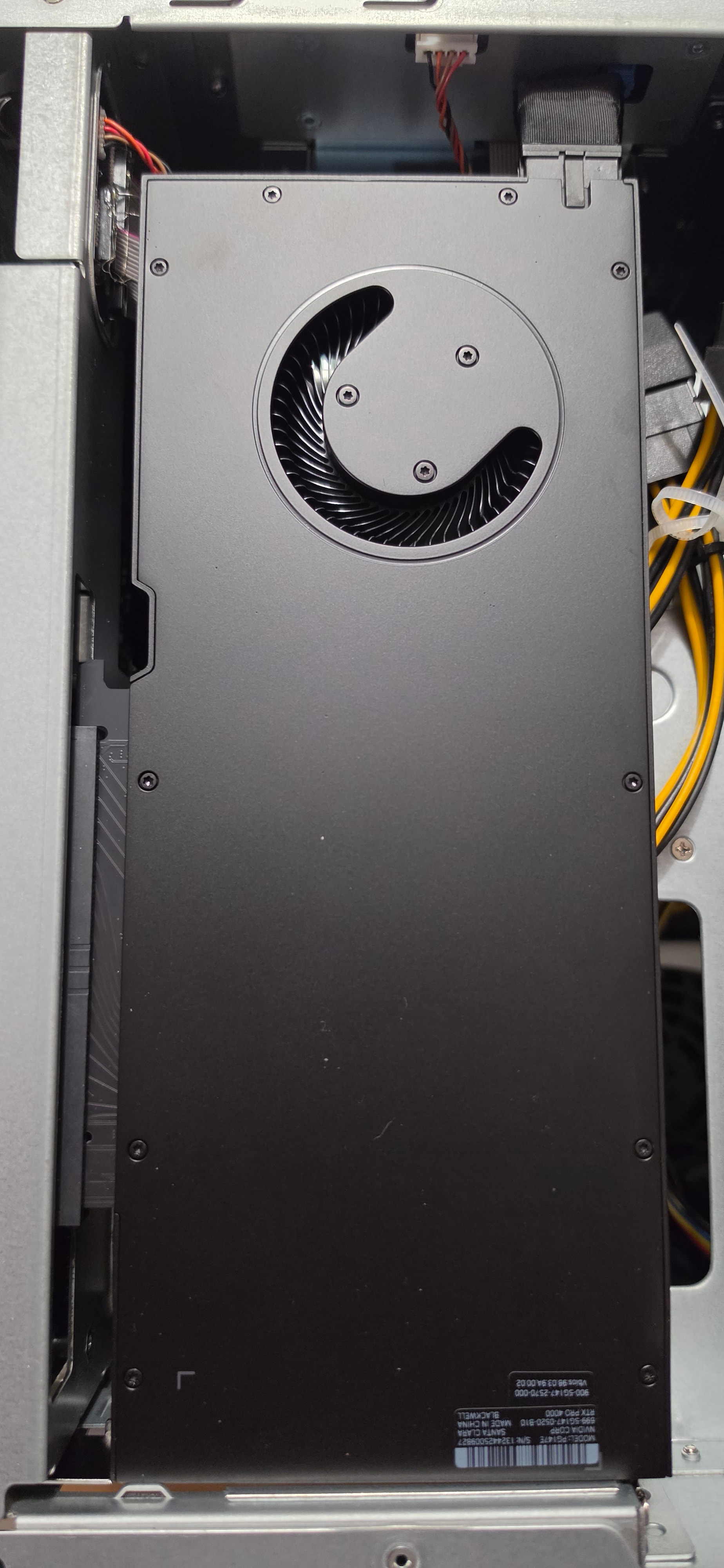
After returning the RTX Pro 4000 Blackwell SFF, I finally acquired an RTX Pro 4000 Blackwell.
This is the only card that can physically pass through the case. In addition, I take full advantage of all the power of the 4000 for the same purchase price as the SFF model.
This is really exciting. I appreciate you letting me know. I’ve actually had a few issues with the current NVIDIA driver. It crashed my entire system last week. Support acknowledged the bug and said it should be fixed in the next release. I also have Jellyfin creating trickplay files, and it should be a lot faster using the NVIDIA card, but it’s about half as fast letting it use the Intel integrated GPU. Overall I’ve not been impressed with the QNAP NVIDIA driver. If you have better success with the 4000 let me know. Maybe I’ll grab one for myself.
During the installation of the card in my NAS, it did not prevent its startup; unlike the SFF version (correction coming from QNAP), it was well recognized, but I couldn’t get all the information from the map and there was no charge when using Qsirch’s RAG.
I updated my support ticket and a PM took over remotely, noting that the drivers in the NAS did not match my card (my opinion: certainly due to having tested an older card). The drivers were uninstalled by the person; I reinstalled the drivers from the App Center.
I didn’t have any recognition issues (temperature, fan speed, processor load, and VRAM).
Regarding my docker Plex, I leave the iGPU on the processor. I dedicated the RTX Pro for installation to the RAG and an Ollama container.
As mentioned in my previous message, I have concerns about switching the load from the LLM model to the CPU. I am waiting for an update from the pilots who could fix this problem, according to the messages in the other thread.
Update: I tested an MSI GeForce RTX 5060 Ti 16GB SHADOW 2X OC PLUS in my TVS-AIh1688ATX on h6.0.1.3550, and it is not currently usable with QNAP’s bundled NVIDIA 575.64.05 driver stack.
The card is detected on PCIe (10de:2d04 / GB206, Gen4 x8, Resizable BAR active), but GSP firmware halts during every initialization attempt:
I ruled out the usual causes: cold AC power cycles, PCI function/bus resets, clean reinstall of NVIDIA_GPU_DRV 6.2.2.1106, manual installation of the matching TS-X88A NvKernelDriver 6.0.1.3550, and verification that the 575.64.05 kernel modules/GSP firmware match the running 6.6.32-qnap kernel. The slot is healthy and reports no AER errors.
Most importantly, an RTX 2070 works perfectly in the same slot with the identical driver stack. Other reports here show RTX 5060 and RTX Pro 4000 Blackwell cards working, so this appears to be a 5060 Ti/current-board compatibility problem in the older 575 branch rather than a general slot or platform fault.
I filed QNAP support ticket Q-202607-41804, requesting an updated 580.95.05+ or 595.84 driver build (or a beta QPKG and timeline). I also reported a separate firmware-upgrade bug where stale 5.2.7 values in /etc/config/uLinux.conf prevented NvKernelDriver auto-install after upgrading to 6.0.1.

 .
.