July 16th and my first post here. My system: Main computer: PC running Windows 10 Pro with a TS651( OS QTS 5.2.5.3145) on a wired gigabit LAN with two other PCs and a TV. I started a support ticket (Q-202507-26051) to address a problem in that the NAS was rejecting all my login attempts and after trying several failed soft resets using MAC address #1 and then Cloud Key I was advised as follows:
-
Power off the NAS. Remove all disks and external devices.
-
Power on the NAS without any disks.
-
After a short beep and a long beep, run QNAP Finder, it will find the NAS and its IP, (If you do not hear a short beep followed by a long beep, please let us know.)
-
Use QNAP Finder to locate NAS and double click nas in Qfinder and follow the wizard steps by steps.
4.5 Go to web browser and you will see the web page told you that hard drive missing on nas.
-
Hot-plug the HDD back to the NAS one by one, wait till all disks led solid green (not flashing)
-
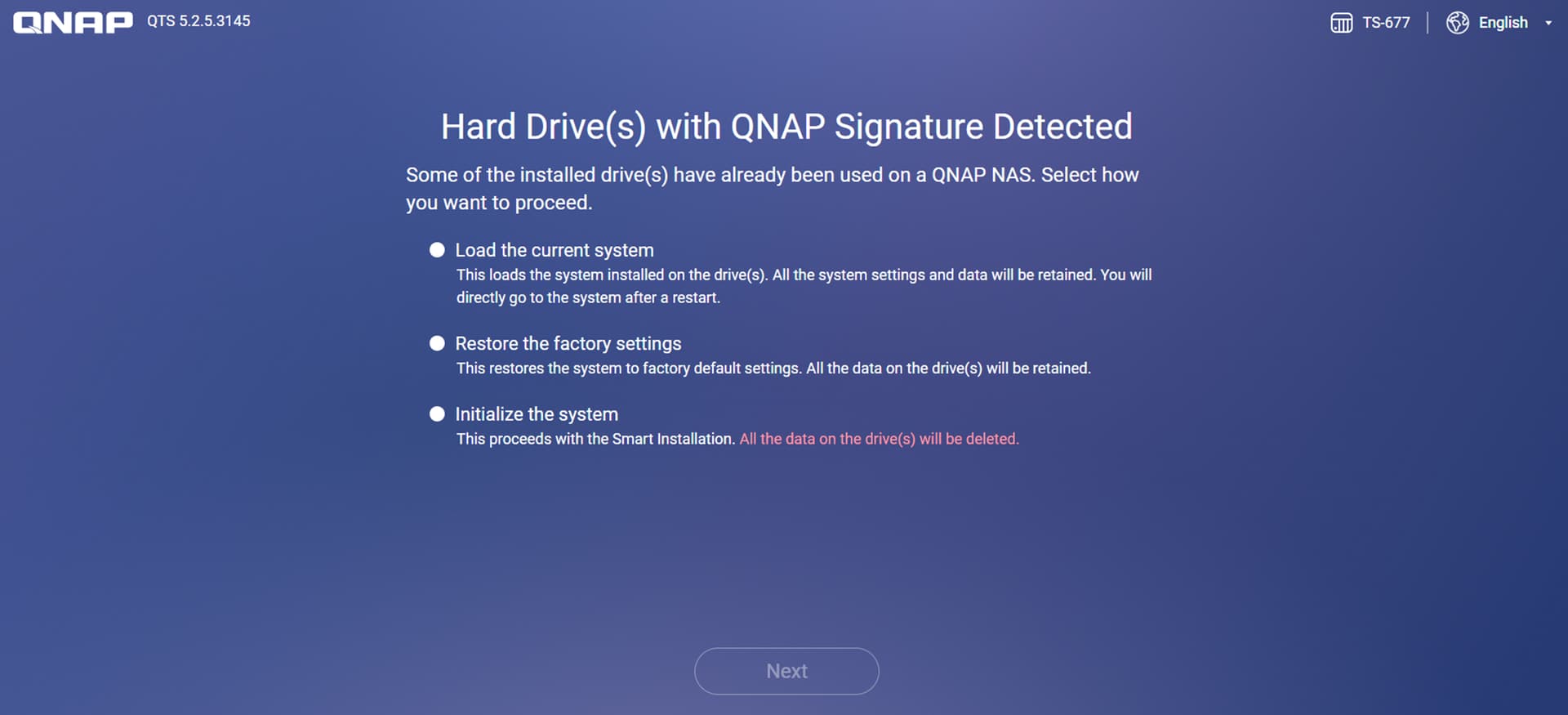
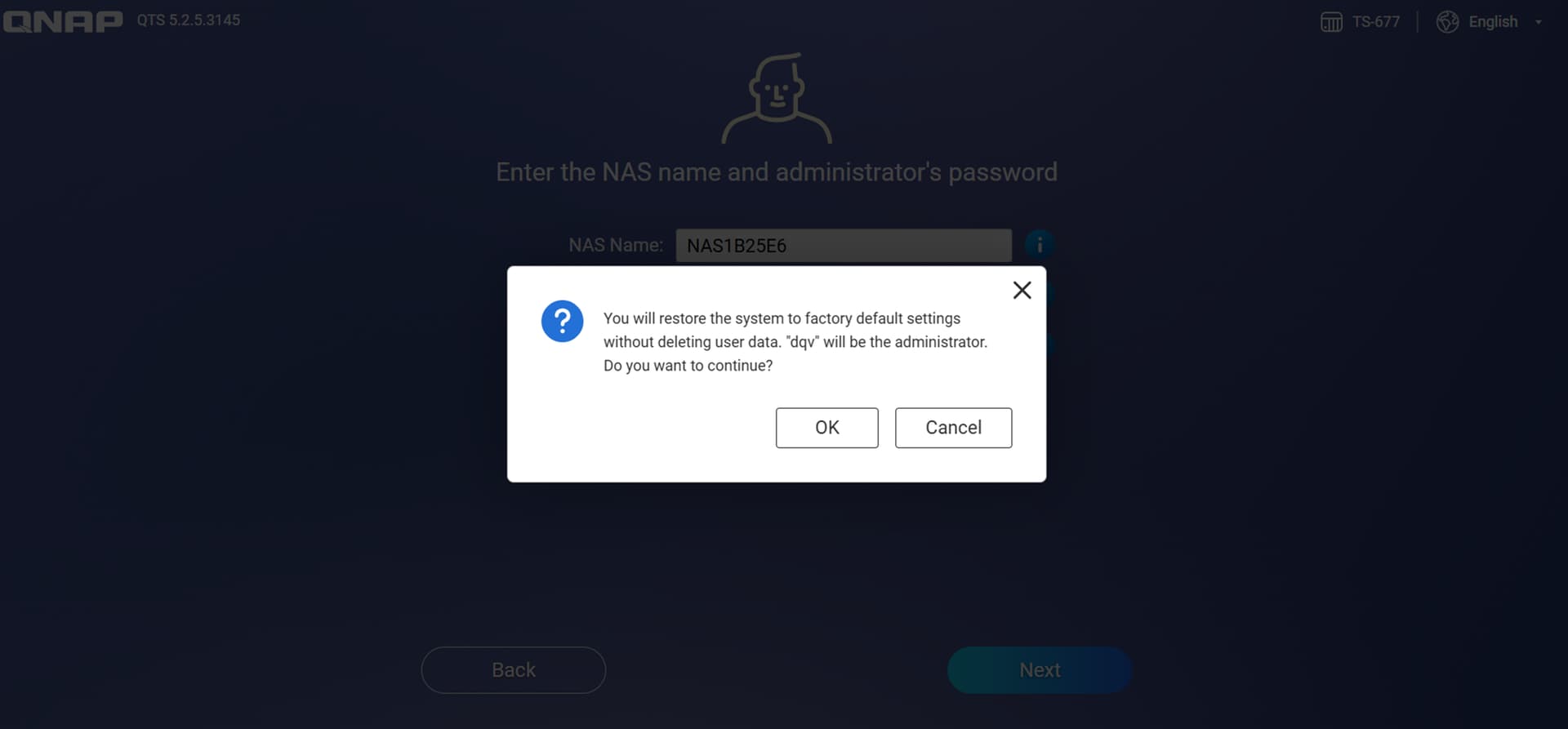
choose “Restore Factory Settings” to restore your nas.
“Restore the factory settings” will NOT erase your data, please don’t worry.
If this failed, please let me know you stuck at which step, thanks.
Qfinder correctly found the NAS but I am now stalled at 4 and 4.5 as the instruction to double click on the NAS don’t seem to apply to what I’m seeing on the screen and the only Wizard I’ve come across is Smart Install which I’m reluctant to try as there’s no information about Data safety and it offers to guide the user through initialisation which sounds suspiciously Terminal.
Hope it’s OK to quote responses from Support - it looks as if others have similar issues so I hope this helps someone.