tiglda
October 1, 2025, 1:31pm
1
Hi,
I try to install Windows Server 2025 in Virtualization Station.
I create VM and connect iso file as CD/DVD - run the VM and system loading file form CD - after that the system loading install file again (loop)
Can anybody help me to install windows server 2025 ?
Regards
Luis
What NAS model and firmware are we talking of?
I can test it later on my 1288x …I have not tested a server 2025 install yet
tiglda
October 2, 2025, 3:56pm
5
dolbyman:
1288x
Windows 2022 works perfect
Regards
Luis
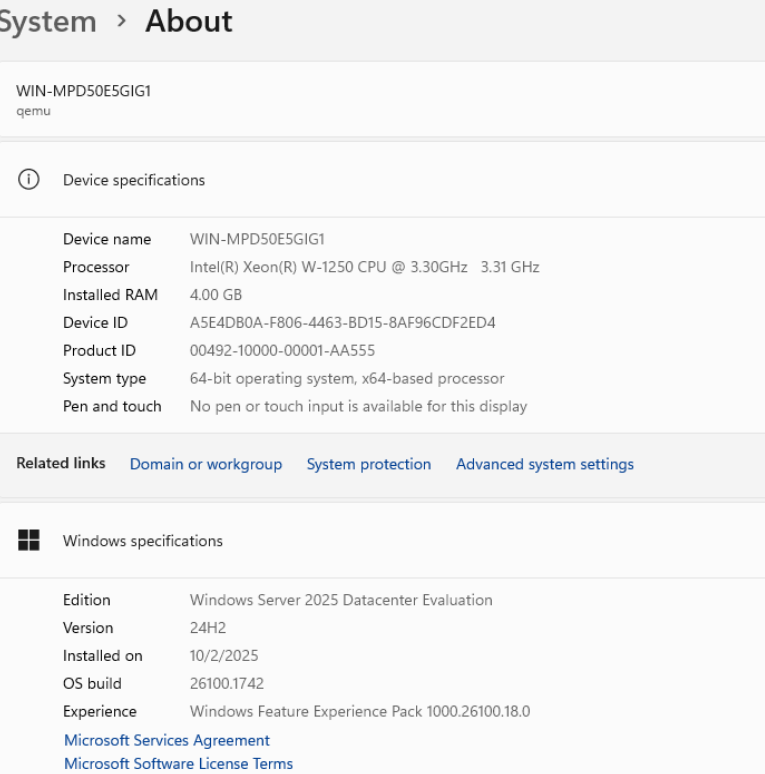
I installed Server 2025 Datacenter Desktop Edition and it works fine
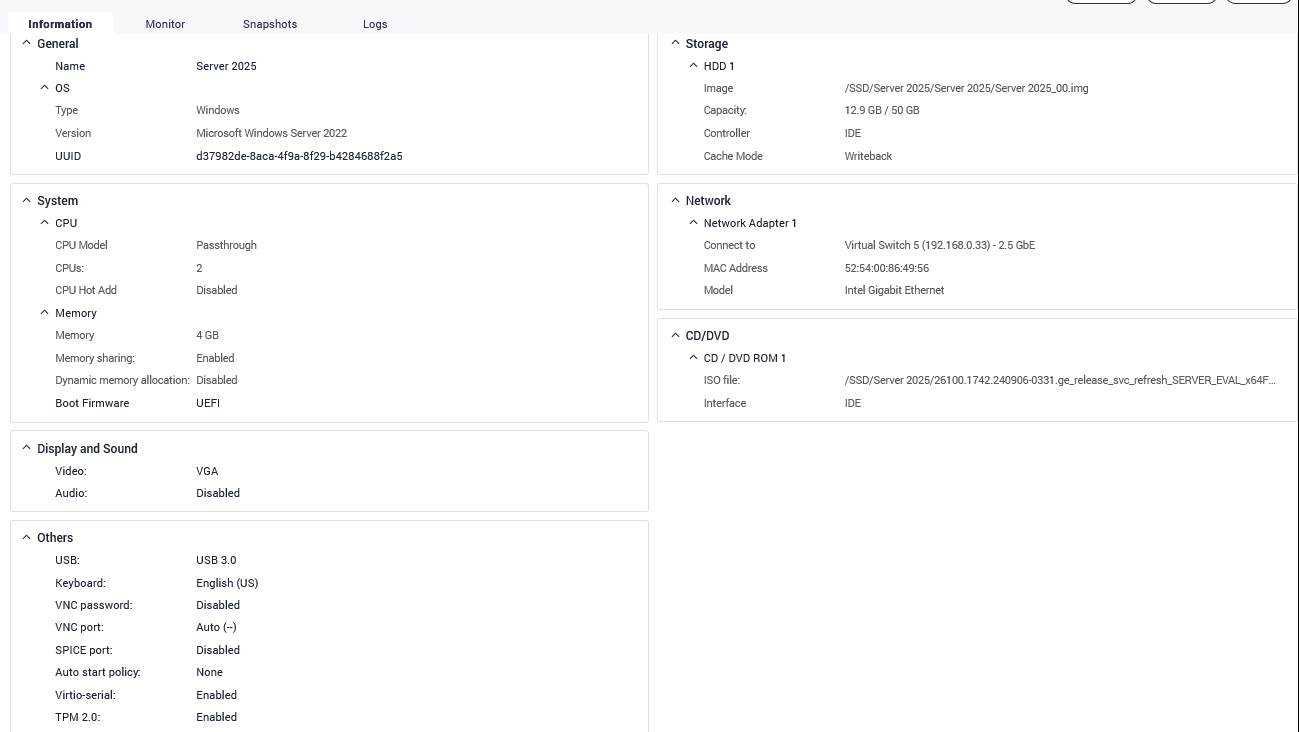
Here the settings based on Server 2022 profile (only changed to passthrough CPU, TPM 2.0 and UEFI boot)
Here are the official MS processor specs for server 2025 (seems to be picky on the AMD side)
I have no issues with Server 2025 on my TVS-h1288X. I even have nested virtualization running with Hyper-V labs stacked on it.
tiglda
October 10, 2025, 4:18pm
8
Hi
On tvs672xt with intel CPU works on ok with Windows 2025.
On ts973 is also solved with CPU pass through.
Regards
Luis
1 Like
RPerea
October 28, 2025, 8:51pm
9
Had this issue on our TS-H1277AXU-RP. Issue turned out to be the AMD CPU emulation. Switching it to emulate the Epyc CPU fixed the boot loop issue.
Hope this helps.
Regards
-Rich
1 Like