I am using Download Station 5 (V5.10.0.291).
On Windows 11 (24H2) browsers, I am unable to create tasks.
The “Apply” button does not become active. The same issue occurs with both Chrome and Edge.
Incidentally, it works without any problems on Windows 10.
I am using the same antivirus software from the same manufacturer on both systems.
Could this be due to security settings?
1 Like
It seems that I can configure it without any issues on Windows 11 as well.
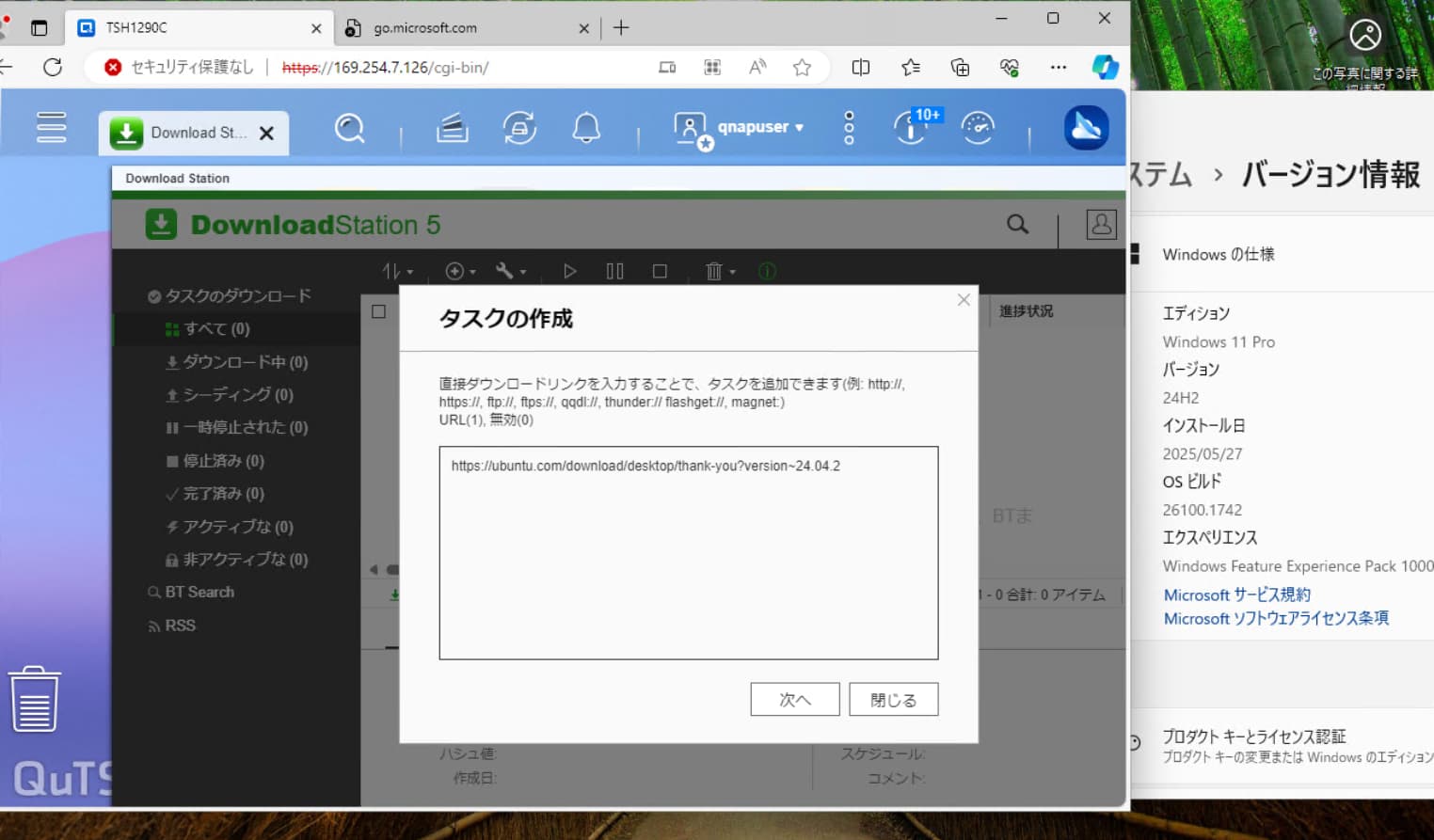
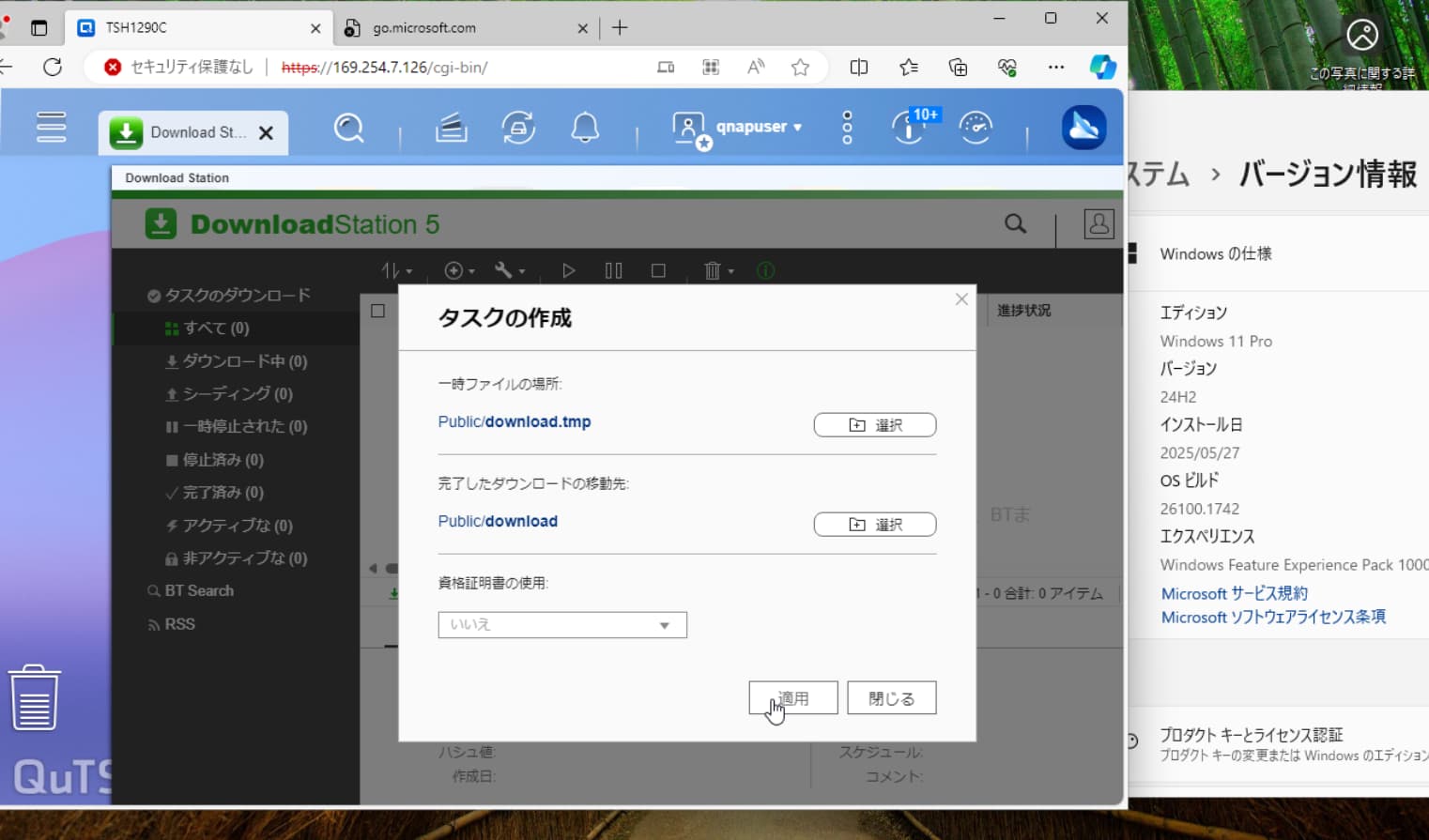
It looks like the “Apply” button won’t be enabled unless you select the location for temporary files and the destination for completed downloads. Have you set these options?
1 Like
Thank you for your reply.
As you pointed out, the folder had not been selected.
When I replaced the device, I forgot to configure that setting.
Sorry for the trouble.
2 Likes
I’m glad to hear that the issue has been resolved!
If you have any other questions, please feel free to reach out.
2 Likes