Hi Lewis -
with only on an 8 drive NAS (like a little TVS-h874, or the newer TVS-h1288AX), you will get 1000 - 1100 MB/sec on a 10G connection. You have an excellent 10G switch - the Ubiquiti Enterprise XG24, which I use all the time. When you start adding more drives into the storage pool - you don’t get more bandwidth to a single client - you don’t get more than 1000 - 1100 MB/sec to a 10G client. You get more TOTAL AGGREGATE BANDWIDTH, so that you can have lots of 10G client computers connected to your Ubiquiti XG24, and you will now get more total bandwidth, so that multiple clients can work with full uncompressed 4K video without issue. That is the point of MORE drives (and of course, more storage).
There is nothing wrong with QuTS (ZFS) - I use this for every installation now - no matter what the QNAP model is. When I observe your poor results, I am now starting to blame “other things” - like what computers, or what 10G adapters you are using. When using a simple Mac Mini or Mac Studio that has a native 10G ethernet port - there are no issues. When using a Mac Book Pro or iMac that does not have 10G, if you are using good quality 10G adapters from QNAP, Sonnet, Other World Computing (even Ubiquiti) - there are no issues. Are you using professional thunderbolt to 10G adapters, or are you using cheap ones you find on Amazon from “no name” companies. Are you using Windows PC’s ? Because if you are, and your 10G ethernet card is not in a x4 x8 or x16 PCIe lane slot, you will get TERRIBLE performance over 10G. I have seen this even with HP Z series workstations with 10G cards from Sonnet. Put the 10G card in the wrong PCIe slot - and you get TERRIBLE SPEEDS. You CANNOT use a x1 PCIe slot, or you will get terrible speeds.
Of course, EVERYTHING should have Jumbo Frames Enabled - this means that your QNAP 10G port, the Ubiquiti XG24 10G switch, and your computers 10G ports should all have MTU 9000 set for jumbo frame performance.
And to simplify things now - bypass the Ubiquiti XG24, and just go directly from your computers 10G port to the QNAP 10G port. Use static IP addresses - for example, make the QNAP 10G port a static IP address of 192.168.2.3, subnet 255.255.255.0, MTU 9000, and your computers 10G port 192.168.2.11, subnet 255.255.255.0, MTU 9000. Now connect from your computer to
192.168.2.3 using the SMB network protocol (on a mac - GO> Connect To Server> smb://192.168.2.3> Connect
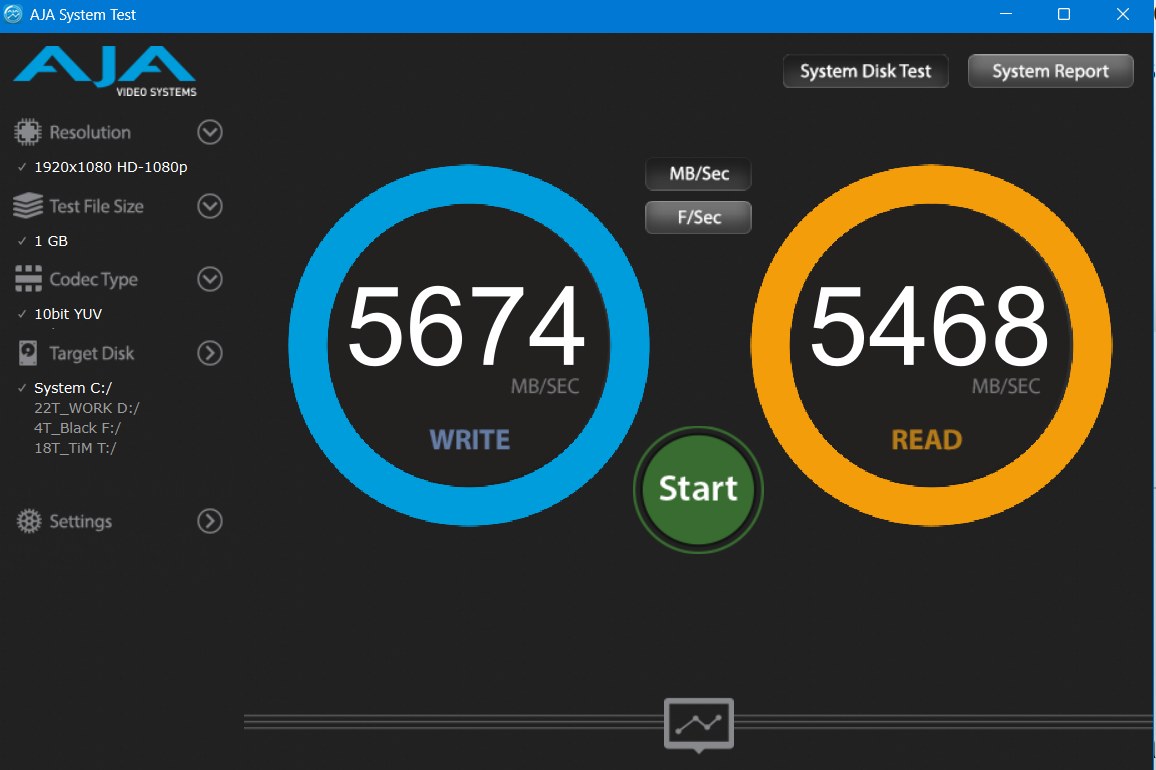
ALSO - I advise you to do what Jon is doing - download the free AJA System Test instead of Blackmagic Disk Speed test for your testing. I don’t care if you are using Davinci Resolve - just use AJA System Test for your speed testing until this gets resolved.
Let me know -
you have my email in my signature here - I can remote into you and see what is going on. At this moment, I am going to GUESS, that you have Win PC’s with 10G cards, and the cards are in the wrong slots, or you don’t have a PC with a free x4 PCIe lane or greater available to you.
Bob Zelin
 . I’ll ping you on e-mail just to be in contact if not anything else, always good to have PRO contacts :).