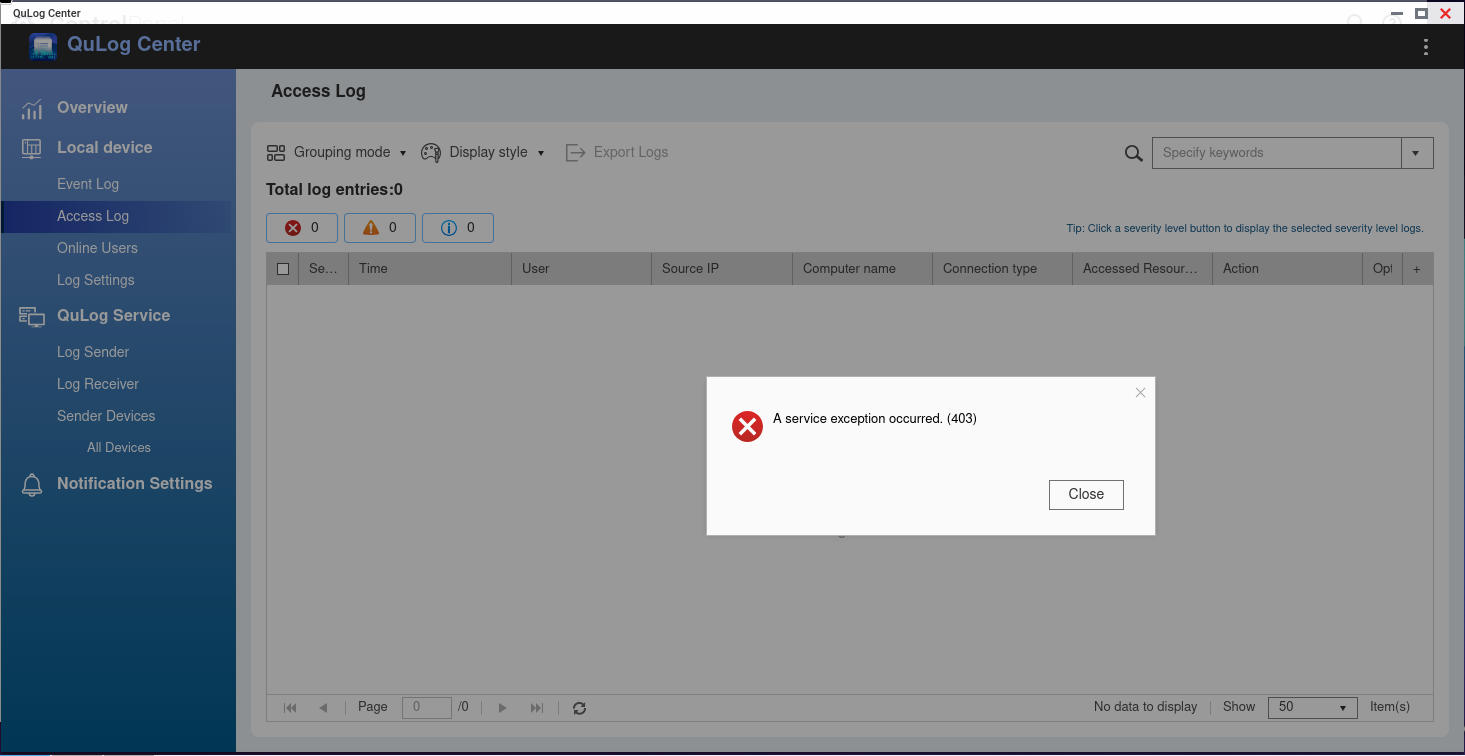
What makes you think the SMB problem you linked is the same at the QuLog issue I am seeing? Nowhere in my case was any mention of SMB: I am simply trying to access the logs and configure the settings.
Could you let us know whether you’re connecting via your local network or through remote access (such as VPN or myQNAPcloud)? Please also confirm whether this issue only started recently — for example, if everything was working fine before and it only became inaccessible now. Thanks!
I am connecting “locally”, meaning that… the browser is indeed in the same lan as the NAS but now I am going through a nginx reverse proxy for SSL (running in a container on the NAS itself, of course)
I haven’t checked QuLog in a looong time, but checking the logs there seems to be a gap. Now the unit is off, I can recheck this evening and update
I wonder why QuLog cares so much about it, since the rest of the UI seems to be fine
(but there is a gap in log archives between 19.06 and 06.07, which is when I tried clearing the config and restarting… so something still doesn’t quite add up)
Just run it plain via http then, if it’s locally in your network, there is no need for SSL or even a reverse proxy.
I remember discussions on the old forum where people complained that certain functions did not work if QTS web interface was going through a reverse proxy (sadly no way for me to check)
There is no reason for going through a proxy server on your local network. You are behind your firewall and it’s all secure. Your NAS should not be published on the net. There’s no need to have hyper levels of security on the LAN.
I want https via letsencrypt because yes I do (learning, extra security, etc). The proxy was an attempt to do that. Attempt failed because no matter how many header rewrites I throw at it, the qnap backend / frontend js will still sniff out the proxy (especially for /nc/api) and throw 403.
myqnapcloud locks the domain name to qnap’s own choice even when using letsencrypt and introduces external access which I do not want, at all.
I will explore the possibility of replacing the builtin certificate: if that too fails, experiment failed and case closed
EDIT: replacing /etc/config/stunnel/stunnel.pem with privkey+fullkey and restarting the daemon works, it survives reboots and I need to fix the automation without the proxy (another day)