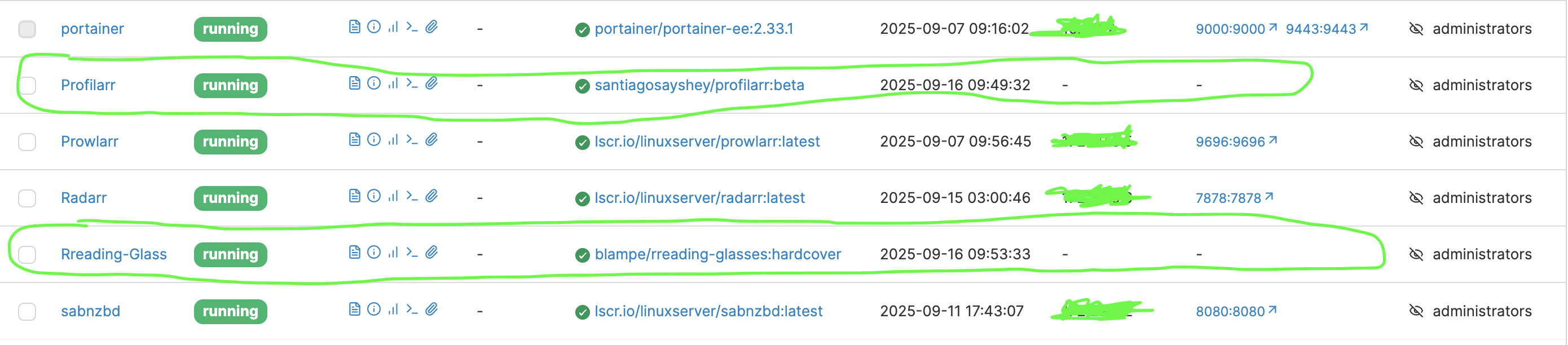
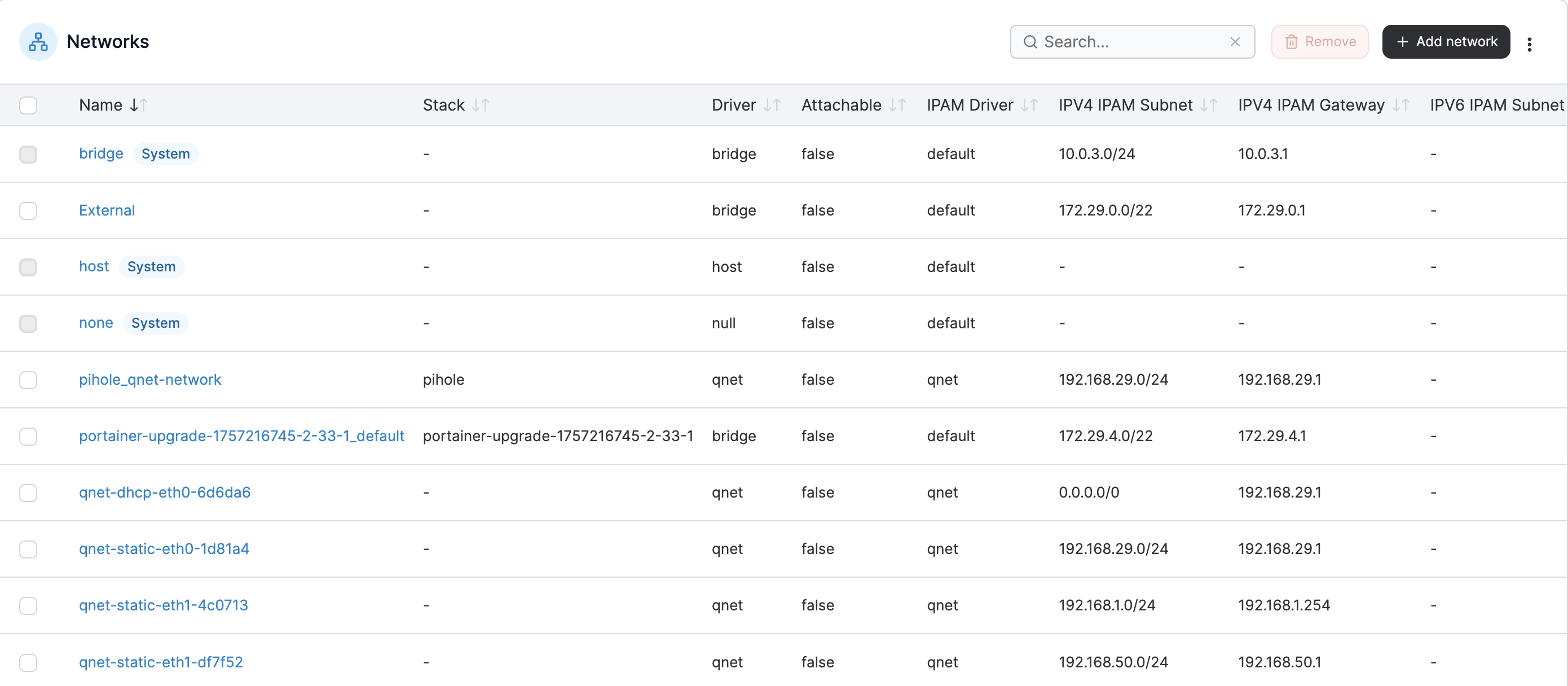
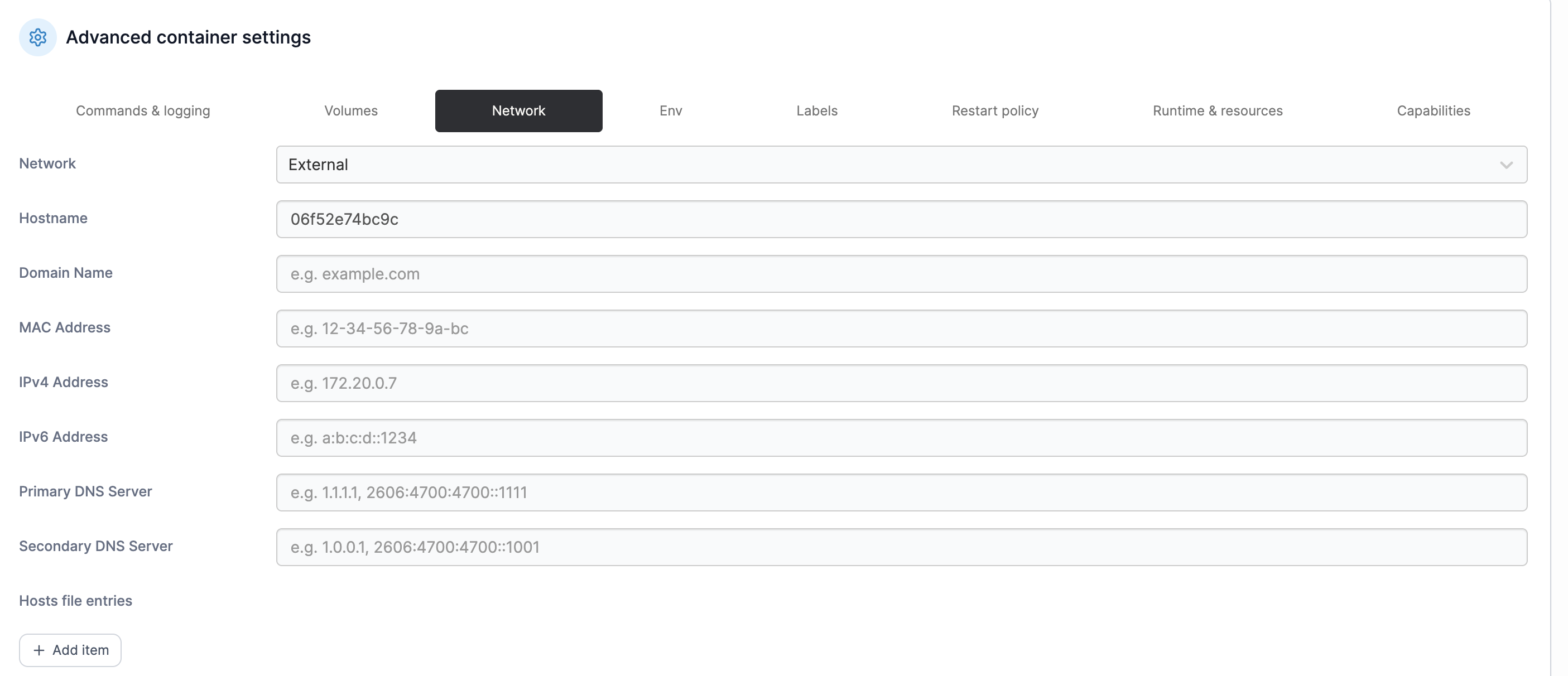
I have been successfully deploying apps like PiHole, Sonarr, and Radarr until something went wrong with the deployment. The new apps I am deploying initially have ports, but in a bit, the ports disappear and the app is inaccessible through the browser. The pic below illustrates what I have explained:
I have restarted the NAS as well as Portainer, but to no avail. I have even redeployed them repeatedly, and that hasn’t worked either.
Hopefully, someone can show me what I am doing wrong or what could have gone wrong. All help will be appreciated. For me, moving from Synology to QNAP has been a little rough. It seems QNAP is more suitable for people who know exactly what they are doing. Synology seems to work for noobs.
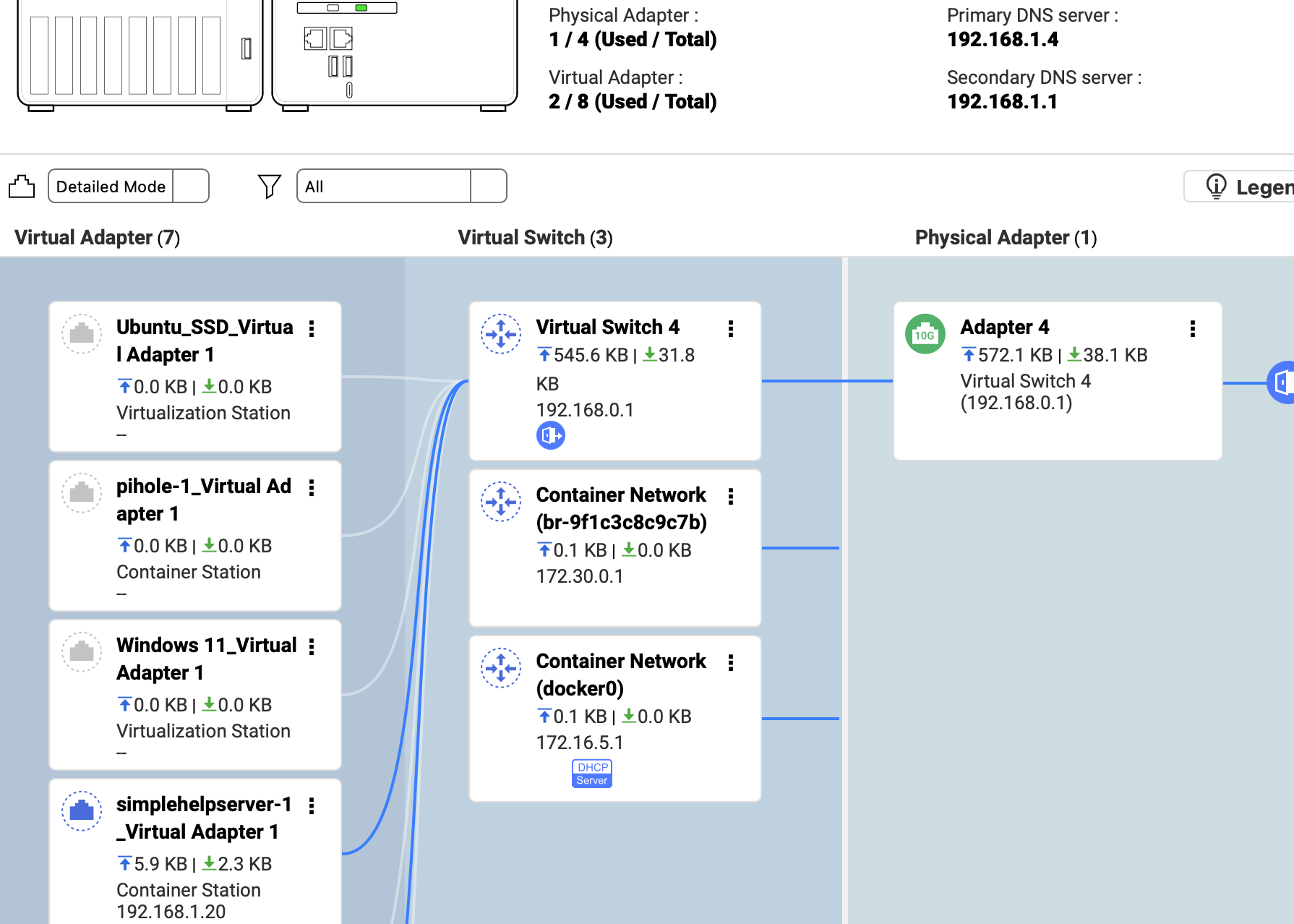
So how do you have the network set up for your containers. By default, QNAP sets up a 10.0.0.0 based network for container operations and uses the Network and Virtual Switch app to create routing internally. This is OK for some things but most of the time you want an IP address on your LAN for things like PiHole. What you need to do is put the container in Bridge mode.
1.) Open Container Station.
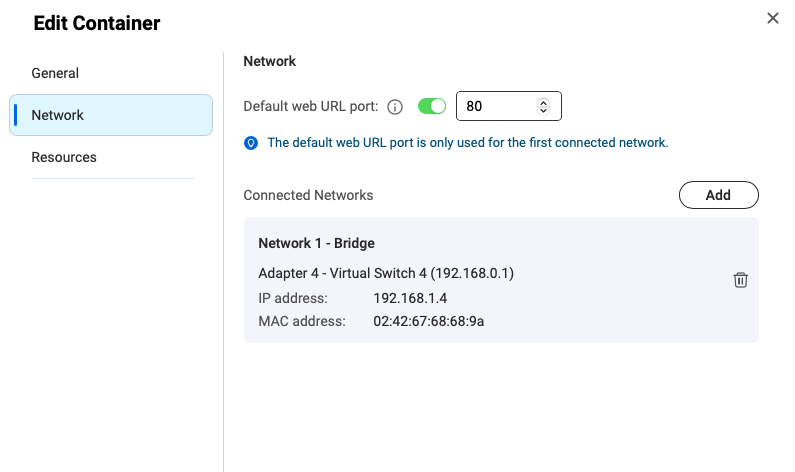
2.) Select your particular container app and then click the “Edit” button in the upper right:
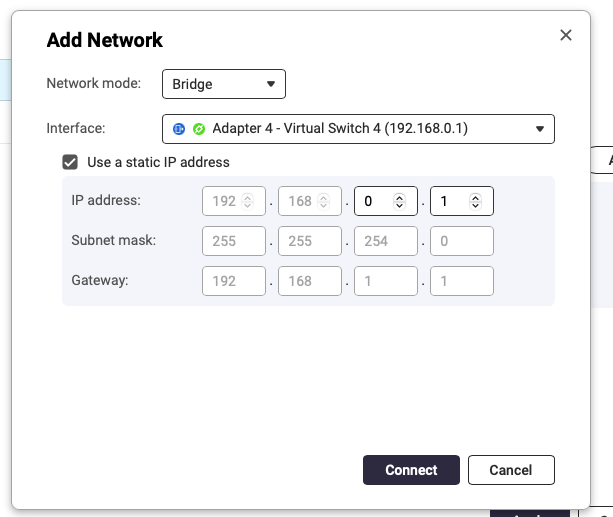
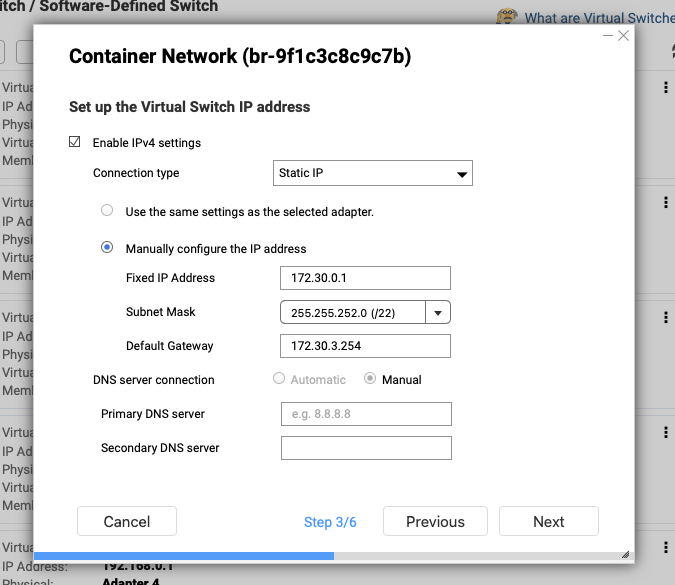
You will have to delete the initial set up which would be NAT. The click Add. Select Network Mode as Bridge and click to use a static IP (absolutely needed if you are using PiHole, etc).
The default address will be the address of the NAS (in my case 192.168.0.1) but pick another address that is outside of your DHCP pool on your network. Fill out all the normal network stuff and off you go.
This should help you quite a bit. Please let me know if you still need help.
Thank you for responding. I have been doing what you say for most deployments. My Pihole works precisely as you mentioned. I have stopped it currently as it is slowing down the web as well as not allowing some allowed sites to open.
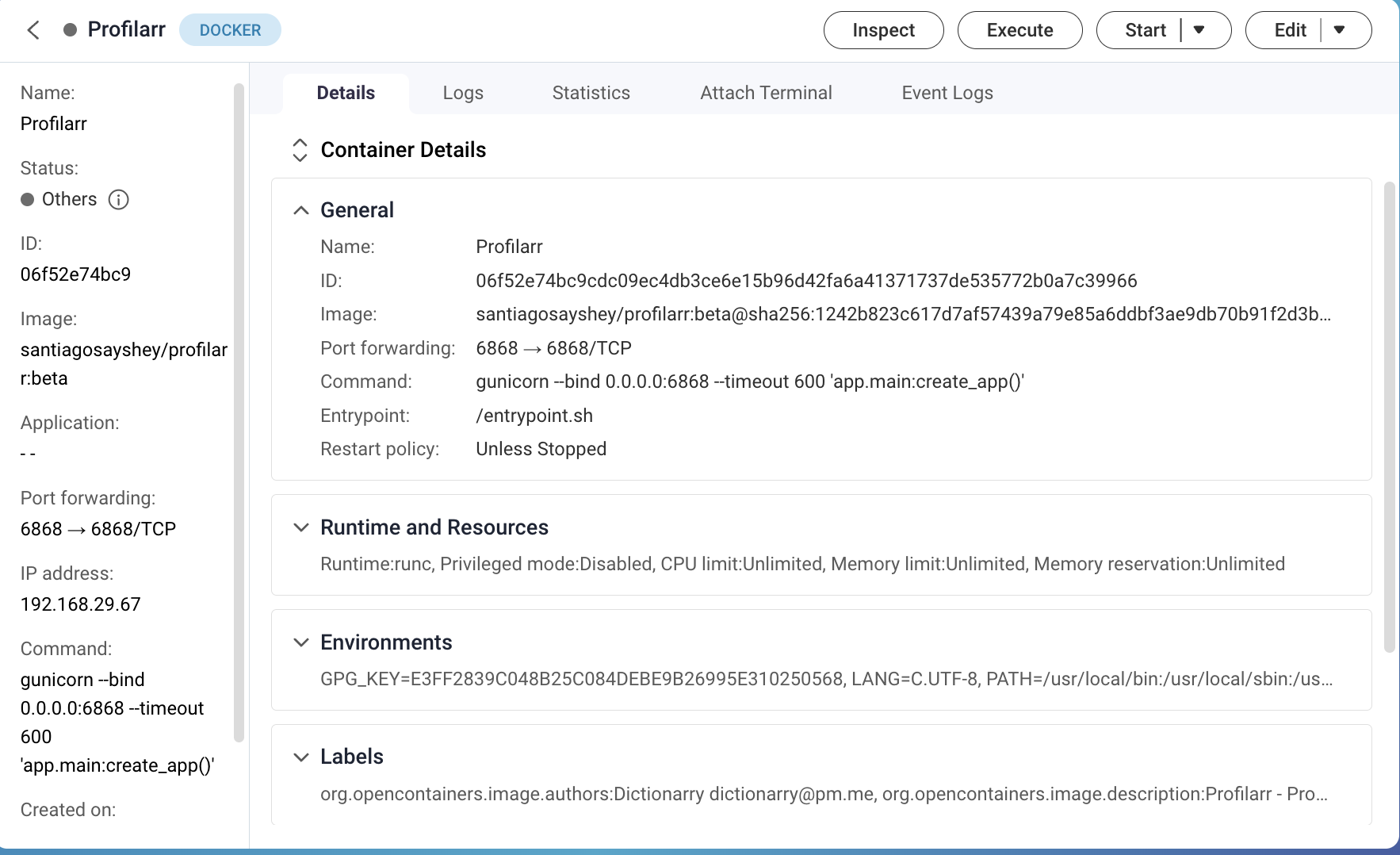
Nonetheless I did exactly as you mentioned and got the same result:
My Pihole works precisely as you mentioned. I have stopped it currently as it is slowing down the web as well as not allowing some allowed sites to open.
Pihole will block some sites by default - like if you are on Amazon and click on on a “sponsored” item. It’s likely going to be blocked. You can whitelist and change things to allow sites to load.
It really should not slow down your browsing one bit, not if you have it set up correctly and all.
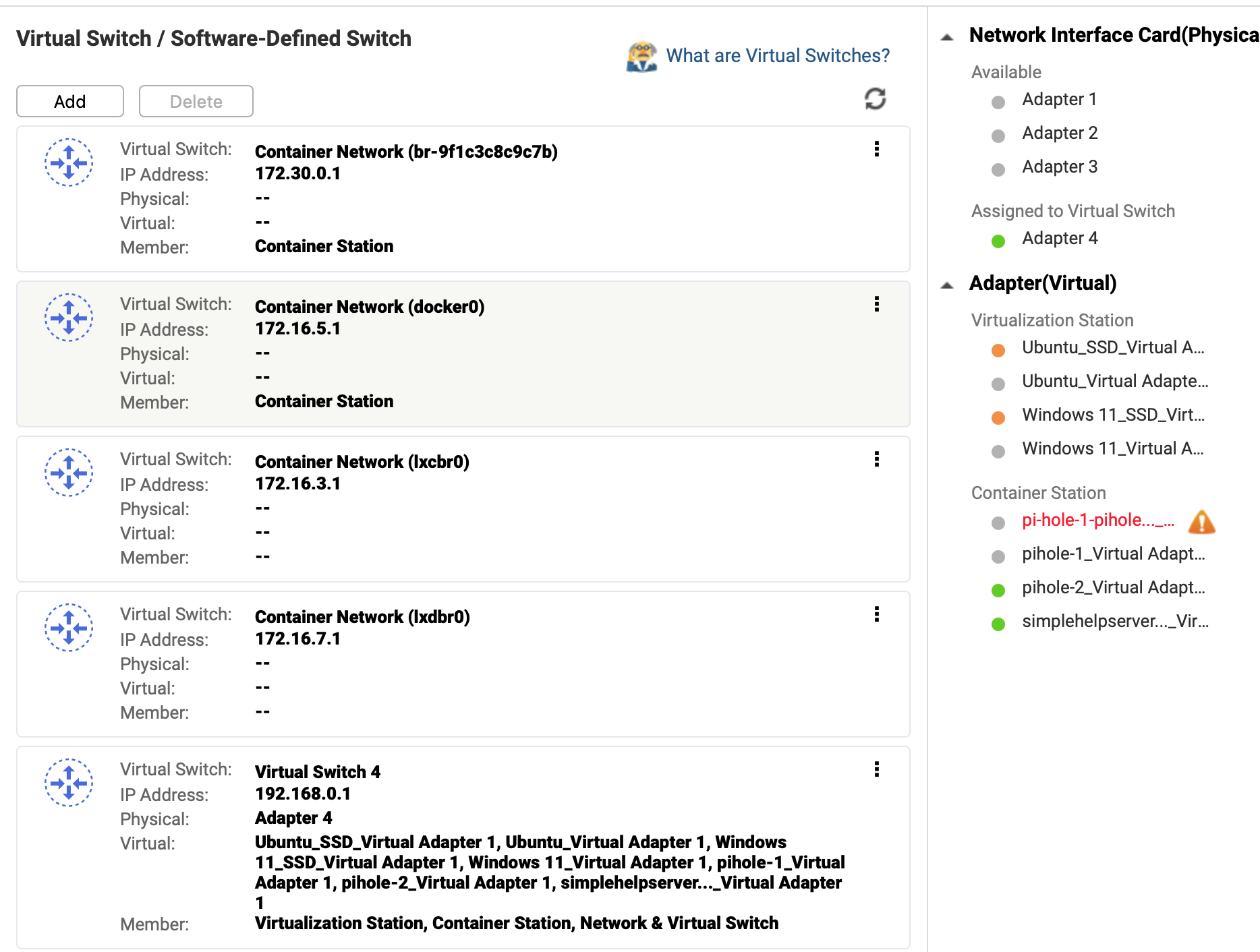
You showed your “Networks” image above. What page is that from? That is not from Network and Virtual Switch. That is not what NVS shows. Is that from Portainer? Why are you running Portainer? You already have Container Station on the NAS…There is no reason to use Portainer and that is likely part of your problem.
I have no idea how you have your system set up since it’s way outside Container Station and it’s possible you have multiple NAT layers or routing paths which is why you get disconnections and slow pi-hole performance. I’m sorry but I cannot help you further since you are not using ContainerStation and I have no idea how Portainer works or how it should be set up.
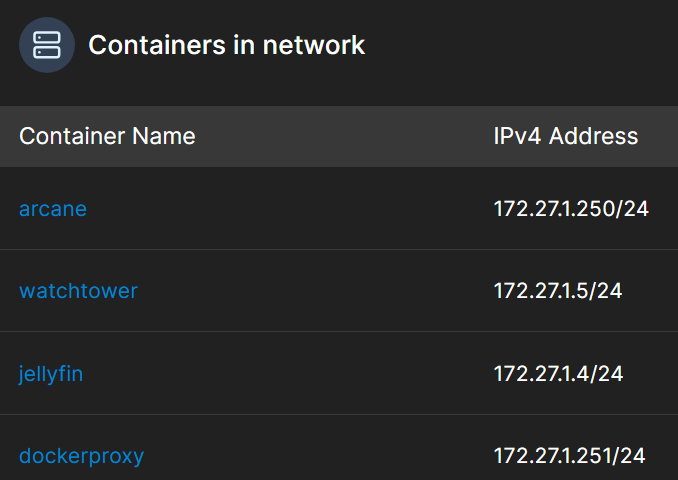
There are a lot of reasons to use notCS, Applications aren’t really docker compose and once you need more then “spin up a single app” CS limitations really start to give you problems.
Jellyfin with GPU accel:
on CS, took me hours and liked to break every docker image update.
using SSH/Arcane/dockage/Portainer, worked 2nd try and has never broken from “outside” influence when updating the image.
Also trying to get help from and you tell them you are using CS? They are going to tell you to pound sand.
SSH/Arcane/dockage/Portainer stacks are either docker compose or ALMOST vanilla docker compose so you can go to github or mailing lists and ask for help.
Now that I know what I’m doing I could probably redo my entire stack using JUST CS applications. But even then I break easy snapshots/backups AND I’m stuck with the limited options you get in CS. deploy: resources: is just blocked.
AND THEN, if you use SSH/Arcane/dockage you are doing everything with just folders on the filesystem. If you ever want to move your containers to another box you can just rsync -av the parent directory and you’re done.
Trying to extract things out of /share/Containers/ is really hard.
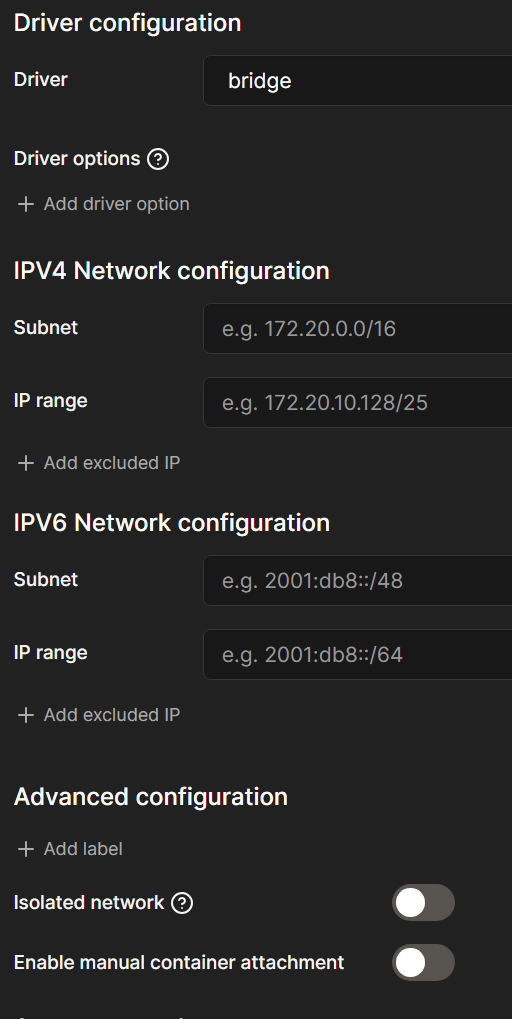
Hi @Weedy - “Enable manual container attachment ON" how do I flip it on?
Wait, why the hell does he make you setup a VM to run Docker (maybe still on the host?) only to install Portainer
No, while I did not install the VM, I think this is the first part of installing arr apps.
@NA9D I actually set it up using this https://www.youtube.com/watch?v=hidjGrMyTpY. Though it is for Synology it broadly works for QNAP. I have set it up properly I think but it slows down everything my MacBook, the NAS, even browsing pages take time opening. Considering I am on 1 Gbps on MacBook Pro M4, 48gb ram, it really should not be the case so it has to be Pihole. If anything the issue could be that my connection has CGNAT and I don’t have any other option but that unless I go for an expensive business connection.
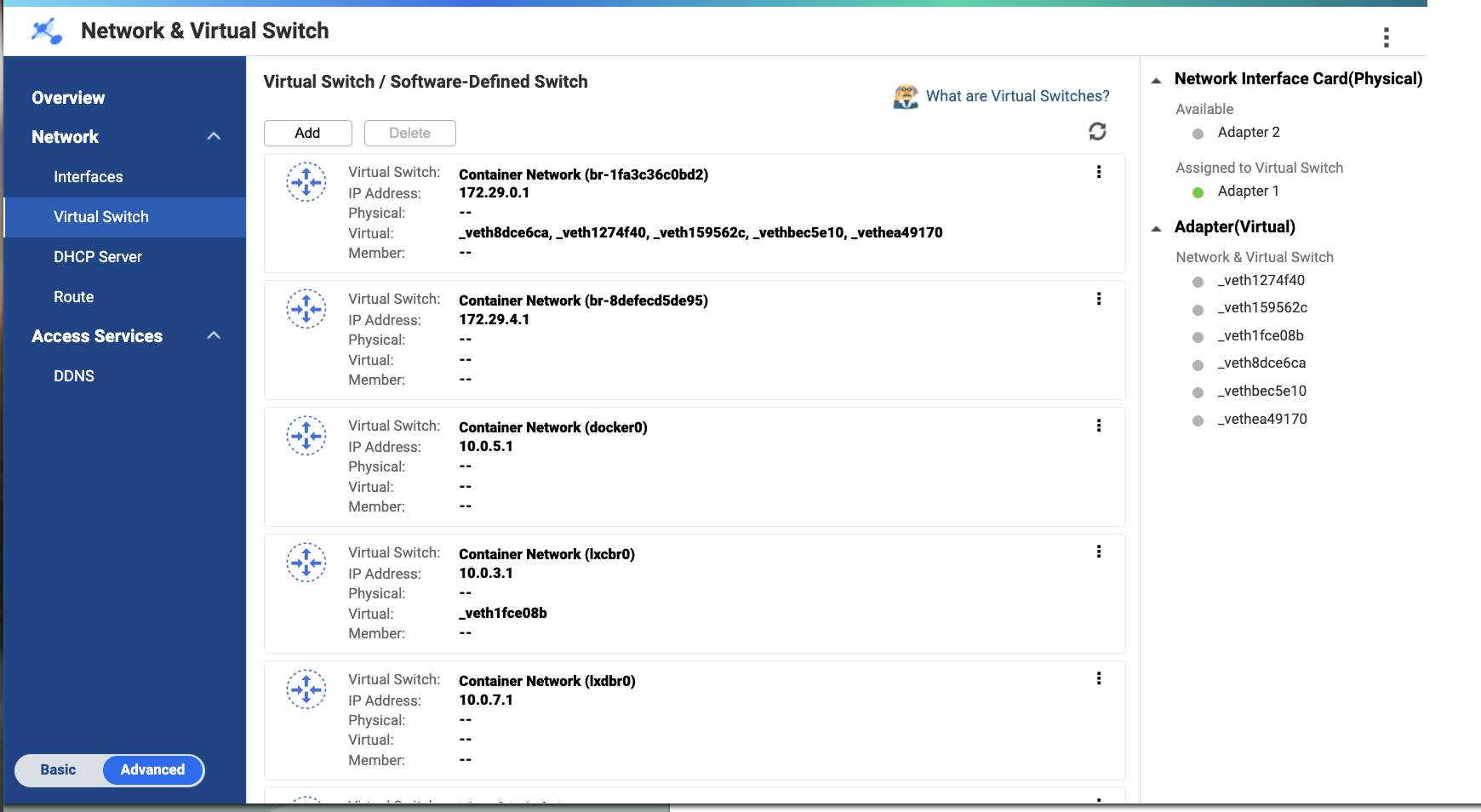
Portainer is nothing complicated; it is supposed to be a more straightforward GUI to implement stuff on Container Station. However, I don’t find much difference. I performed the 3-second reset for network settings yesterday, but it did not resolve the issue. This is how I am set up right now:
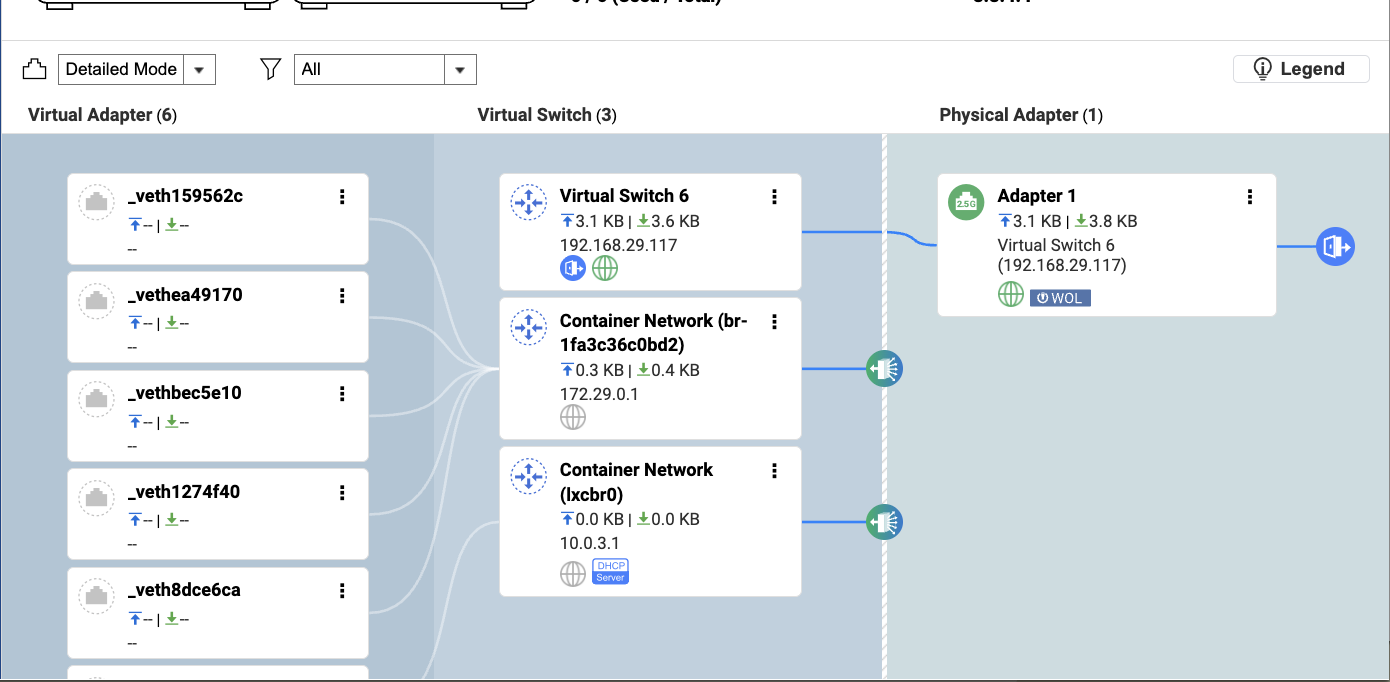
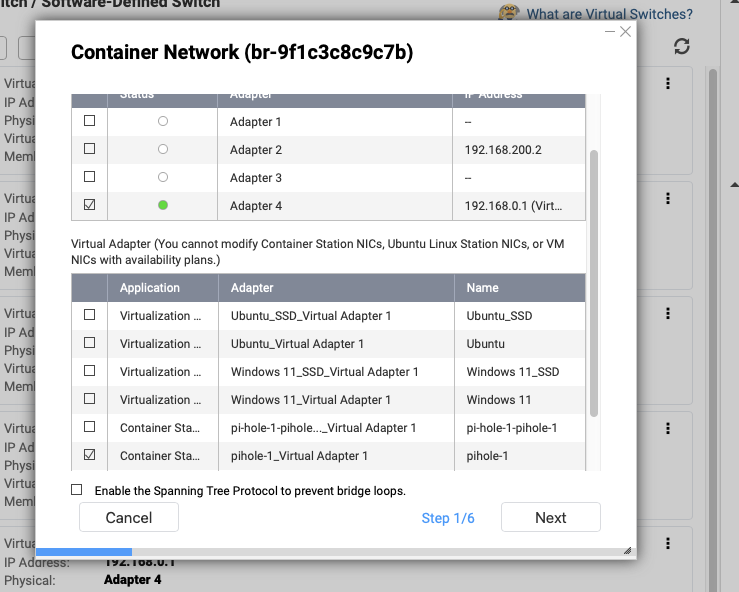
Looking at your virtual switch config, all your containers are on the 172.29.0.0 network which is different from your LAN of 192.168.29.0. I think therein lies your problem. You are having to NAT for every DNS lookup and relying on the routing provided by NVS. Take and put your Container Network onto your LAN in bridge mode so you don’t have to do all that extra work.
Also I agree with @NA9D, I don’t know why your tutorial had you NAT pihole but that should run on the host network at minimum. That said trying to get the admin UI and DoT/DoH working might be a problem with docker.
I don’t use pihole so I’m not sure what the best practises are.
I would imagine in a perfect world you want pihole to have a fresh IP on your home network (192.168.0.xxx I think?) and then it can do whatever it wants without limits.
DNS is a pain and you want as few layers running between your resolver and clients.
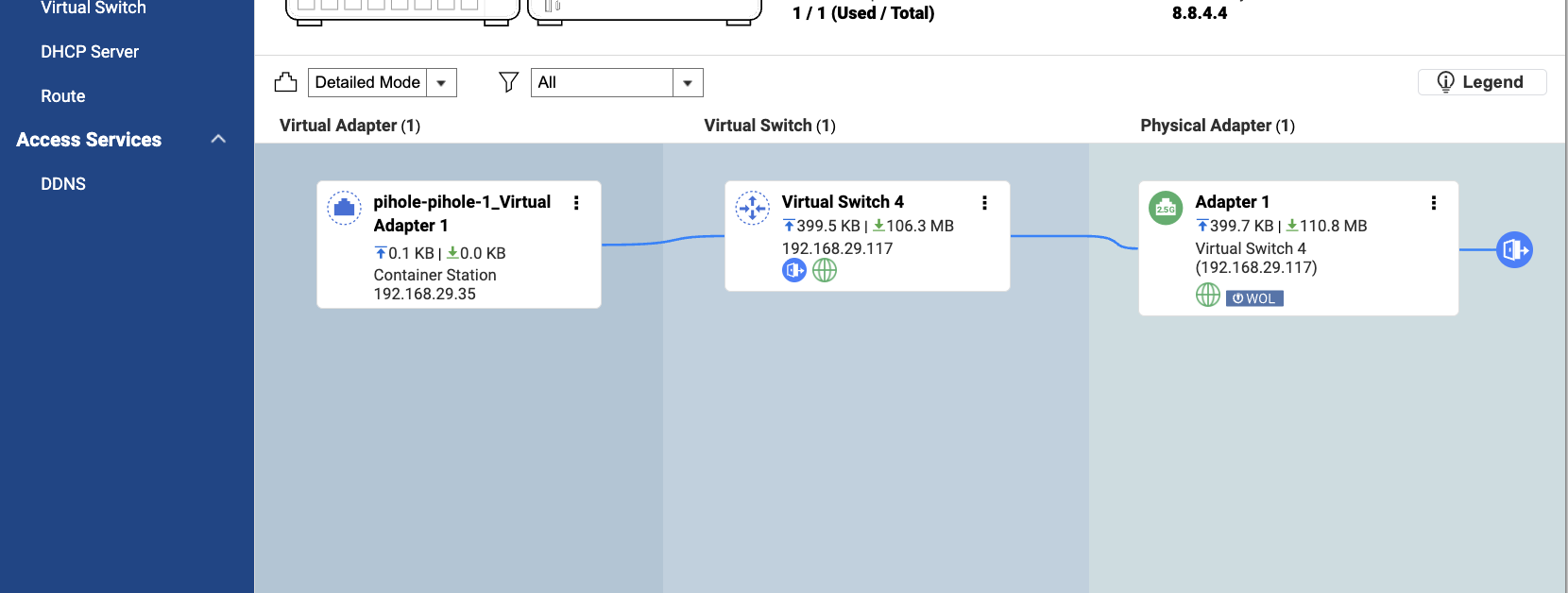
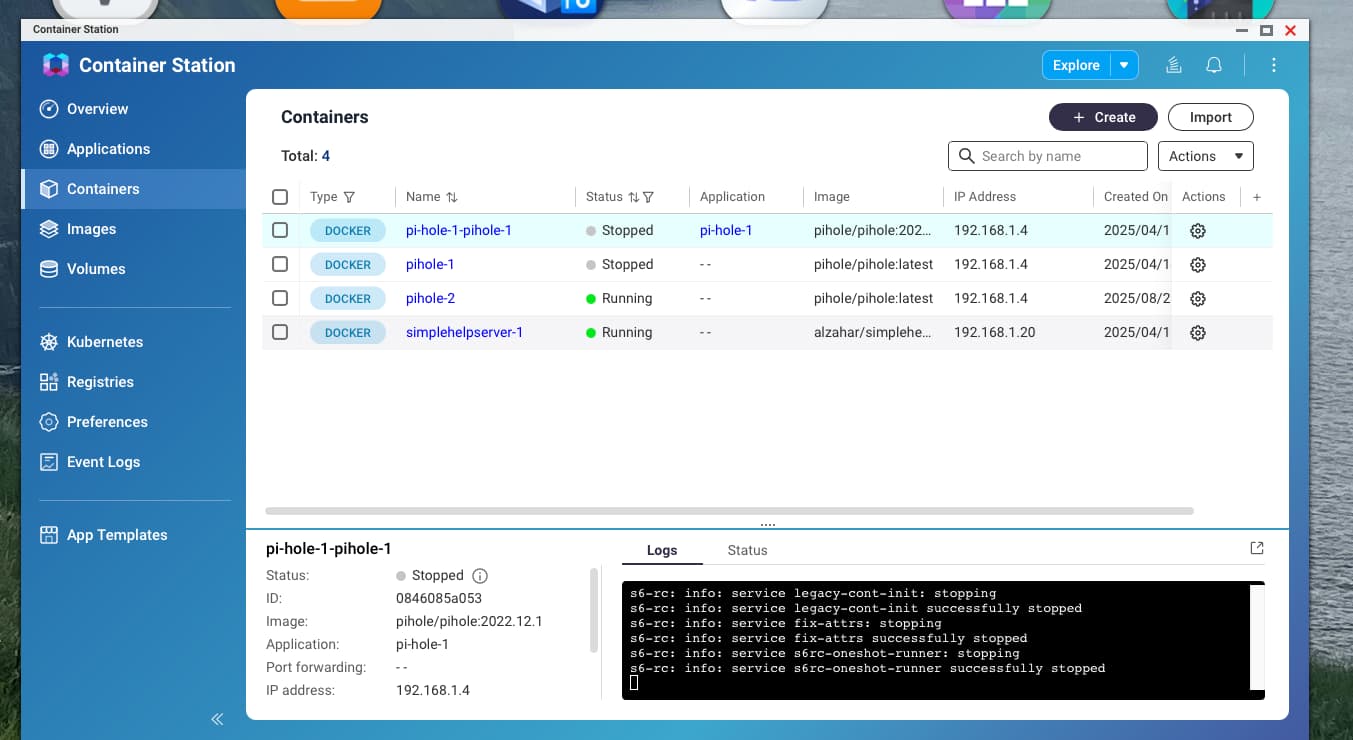
After removing the container station and the virtual adapter. I searched the net and it seems Container Station is essential to installing pi-hole. So I installed the CS again and a virtual adapter was created:
@NA9D@Weedy Thank you so much for your response, staying at it with me. It looks like we may have a solution here. But I am going to ask you guys some really noob questions, please bear with me.
Should I delete the virtual switch?
If I do so, will I have to do a 3-second reset of the network?
Will I have to reinstall everything again, or will all the installed apps through Docker move to the LAN from the virtual switch?
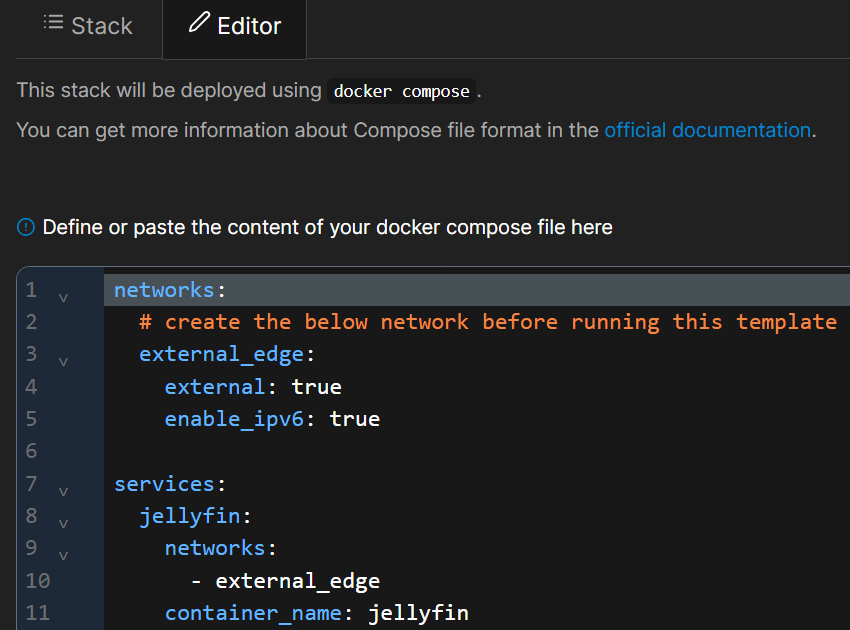
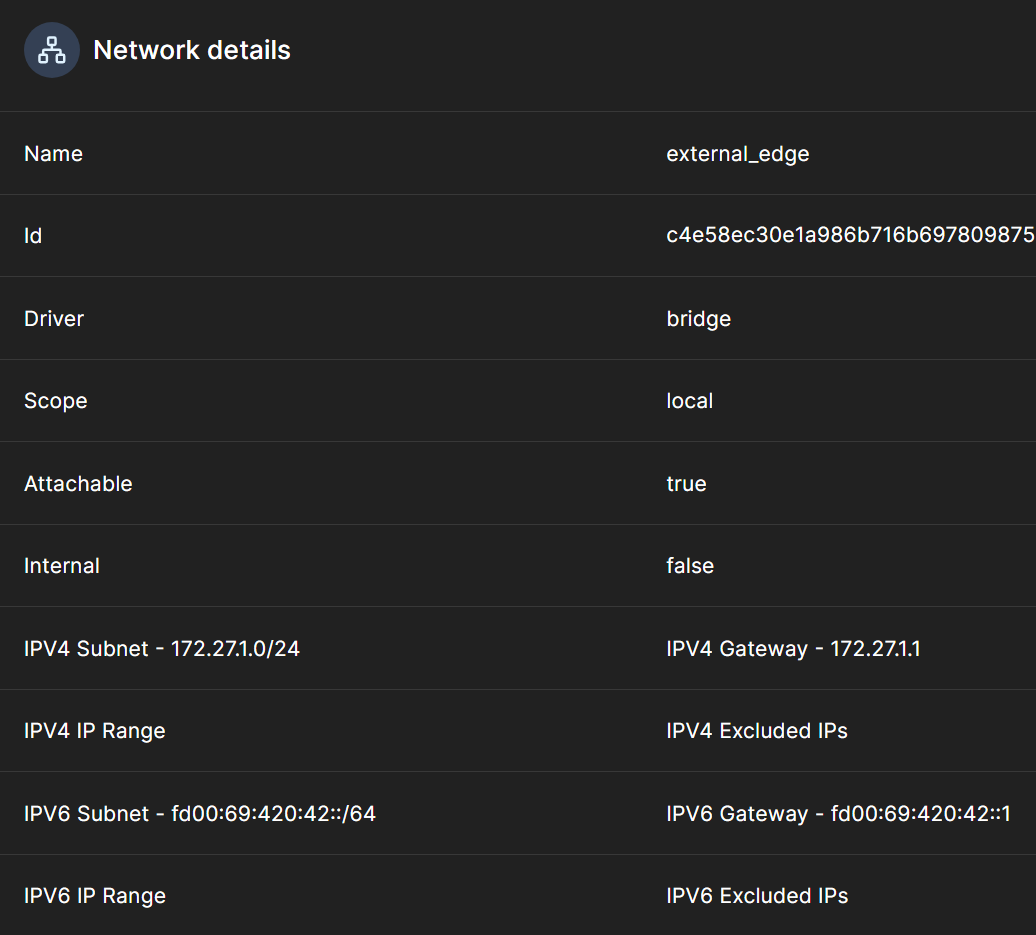
If I remember correctly, most of these things have a bridged connection. The ones implemented through Portainer have an external network that I had created as advised in the video.
@Weedy, I figured out ‘enable manual container attachment’ on the Portainer deploy page. I don’t see the driver configuration set up anywhere.
You can’t delete the virtual switch. What you can do is move those items to be utilized by your main NIC.
I don’t know how Portainer does it but it ContainerStation, you can set the network mode to bride and chose an IP address, etc.
You can move your container network to the main LAN in Network and Virtual Switch. Right click on the container network and select “Settings.” Then you chose the adapter and the application:
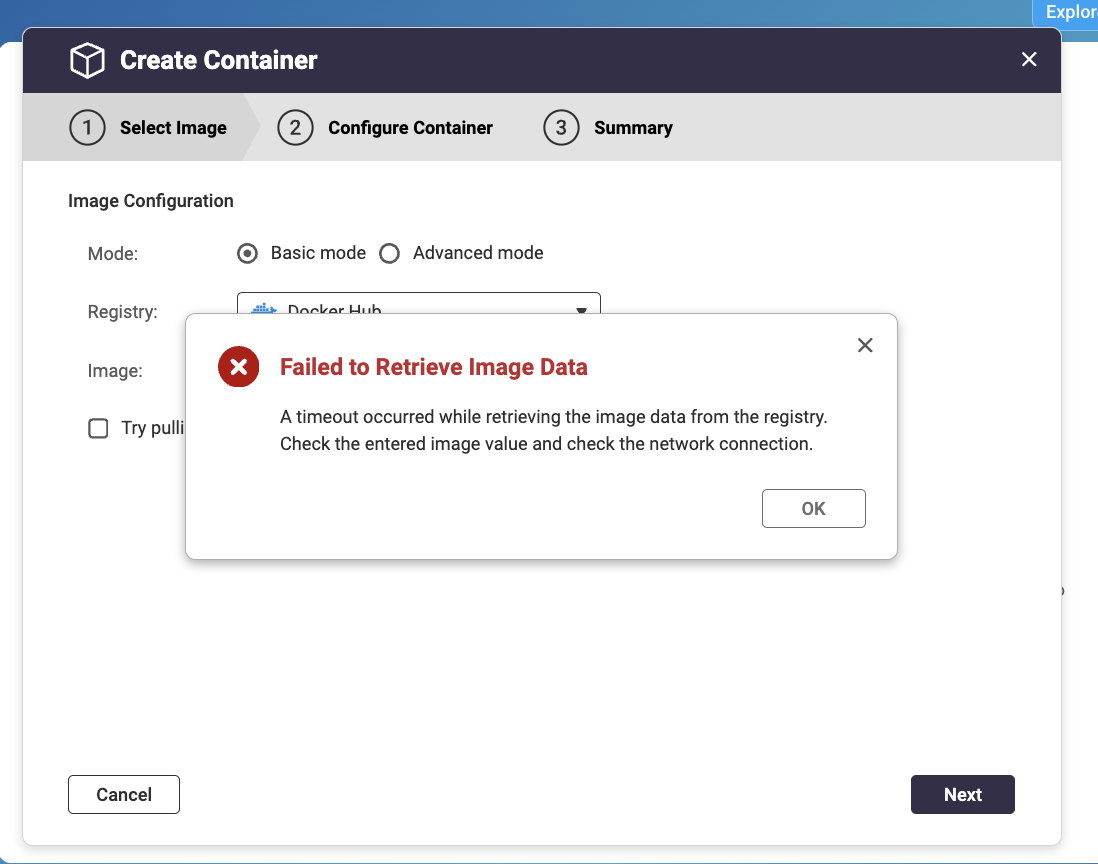
Yes, virtual adapters are used all the time. I’m not sure why you were not having luck creating the container.
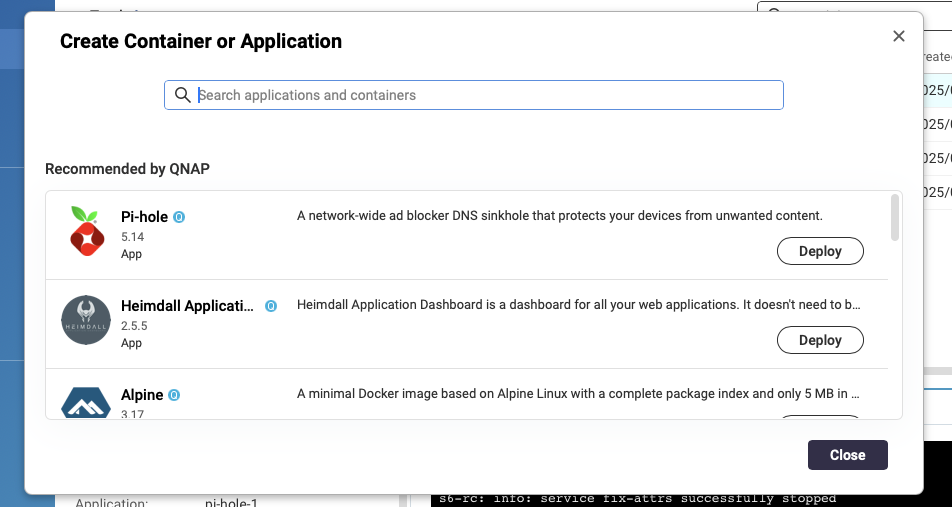
One of the QNAP staff members yesterday posted a very good tutorial on installing PiHole. I’m not sure if the version that gets installed in that writeup is the latest build but it’s a good way to start.
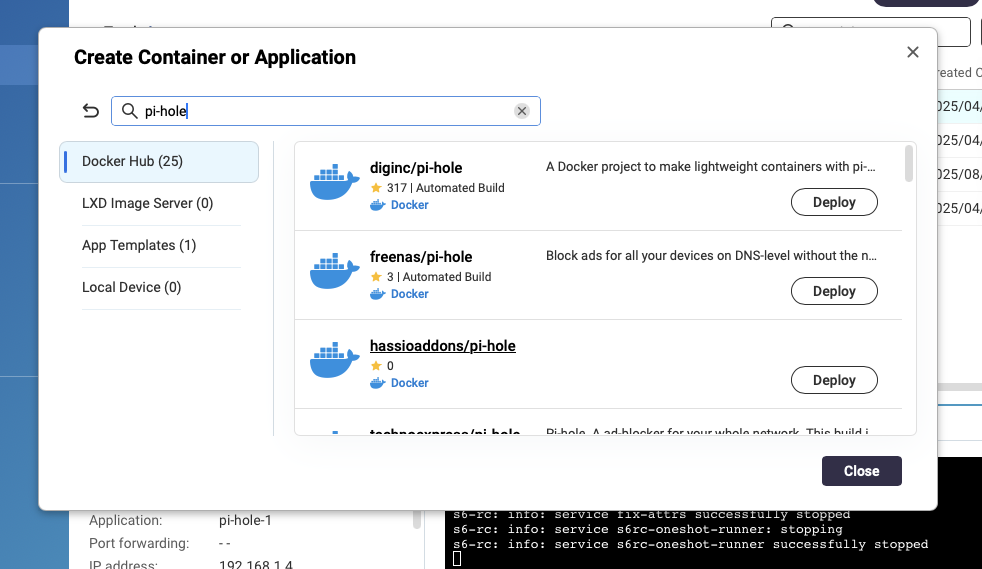
But in CS, don’t try to enter the name of the package in the Create Container page. In the main page, click on Explore:
@NA9D Thank you mate. I removed everything and went about as you guys asked and mostly everything is installing well. Things that were giving me trouble earlier are sorted. Thank you very much.
Great news! Hopefully you get all your stuff working in whatever “container” app you want to use. Sorry I couldn’t help you more with Portainer. Just know nothing about it and how it sets up.
@NA9D I am not using Portainer as yet. I’ll get everything set up soon, as its all from scratch now. Thank you again for all your help. Will be back if I need more.
One thing with good tutorials (the one you used, the one I used). They had us keep apps outside of CS data directory. So it’s really easy to back up everything and move containers off the NAS if the time comes for a more powerful machine. I have everything under /share/docker/ (QuTS)
And since it’s all just files on a network share I can peak into whats going on with SMB. Edit config files or adjust compose.yaml. I have Arcane/dockage going so I can do admin from the browser also. It’s nice.
Container Station is great until the QNAP limitations start to make you work harder. For me that was barely a week into starting with my NAS and learning docker. Nobody makes CS tutorials, everyone has docker compose or Portainer tutorials.