TS-216G I’ve followed through the process from 8TB to 12TB RAID 1 and did get the beeps. My question after upgrading the first HD I’m at this point… does this screen grab indicate it’s rebuilding the new drive? If not what am I missing? thanks
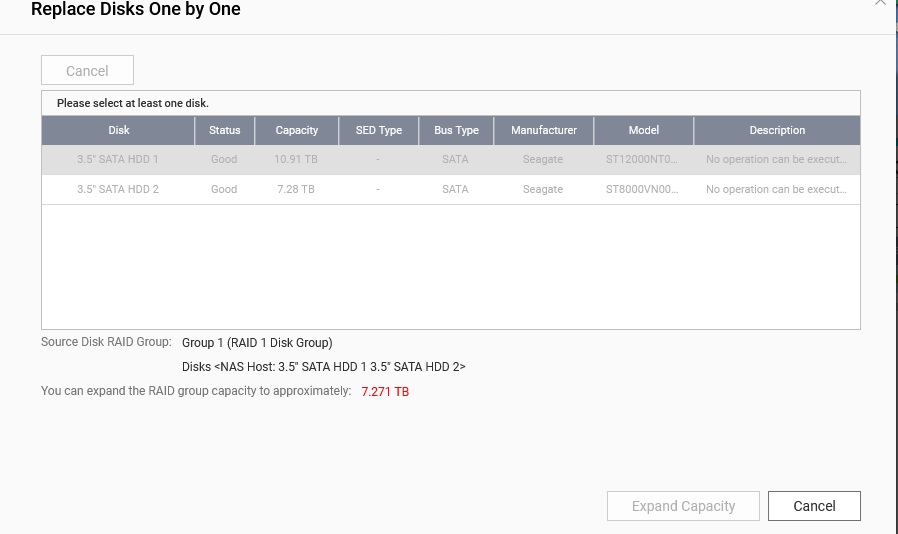
It’s a CAT2 device, no need to go to that menu before you replaced the second disk as well.
Rebuild status will be shown in storage overview and background tasks
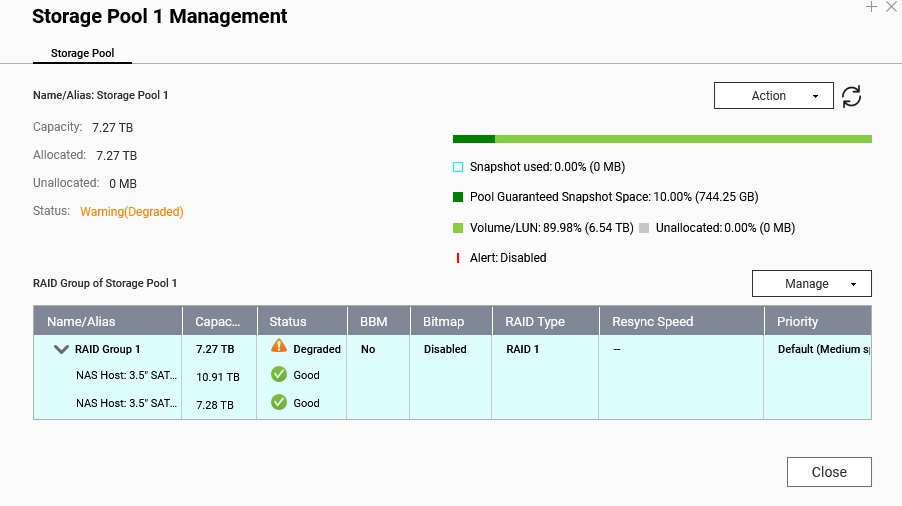
Seems not to be rebuilding, was the new drive empty and has never been used before ?
New HD just purchased. Getting “degraded” warning. I reinstalled the original 8TB drive and it’s now rebuilding. Once done I’ll try with other 12TB drive. Maybe new drive is faulty??
Check the new drive in a USB dock and the manufacturer tools
Using seagate tools w/external USB dock and drive passed short tests, but doing longer test. now. Drives are ironwolf pros. Looks like will take 12+ hours to rebuild NAS w/8TB drives… will update after completed and try the 12TB’s again.
1-Seatools didn’t find any issues with 12TB drive in question … so I reinstalled the original 8T drive and the system rebuilt OK.and it’s back to before adding capacity.
2-I then installed the other new 12TB and the rebuild process took about 18hrs and finished OK
3- Today 11-23-25 I installed the other 12TB and it wouldn’t rebuild again. Would indicate the drive is faulty?
4- back to the base setup both w/8TB drives until I find more. BTW, I’ve backed up all data on the NAS
Had you cleared that drive ?
Regarding the issue with your second 12TB drive: What specific situation are you encountering that prevents the rebuilding process?
Do you have a screenshot of the error or status you are seeing? Thanks!
UPDATE:
From QNAP support: “Looking at this, I think doing a clean build with your two new disks will be the safest thing to do. You can boot this system up without drives, and start a new system setup process. Then put in your two new 12 TB disks. From there, choose the option to ‘Reinitialize.’ You can set up the system brand new and then restore your data.”
Not sure what I missed after above but I get this warning and don’t know how to fix it… or should I just do the above again? I’ve not added any data/files to NAS yet.
Also when I try to connect I get “network disconnected” from Acronis backup
thanks
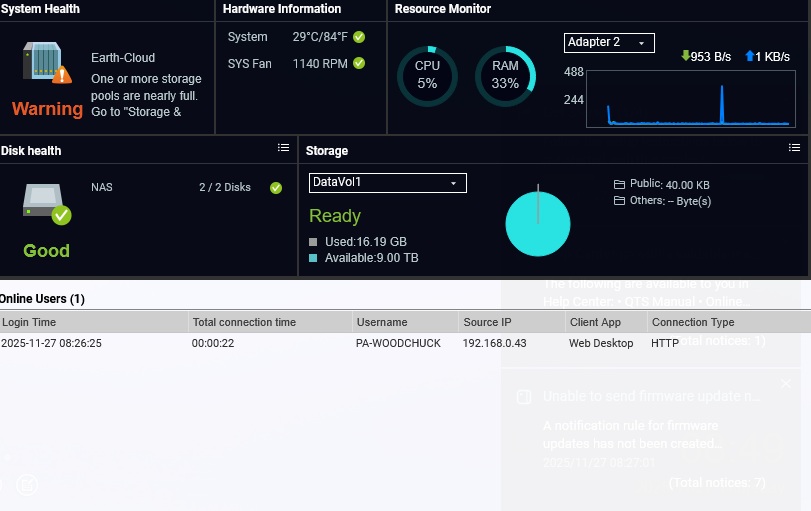
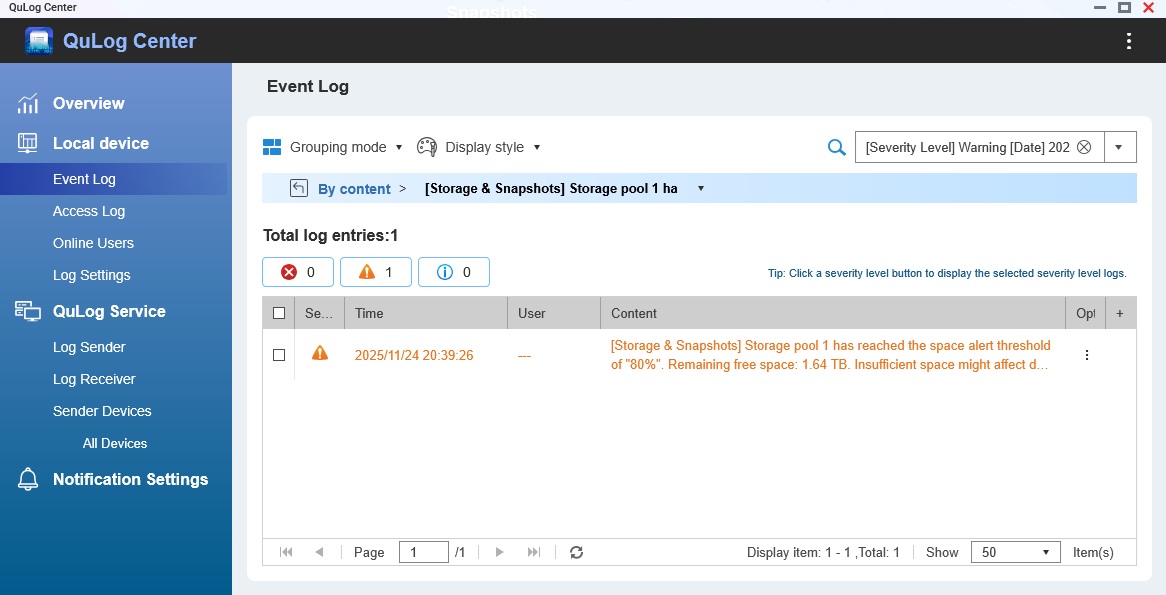
It’s a pool threshold warning, you filled the pool higher than it allows, adjust or disable the warning
I’ve not uploaded any data yet? How do I adjust the warning?
Doesn’t matter, if you put a thick volume on the pool, it instantly takes the space away.
You adjust it in pool management.
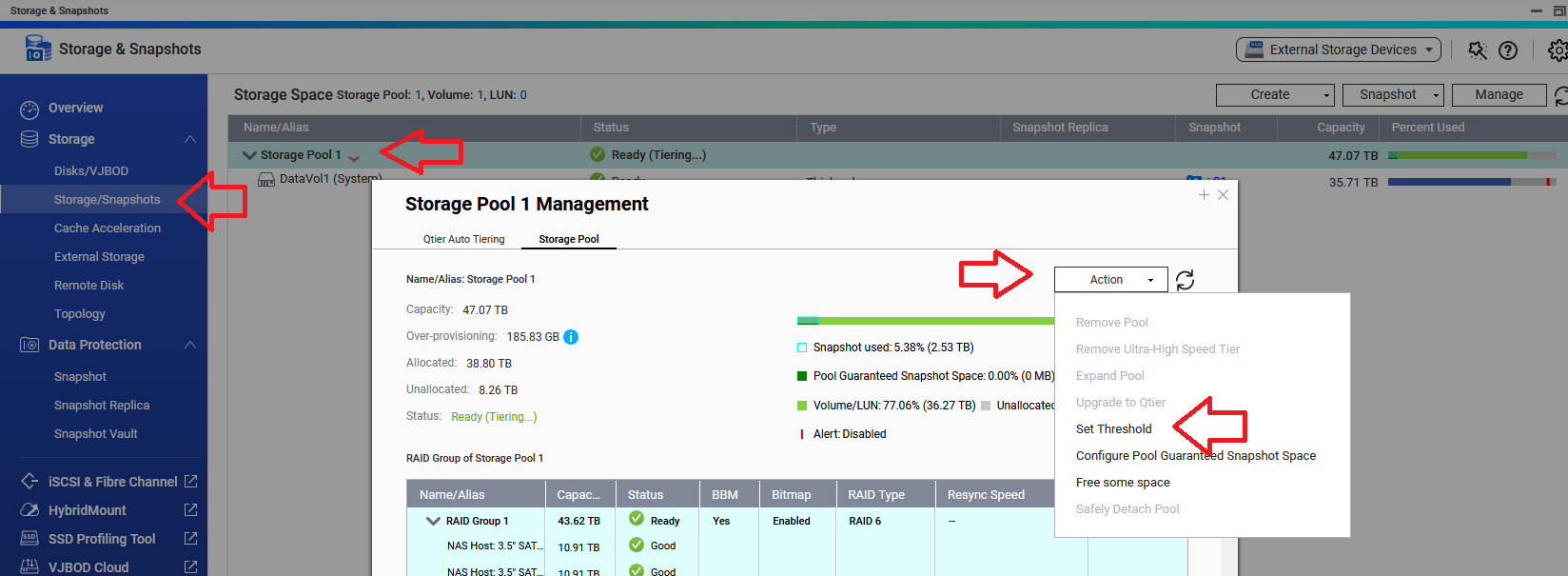
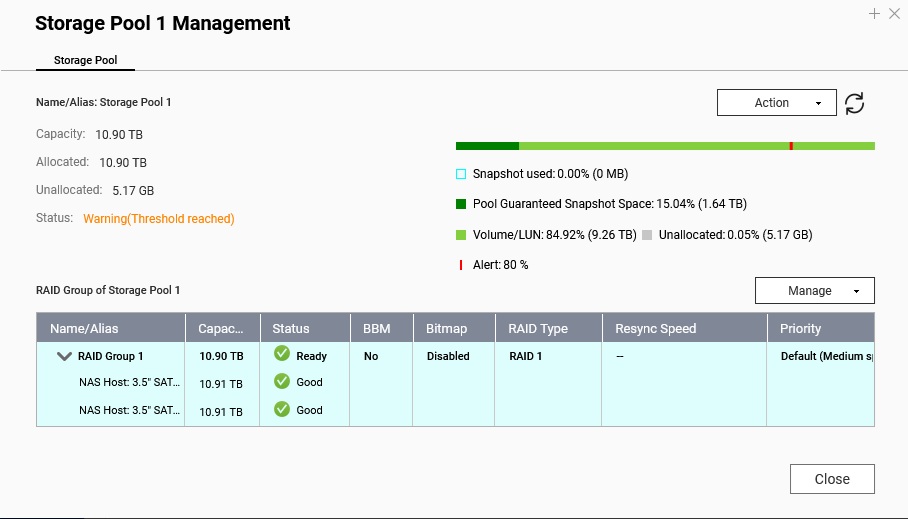
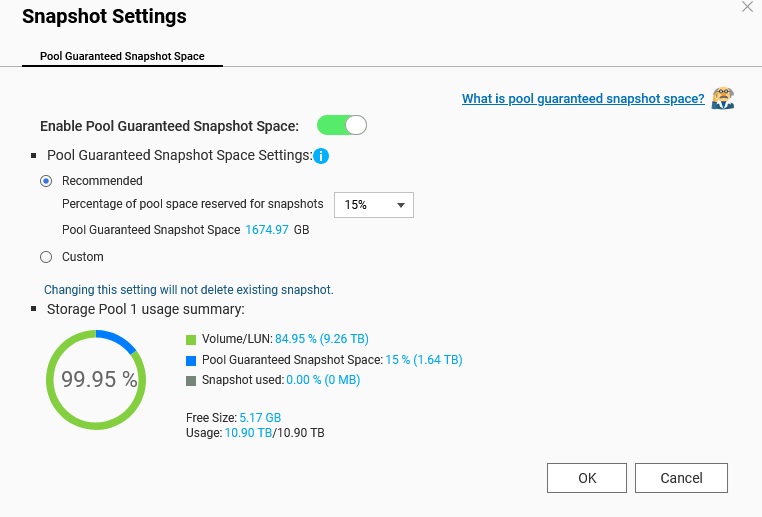
I see there is an active alert threshold of 80%
Change or disable it according to my picture
I changed it to 90% and warning is gone. I’ll dig deeper another time to learn how that relates to the 15% snapshot. thx
One final issue(I hope)… I use Acronis for backup on 3 PC’s and when I try to open location for backup it asks for “enter network credentials” which wasn’t need when first setting up NAS. Please help!
BTW I have access to NAS folders with Win-11 file explorer.
thanks
Never used that program, either save your credentials in there (if that is possible) or add your local PC user as a user to the NAS (with write access to that share)
1 Like
Greetings,
I used Acronis for years with my first QNAP. You need to create a shared folder and (for maximum security) create a user and grant it rw access, or (less secure) use the admin account for rw access.
If you are the only user in your household the admin is fine. If you engage in activities that puts the data on the machine you are backing up at risk, then using more security (a user with limited access) is recommended.
The save to destination (full path) can be specified normally in true image. You can use an IP or a hostname. Either way you have to have a user account on the NAS with rw permissions on the save to destination. Don’t forget back ups of the data you are backing up. RAID is not a back up. 