I installed the Lyrion Music Server as a Docker container on my QNAP NAS TS 264, version 9.3. The container and server are running. I also assigned a static IP address to Bridge so that my Squeezebox Radio could find the server. Everything seems to be working correctly. My player is detected and connects to the server.
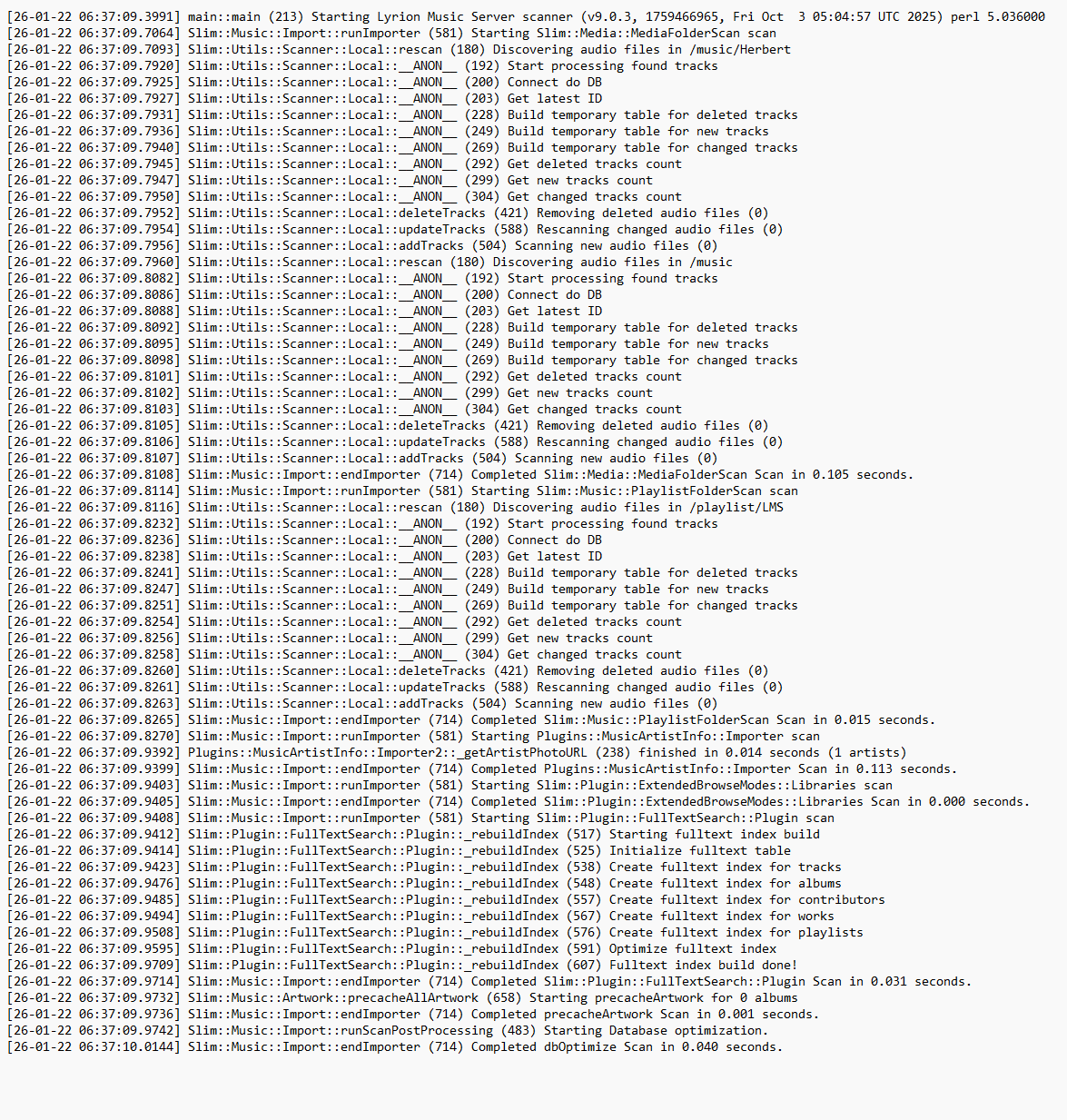
However, the Lyrion Music Server isn’t finding any files in my multimedia directory, /music/Herbert. The search on the server aborts in a fraction of a second, reporting that 0 files were found.
P.S. I have no prior experience with Docker and YAML.
Please make sure to post in English, this is an English forum!
Did you connect to the container and made sure the mounted resources have files in them ? (this would make sure that no typos or capitalization errors are in it)
Sorry, I didn’t know that. Now in Englisch.
I don’t quite understand:
The container is active.
FileStation indicates that files are located in the specified folders.
I can’t find any typos in the YAML file.
works fine, media added is added to it right after a manual scan (used the QNAP Sample folder with two demo songs and threw a FLAC album into the directory)
I reconfigured the container using the slightly modified YAML file you provided. The result is that no media is found, and the search aborts after a few moments.
I contacted the Squeezebox Community. They gave up at a certain point, suggesting:
“- EXTRA_ARGS=–advertiseaddr=192.168.178.xxx” must be the IP address of the computer running Docker (). Then I was able to access the Docker LMS via http://192.168.178.xxx:9000.*
*Herbie 12, in your case, the IP address of the NAS. This might solve the problem of your Squeezebox Radio losing connection to the LMS.
The fact that the LMS can’t find the files under /share/Multimedia/Music is due to some configuration on the NAS for this directory or share. I can’t help you with that."
I doubt QNAP support will assist with 3rd part software.
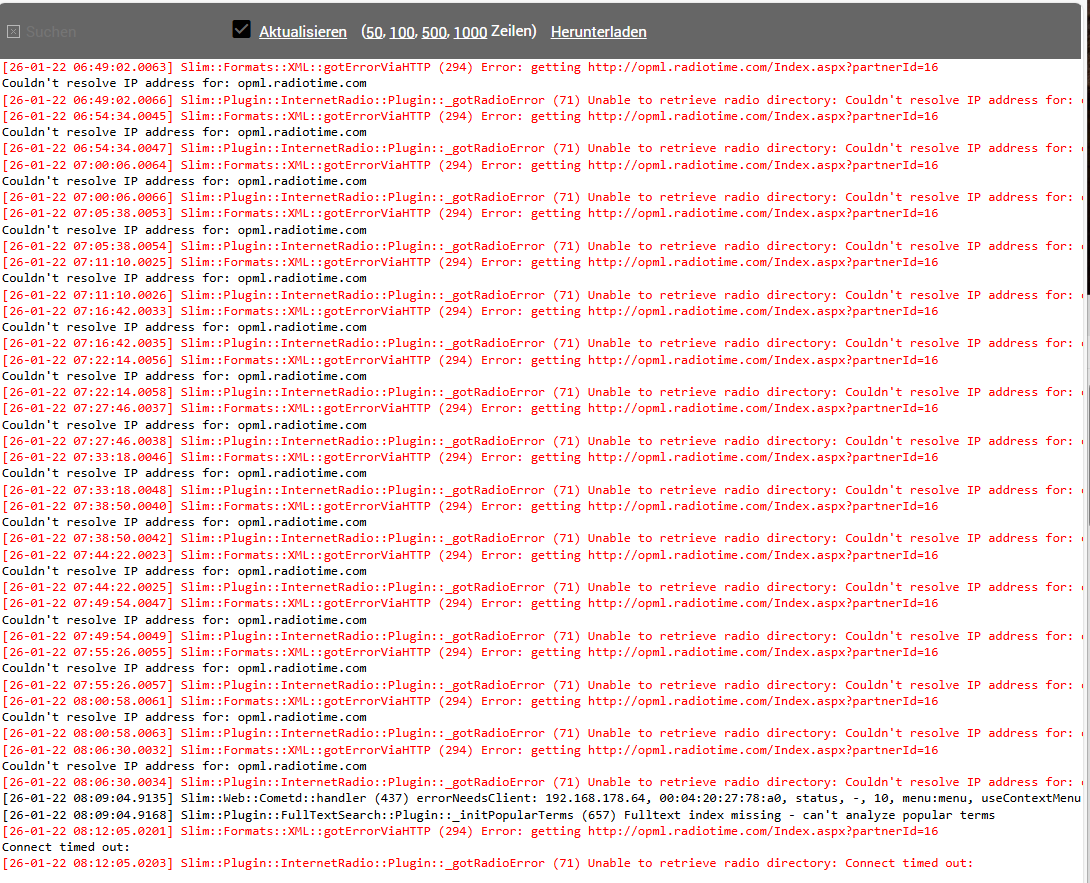
DNS is the service on the internet that translates names like “qnap.com” to numbers 18.205.102.184 that computers use. It’s much easier for us as humans to remember qnap.com than 18.205.102.184. If your Lyrion server does not have access to the DNS servers on the internet, then it won’t be able to find the correct addresses for the internet radio stations. If you don’t plan on using them then don’t worry.
I always thought the router determined the DNS settings that the clients then had to use.
I can also configure the DNS settings on the LMS server. However, the DNS settings are not configured or selected there. Therefore, I set up a second LMS server and configured it with the same DNS settings as the router. The result: I can’t detect any difference between the two servers.
I can listen to internet radio and I can listen to local music. The problem is that the local music always cuts out after a short time.