Ollama cannot use GPU in Docker on QNAP (RTX 3090, CUDA init fails)

Hi everyone,

I’m trying to run Ollama with GPU acceleration inside Docker on my QNAP NAS, but it always falls back to CPU. I’ve done quite a bit of debugging and would appreciate any advice or confirmation if this is a known limitation.


:desktop_computer: My setup

  • QTS: 5.2.9

  • Kernel: 5.10.60-qnap

  • GPU: NVIDIA GeForce RTX 3090

  • NVIDIA Driver (QPKG): 575.64.05

  • Driver type: NVIDIA Open Kernel Module

  • Docker: Container Station + CLI (--gpus all)


:white_check_mark: What works

  • nvidia-smi works on host (via container)

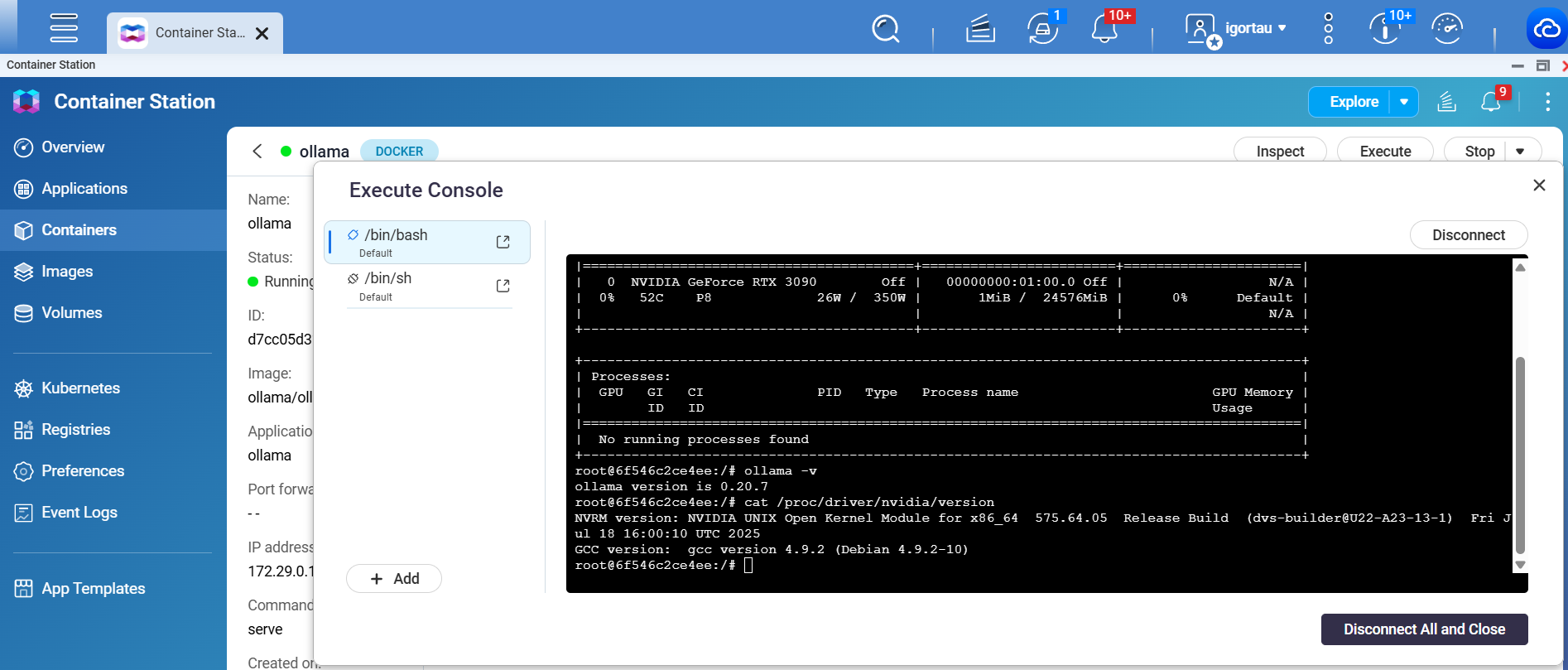
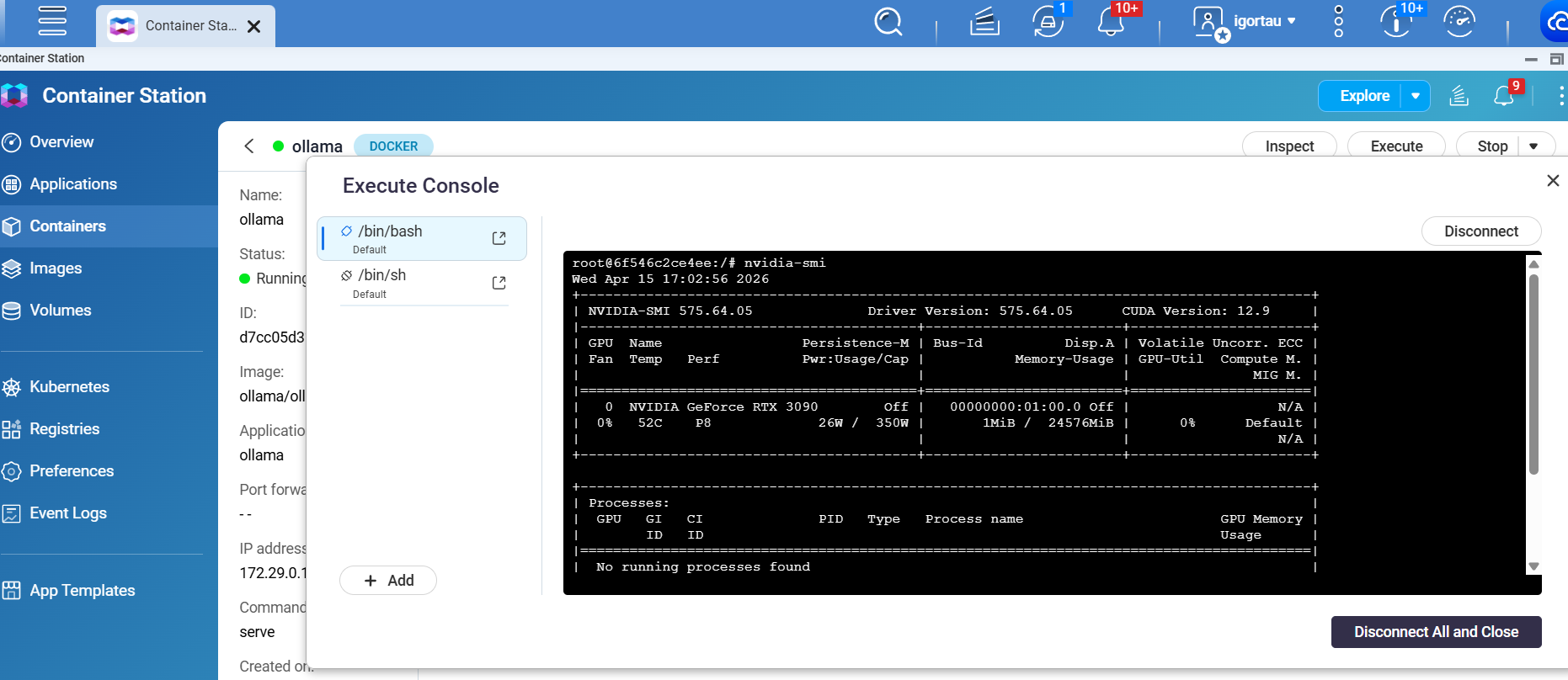
  • nvidia-smi works inside containers

  • /dev/nvidia* devices are present

  • NVIDIA modules loaded:

nvidia
nvidia_uvm
nvidia_modeset
nvidia_drm

So GPU passthrough to containers seems fine.


:cross_mark: What does NOT work

Ollama does not detect GPU and always uses CPU:

inference compute id=cpu library=cpu
total_vram="0 B"

Even though GPU is available.


:microscope: What I tested

1. Different Ollama versions

  • 0.20.6-rc1

  • 0.20.5

  • 0.19.0

    → same result (CPU only)


2. CUDA libraries

Inside container, CUDA libs are present:

/usr/lib/ollama/cuda_v12/libcudart.so.12
/usr/lib/ollama/cuda_v12/libcublas.so.12
/usr/lib/ollama/cuda_v12/libcublasLt.so.12

Initially ldd showed missing libs, but after setting:

LD_LIBRARY_PATH=/usr/lib/ollama:/usr/lib/ollama/cuda_v12:/usr/lib/x86_64-linux-gnu

→ all dependencies resolve correctly.


3. Still fails

Despite that, Ollama fails CUDA init:

ggml_cuda_init: failed to initialize CUDA: initialization error

4. Kernel logs (this looks suspicious)

NVRM: nvCheckOkFailedNoLog: Check failed: Out of memory [NV_ERR_NO_MEMORY]
NVRM: faultbufCtrlCmdMmuFaultBufferRegisterNonReplayBuf_IMPL: Error allocating client shadow fault buffer

:brain: My current understanding

It looks like:

  • GPU passthrough works (Docker side OK)

  • CUDA libraries are present

  • but CUDA initialization fails at runtime

Since I’m using NVIDIA Open Kernel Module, I suspect:

:backhand_index_pointing_right: it might not fully support CUDA workloads in this environment

:backhand_index_pointing_right: or there is a compatibility issue with QNAP kernel (5.10.60)


:red_question_mark: Questions

  1. Has anyone successfully run Ollama (or any CUDA-heavy app) with GPU on QNAP?

  2. Is this a known limitation of NVIDIA Open Kernel Module on QNAP?

  3. Is it possible to use proprietary NVIDIA driver instead of open module?

  4. Has anyone seen NV_ERR_NO_MEMORY errors like this?


:puzzle_piece: Workaround

Right now I’m considering:

  • running Ollama on a separate Linux machine (Debian/Ubuntu)

  • and keeping QNAP only for UI/services
if your using docker compose file add the following to the ollama section.

    deploy:
      resources:
        reservations:
          devices:
            - driver: nvidia
              count: all 
              capabilities: [gpu]

Hello, What did you means :

Docker: Container Station + CLI

nvidia-smi works on host (via container)

===

Please follow these steps to check your problem:

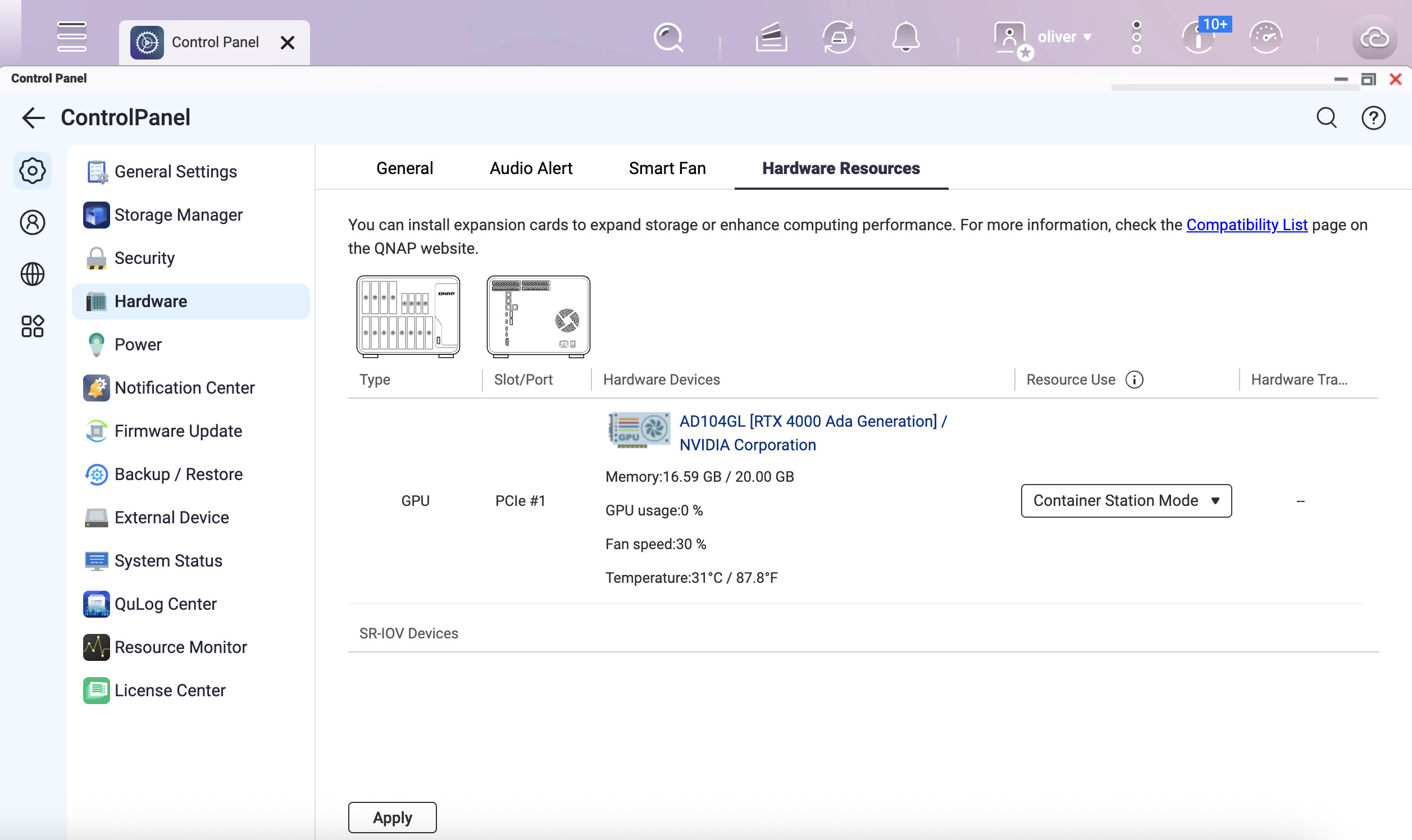
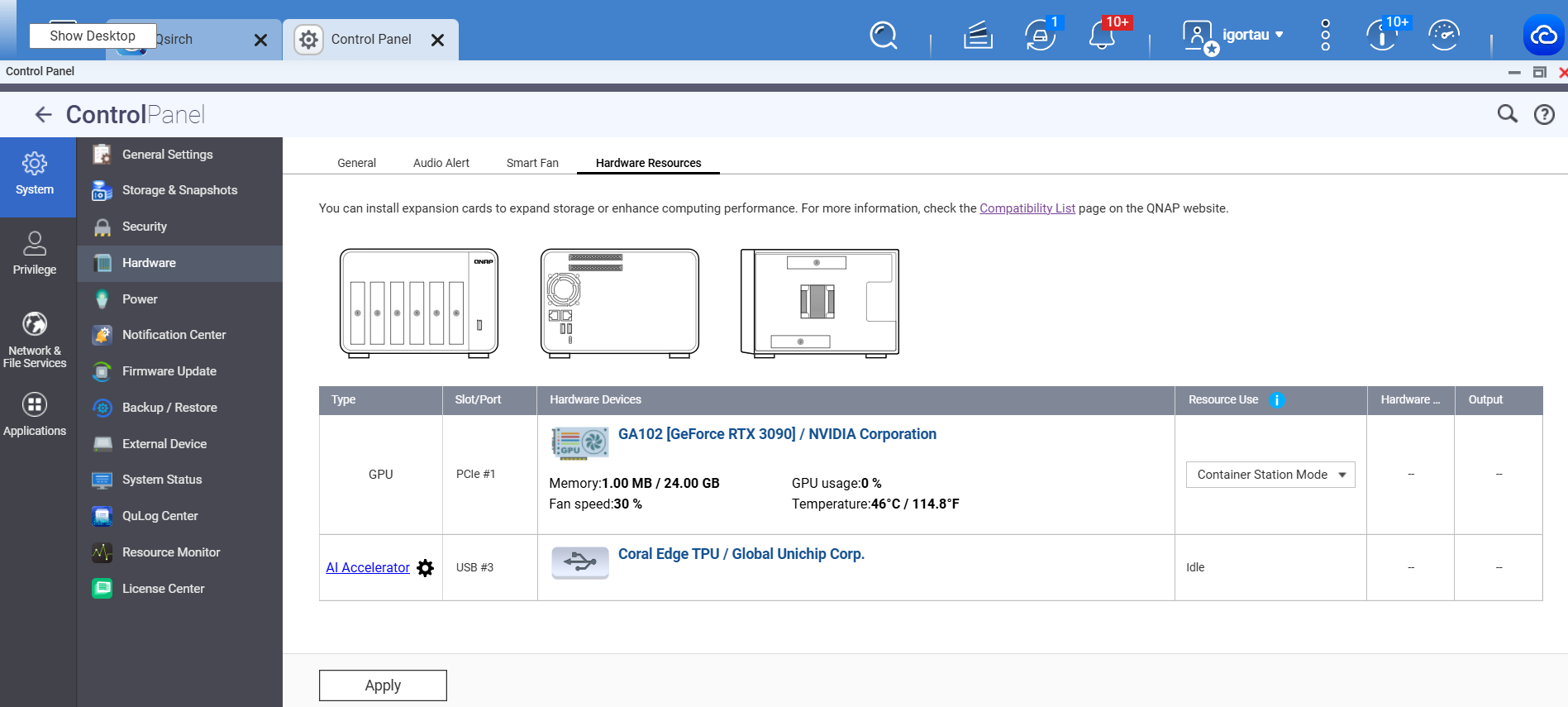
  1. Capture GPU settings in the control panel.

  2. Use this YAML file to create a new application in Container Station.

    services:
      ollama:
        image: ollama/ollama:latest
        volumes:
          - ollama:/root/.ollama
        restart: unless-stopped
        environment:
          - OLLAMA_SCHED_SPREAD=1
        ports:
          - 11434:11434
        deploy:
          resources:
            reservations:
              devices:
                - driver: nvidia
                  count: all 
                  capabilities: [gpu] 
    volumes:
      ollama:
    
  3. Open a terminal in your new Ollama container and type nvidia-smi to check if it can detect the NVIDIA GPU.

Hello,

Thank you. By:

“Docker: Container Station + CLI”
I mean that I tested both:

  • containers created from QNAP Container Station

  • containers started manually via Docker CLI

Also, to clarify:

nvidia-smi does not exist as a native command in the QNAP shell,
but it works correctly inside Docker containers started with GPU access.

I will now test your suggested minimal Container Station setup and check:

  • nvidia-smi inside the container

  • whether Ollama still detects only CPU during startup

My original issue is that even when GPU is visible inside the container, Ollama often reports:

inference compute id=cpu library=cpu
total_vram="0 B"

and sometimes:

ggml_cuda_init: failed to initialize CUDA: initialization error

I will report the results from your YAML test.

We currently suspect this issue may also be caused by a memory allocation bug in the driver. We will be releasing an update targeting the new driver accordingly. We apologize for any inconvenience this may have caused!

For me, it looks like, when i rebooted, ollama + gpu can be used. After some gpu idle time, gpu is not responsive in ollama anymore. Interestingly, it become visible in qts and emby (.qpkg not Container version) can use it. Despite the fact, that gpu is dedicated to Container NOT QTS.

How come?

After trying, I am also not able to accesss GPU in Container to get Ollama working with the GPU anymore. Even nvidia-smi works in Ollama console. Same setup as with Igorgogi. But Ollama is not able to get available VRAM from GPU and therefore decides to use CPU. Very small LLM-Model being selected. Avail VRAM: 12GB

±----------------------------------------------------------------------------------------+
| NVIDIA-SMI 575.64.05 Driver Version: 575.64.05 CUDA Version: 12.9 |
|-----------------------------------------±-----------------------±---------------------+
| GPU Name Persistence-M | Bus-Id Disp.A | Volatile Uncorr. ECC |
| Fan Temp Perf Pwr:Usage/Cap | Memory-Usage | GPU-Util Compute M. |
| | | MIG M. |
|=========================================+========================+======================|
| 0 NVIDIA RTX A2000 12GB Off | 00000000:01:00.0 Off | Off |
| 30% 46C P8 13W / 70W | 1MiB / 12282MiB | 0% Default |
| | | N/A |
±----------------------------------------±-----------------------±---------------------+

±----------------------------------------------------------------------------------------+
| Processes: |
| GPU GI CI PID Type Process name GPU Memory |
| ID ID Usage |
|=========================================================================================|
| No running processes found |
±----------------------------------------------------------------------------------------+

Ollama Log:

e]11;?e\time=2026-04-18T14:24:46.098Z level=INFO source=routes.go:1752 msg=“server config” env=“map[CUDA_VISIBLE_DEVICES: GGML_VK_VISIBLE_DEVICES: GPU_DEVICE_ORDINAL: HIP_VISIBLE_DEVICES: HSA_OVERRIDE_GFX_VERSION: HTTPS_PROXY: HTTP_PROXY: NO_PROXY: OLLAMA_CONTEXT_LENGTH:0 OLLAMA_DEBUG:INFO OLLAMA_DEBUG_LOG_REQUESTS:false OLLAMA_EDITOR: OLLAMA_FLASH_ATTENTION:false OLLAMA_GPU_OVERHEAD:0 OLLAMA_HOST:xxx OLLAMA_KEEP_ALIVE:5m0s OLLAMA_KV_CACHE_TYPE: OLLAMA_LLM_LIBRARY:cuda OLLAMA_LOAD_TIMEOUT:5m0s OLLAMA_MAX_LOADED_MODELS:0 OLLAMA_MAX_QUEUE:512 OLLAMA_MODELS:/root/.ollama/models OLLAMA_MULTIUSER_CACHE:false OLLAMA_NEW_ENGINE:false OLLAMA_NOHISTORY:false OLLAMA_NOPRUNE:false OLLAMA_NO_CLOUD:false OLLAMA_NUM_PARALLEL:1 OLLAMA_ORIGINS:xxx app://* file://* tauri://* vscode-webview://* vscode-file://*] OLLAMA_REMOTES:[ollama.com] OLLAMA_SCHED_SPREAD:true OLLAMA_VULKAN:false ROCR_VISIBLE_DEVICES: http_proxy: https_proxy: no_proxy:]”

time=2026-04-18T14:24:46.103Z level=INFO source=types.go:60 msg=“inference compute” id=cpu library=cpu compute=“” name=cpu description=cpu libdirs=ollama driver=“” pci_id=“” type=“” total=“31.3 GiB” available=“25.7 GiB”

time=2026-04-18T14:24:46.102Z level=INFO source=routes.go:1810 msg=“Listening on [::]:11434 (version 0.20.7)”

time=2026-04-18T14:24:46.102Z level=INFO source=images.go:506 msg=“total unused blobs removed: 0”

time=2026-04-18T14:24:46.101Z level=INFO source=images.go:499 msg=“total blobs: 25”

time=2026-04-18T14:24:46.103Z level=INFO source=runner.go:67 msg=“discovering available GPUs…”

time=2026-04-18T14:24:46.103Z level=INFO source=routes.go:1860 msg=“vram-based default context” total_vram=“0 B” default_num_ctx=4096

Hi, I can confirm a very similar issue on my QNAP — same driver, same QTS, different GPU.

My configuration:

  • NAS: QNAP TS-673A - 32GB RAM
  • GPU: RTX 3050 OC Low Profile 6G (GA107)
  • QTS: 5.2.9 / Kernel: 5.10.60-qnap
  • NVIDIA Driver: 575.64.05 (Open Kernel Module)
  • CUDA: 12.9
  • Docker via Container Station, runtime: nvidia-runtime

Containers using GPU:

  • Jellyfin — NVENC hardware transcoding
  • go-vod — NVENC for Nextcloud Memories video processing

Both containers use runtime: nvidia-runtime with NVIDIA_VISIBLE_DEVICES set to the GPU UUID and NVIDIA_DRIVER_CAPABILITIES=compute,video,utility. No privileged: true, no manual device mounts — nvidia-runtime handles that automatically.

What works (at least initially):

  • nvidia-smi on host and inside containers ✓
  • NVENC hardware encoding in Jellyfin ✓
  • NVENC in go-vod for Nextcloud Memories ✓

After a period of inactivity, CUDA initialization fails simultaneously across all GPU containers — Jellyfin and go-vod both stop working at the same time. The only reliable fix is a full NAS reboot. Restarting containers does not help.

I’ve tried everything I could find:

  • nvidia-smi -pm 1 (persistence mode) — no effect
  • privileged: true — caused startup issues
  • manual device mounting — no effect
  • cgroupfs driver in docker.json — minor improvement

I’ve had a support ticket open with QNAP for almost a month now. The only responses I’ve received are that “they are working on it” — no ETA, no workaround, no concrete information whatsoever. It’s extremely frustrating given this is a clearly reproducible issue affecting multiple users with different GPUs across multiple forum threads.

Possible Solution until driver workaround released by QNAP

I had the same issue, was driving me crazy! Ollama and Open WebUI running in container station, passthrough of a RTX 3060 12gb GPU. Every time Ollama went idle after initial use it would default to the CPU despite the GPU showing as available using nvidia-smi - there was no way to get the GPU back on line without a restart of the container.

I ended up moving Ollama to an NVME and now everything works great - even quick changing of models results in the new model being loaded into the GPU and almost instant results. When Ollama goes idle the GPU offloads as normal, but as soon as i start a chat the GPU fires up and everything instantly works. From my position it appears that having Ollama installed in a NAS HDD (Ironwolf) was too slow for the GPU and it defaulted to the CPU.

Hope this helps others in the interim!

Hello,

I have the same issue as you (RTX Pro 4000 Blackwell), whether it’s for the RAG in Qsirch or in an Ollama container. It often happens, irregularly (not always after the same waiting time that this occurs), that the model uses the CPU rather than the GPU. I also opened a support ticket (awaiting a response).

I’ve been discovering Ollama for several days now, and I’m starting to get to know some basic orders, but I can’t figure out where the problem is coming from.

On my end, all applications, containers, and models are on RAID SSDs.

I have containers on SSD all the time, so this is not the way for me. I have had a ticket open for a month and so far I have only received a response that they are working on it. I have entered more information, but I have not received a response.

Keep asking what’s going on with the ticket…

Answer from 7.5. is …

Hi

Thank you for reply, please be patient, our development team needs to take some time for this issue.

Currently, our development team is working on it still

If any feedback from them, I will update you shortly. Thank you