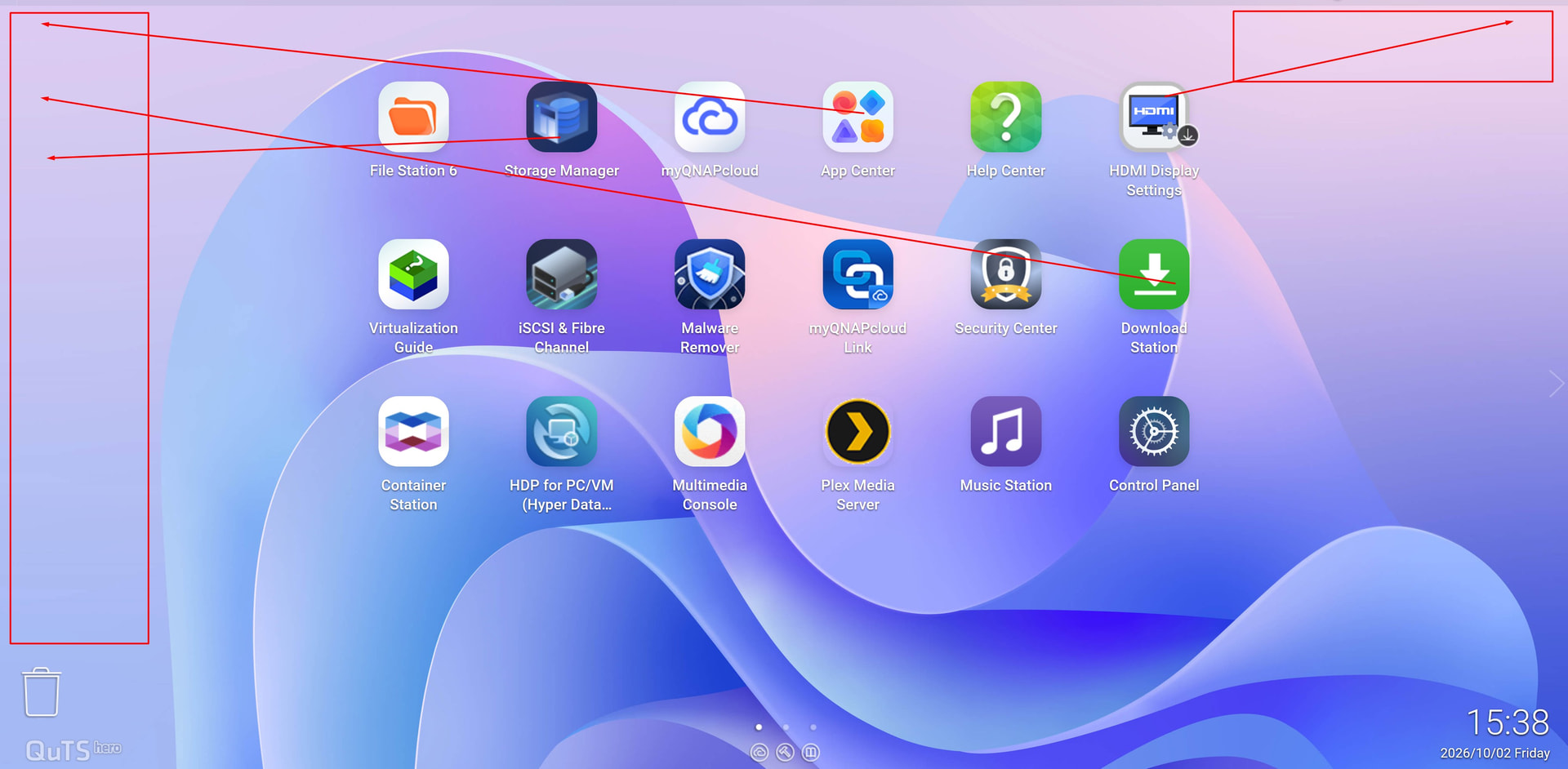
I’m new to QNAP and QTS hero so i might be missing the feature (settings number is overwhelming) but what i miss/would like to have is to be able to place QuTS Desktop Icons anywhere on Virtual desktop/screen and not just/always have them centered/grouped on middle of screen.
Is there option to allow such option that I’m missing somewhere in options?
OK, thanks for confirmation, so I haven’t missed some special settings that allows manual arrangement.
I’d like to have manual arrangement and also more icons on desktop than current max. Yes, I know there are 3 desktops so i can slide left/right to put more icons, but that’s different thing and not much faster than opening apps centre and run from there :).
Honestly, once you start using capabilities of the NAS, you don’t really go to the web UI all that much. There’s far more important things for QNAP to improve upon than the ability to add more app icons to the UI screen.
Of course usage is important but still attention to details is also important, well, at least for me as long-time Beta tester for several products/softwares, my OCD kicks in when I see inconsistencies/problems that should be easy to spot/solve to improve user experience :).
I don’t disagree with the fact that it would be nice to have room for more icons and be able to move them around. However, I am sure QNAP has their reasons for it. That said you can always submit a feature request in the feature request section.
But I’ll just say the NAS is far more than just the desktop. Like I said, most of the apps I run have their own web UI interface and so the amount of time that I spend on the NAS interface is limited.
Every OS has its limitations and things each individual would like to see differently. I’ve been a Mac user for jeez - 40 years now and there’s a lot of things I wish Apple would do differently with its OS. Same thing for Windows. It’s improved a lot but there’s a lot I wish it would do differently. Of course my opinion and $5 will buy a coffee at Starbucks. That’s how much it is worth. Some things with products you like, others you don’t.
I would prefer that QNAP do things like improving the speed and performance of the UI rather than simply give me more space to move things around and put things in place. There’s a lot of other “app” performance I would like to see improved as well. Use your QNAP long enough and you’ll come to understand what I mean.
I’ve already sent FR to the system so no worry there, I just wanted first to check that I haven’t missed anything obvious in prefs so i don’t waste DEVs time sending report before checking. When it was confirmed I sent FR to the system (yesterday) i.e. opened “ticket” :).
As for other stuff I already noticed that UI is slower in general than I expected, and I did all what is recommended (installed System/OS to RAID 1 NVMe drives) so yeah general more snappy UI is also very much needed.
When my 5+ years old Synology with Ryzen V1500B is way faster/Snappier than Ryzen 7 Pro when clicking on GUI/commands then definitely it’s not CPU bottleneck/problem but GUI of QuTS is too slow executing some commands. I don’t know how was before QuTS 6.x so can’t really comment/compare on that.
BUT one thing I’ve learned along my 20 years of Beta testing is that DEVs will ALWAYS make/code it the easiest possible way they can (it’s in nature of Humans not just DEvs ;)) so if users don’t push/ask they will not have feedback or understanding, there is problem or need to change/fix something since it works “as designed” but sometime design needs tweak to be more user-friendly and speed is always welcome :).
Well good. The cool part about the forum is that a number of the product managers actually come on here and look at stuff. There’s a big disconnect between the forum here and the support ticket system. I was working on one ticket and referenced to something on the forum that I was told to reference in the ticket and the engineer in the forum was like, “I don’t know anything about that or who that is…”
 :D.
:D.