This is what I need to do! I’m being driven nuts because in order to upgrade my SimpleHelp server, I need to have access to where the program is stored which by default you can’t access. It’s that or I have to rebuild the entire container! I just haven’t had time to watch all of them or learn compose…
This is one of the limits I’m hinting at. CS holds your hand so well it’s easy to get yourself stuck or let yourself be lazy.
Try digging in /share/Container/, you should have /share/Container/<application name>/.
So maybe /share/Container/SimpleHelp/<appdata/config/configuration/data/SOMETHING HERE>, and mv that folder somewhere else and bind mount it back in.
I’m sure your install docs can tell you what folders you need (config+cache+tmp or whatever). And once it’s a bind mount you can recreate/destroy the container all you want.
If you never named anything now you have to play hide a seek with anonymous volumes.
docker inspect --type container -f '{{range $i, $v := .Mounts }}{{printf "%v\n" $v}}{{end}}' <container name or ID>
Which should spit out something useful.
I only have a couple containers that don’t need to save state so I’m not 100% on what you might need to look for but…
[admin@TheVault arcane]# ls -al /share/ZFS530_DATA/.qpkg/container-station/docker/volumes/
drwx-----x    3 root     root             5 Sep 22 11:06 .
drwx--x---   13 root     root            14 Sep 18 22:41 ..
drwx-----x    3 root     root             3 Sep 11 08:58 3a12c9a67706cd7e7b3bdd16df83391521e4e60d1d4024707b87a7a2325f6eea
brw-------    1 root     root        0,  57 Sep 18 22:41 backingFsBlockDev
-rw-------    1 root     root         65536 Sep 22 11:06 metadata.db
[admin@TheVault arcane]# ls -al /share/ZFS530_DATA/.qpkg/container-station/docker/volumes/3a12c9a67706cd7e7b3bdd16df83391521e4e60d1d4024707b87a7a2325f6eea/
drwx-----x    3 root     root             3 Sep 11 08:58 .
drwx-----x    3 root     root             5 Sep 22 11:06 ..
drwxr-xr-x    2 root     root             2 Sep 11 08:58 _data
Here is one of my anonymous volumes. I could now mv stuff out.
My containers have nothing important inside themselves. So I can nuke or reset anything at any time.
[admin@TheVault arcane]# grep -R '/share/' /share/docker/stacks/
/share/docker/stacks/jellyfin/compose.yaml:      - /share/docker/appdata/jellyfin/cache:/cache
/share/docker/stacks/jellyfin/compose.yaml:      - /share/docker/appdata/jellyfin/config:/config
/share/docker/stacks/jellyfin/compose.yaml:      - /share/Media Library:/mnt/mediaShare:ro
/share/docker/stacks/jellyfin/compose.yaml:      - /usr/share/fonts/:/usr/local/share/fonts/custom:ro

/share/docker/stacks/uptime-kuma/compose.yaml:      - /share/docker/appdata/kuma/data:/app/data

/share/docker/stacks/qbittorrent/compose.yaml:      - /share/docker/appdata/qbittorrent/cache:/cache
/share/docker/stacks/qbittorrent/compose.yaml:      - /share/docker/appdata/qbittorrent/config:/config
/share/docker/stacks/qbittorrent/compose.yaml:      - /share/Public/qBittorrent:/systemSSD
/share/docker/stacks/qbittorrent/compose.yaml:      - /share/Scratch/qBittorrent:/raidHDD

/share/docker/stacks/arcane/compose.yaml:      - /share/docker/appdata/arcane/config:/app/data
/share/docker/stacks/arcane/compose.yaml:      - /share/docker/compose:/app/data/templates
/share/docker/stacks/arcane/compose.yaml:      - /share/docker/stacks:/app/data/projects

/share/docker/stacks/portainer-ce/compose.yaml:      - /share/Container/portainer-ce/data:/data:rw
Small exception, my original Portainer install which I’m going to kill off once Arcane is a touch more mature. I’ve had to reinstall CS a couple times while I was learning so you can, and maybe will nuke /share/Container/ that’s why I don’t use it.
Since EVERYTHING is in /share/docker/ (and ZFS) I get really nice snapshots for the entire docker environment.
Yeah, the data inside the share/Container is not useful. It’s what I would call the file format that CS uses, not just shares of your folders.
Well, I found the container-station/docker/volumes directory but while there is one of my apps there, SimpleHelp is not. Any idea where else it could be?
Okay lets back up.
How did you use CS to make the container?
I imagine if you started with a application we wouldn’t be having so much trouble, did you use the + Create button from the container tab?
I used Explore:
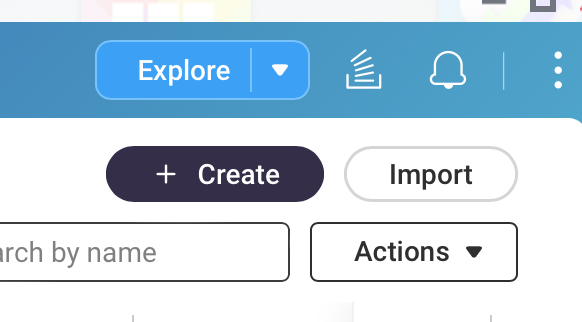
Then I searched for SimpleHelp:
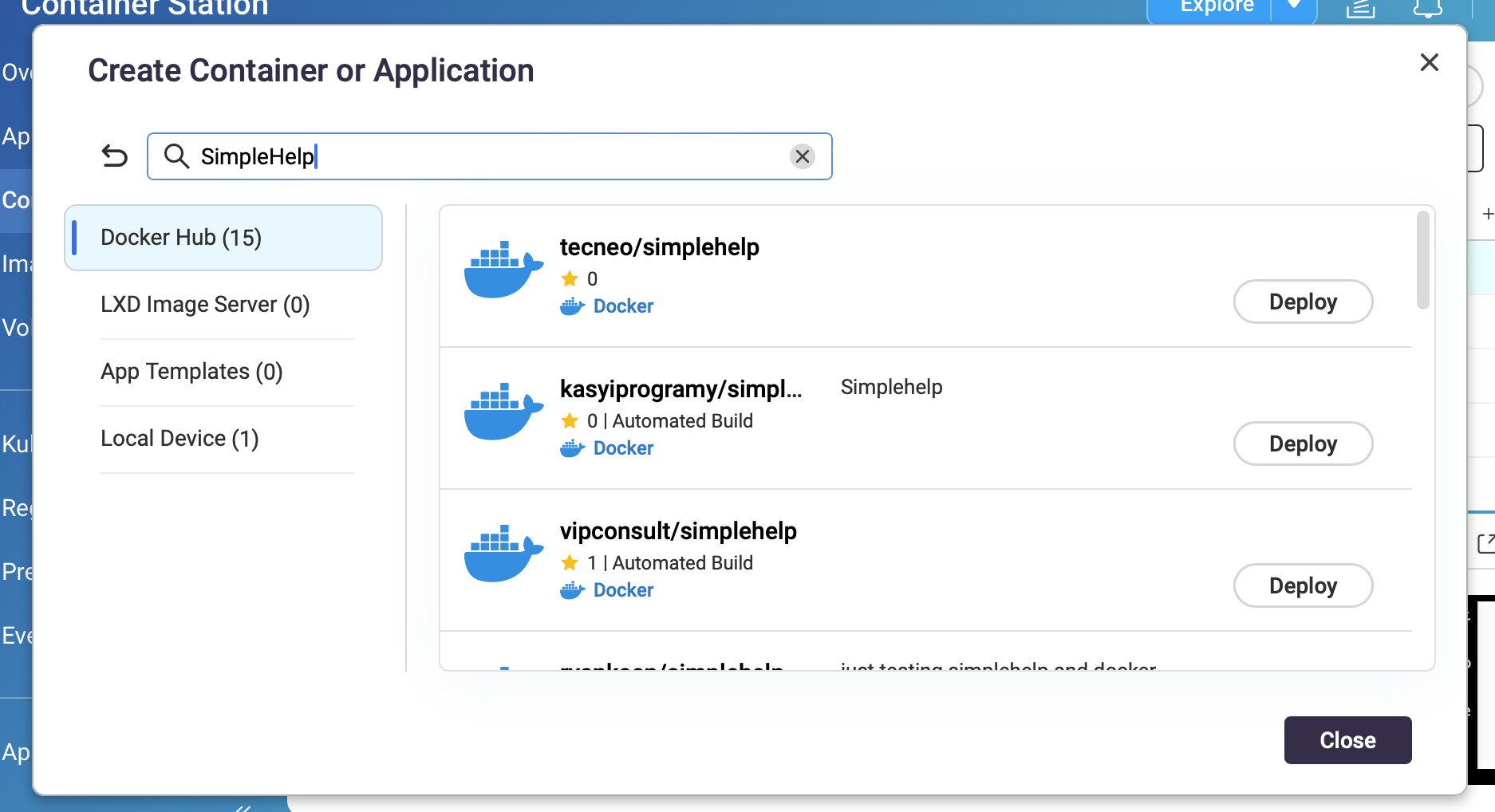
And picked the one that I could find that was the newest at the time. Since then there have been updates and I need access to the file system to basically replace the files.
OK. I think I found my files. Now, how do I that directory to a different one I can access more easily?
Oh hell does CS/docker hide shit on zfs.
Ok you are going to have to try this while you current container is running.
First off get another copy of SimpleHelp running AS AN APPLICATION,
this will let you use a compose.yaml. You will need to pick alternate ports for the time being. Make sure you bind mount storage.
    volumes:
      - /etc/localtime:/etc/localtime:ro
      - /share/something/somewhere/simpleHelp/config:/opt/SimpleHelp/configuration
Go look at /share/something/somewhere/simpleHelp/config, did SimpleHelp populate it with things?
/opt/SimpleHelp/configuration/
drwxr-xr-x   16 root     root            18 Sep 29 21:52 .
drwxr-xr-x    9 root     root            19 Sep 29 22:21 ..
drwxr-xr-x    2 root     root             3 Sep 29 21:52 alertsdb
drwxr-xr-x    3 root     root             3 Sep 29 21:52 backups
drwxr-xr-x    2 root     root             2 Sep 29 21:52 branding
drwxr-xr-x    3 root     root             4 Sep 29 21:52 history
drwxr-xr-x    5 root     root             6 Jun  2  2020 html
drwxr-xr-x    2 root     root             2 Sep 29 21:52 notifications
drwxr-xr-x    2 root     root             2 Sep 29 21:52 recordings
drwxr-xr-x    2 root     root             2 Sep 29 21:52 remotework
drwxr-xr-x    2 root     root             2 Sep 29 21:52 secmsg
-rw-r--r--    1 root     root          2284 Sep 29 21:52 serverconfig.xml
-rw-r--r--    1 root     root            86 Sep 29 21:52 simplehelpdisclaimer.txt
drwxr-xr-x    2 root     root             7 Sep 29 22:21 sslconfig
drwxr-xr-x    2 root     root             2 Sep 29 21:52 techprefs
drwxr-xr-x    2 root     root             3 Jun  2  2020 templates
drwxr-xr-x    2 root     root             2 Sep 29 21:52 toolbox
drwxr-xr-x    2 root     root             3 Jun  2  2020 translations
Stop your new container.
With the old container running ssh into the NAS and run
stat /share/ZFS*DATA/.qpkg/container-station/docker/zfs/graph/*/opt/SimpleHelp/configuration/simplehelpdisclaimer.txt
I got the dataset under 530.
  File: '/share/ZFS530_DATA/.qpkg/container-station/docker/zfs/graph/b408809b4fa4d0eaf26237d3accb4052d75f57c95895848036a52d129b870323/opt/SimpleHelp/configuration/simplehelpdisclaimer.txt'
  Size: 86              Blocks: 9          IO Block: 512    regular file
Device: b7h/183d        Inode: 8211        Links: 1
Access: (0644/-rw-r--r--)  Uid: (    0/    root)   Gid: (    0/    root)
Access: 2025-09-29 21:53:02.788096554 -0400
Modify: 2025-09-29 21:52:46.781974390 -0400
Change: 2025-09-29 21:52:46.781974390 -0400
Mirror your running container to the new container config dir
/usr/bin/rsync -avpX --delete-before /share/ZFS530_DATA/.qpkg/container-station/docker/zfs/graph/b408809b4fa4d0eaf26237d3accb4052d75f57c95895848036a52d129b870323/opt/SimpleHelp/configuration/ /share/something/somewhere/simpleHelp/config/
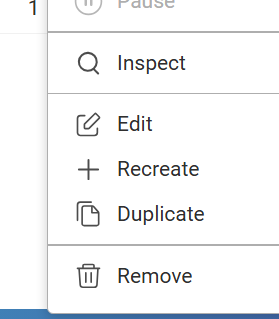
Stop your old container, adjust ports on your new container (always adjust applications by “recreating” them), start new container.
Good luck.
One other thing.
The newest package is from this guy.
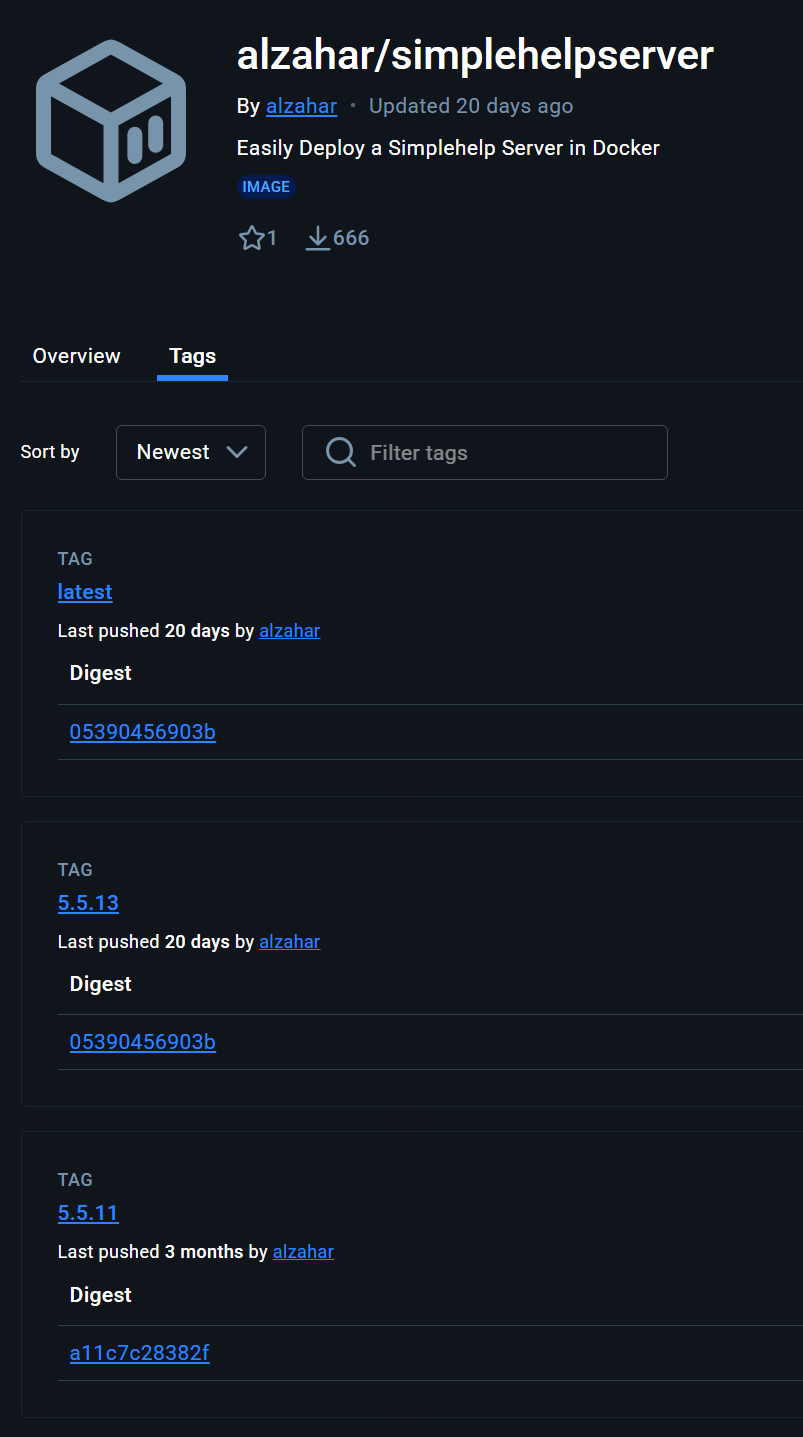
Which copies in the software from who knows where
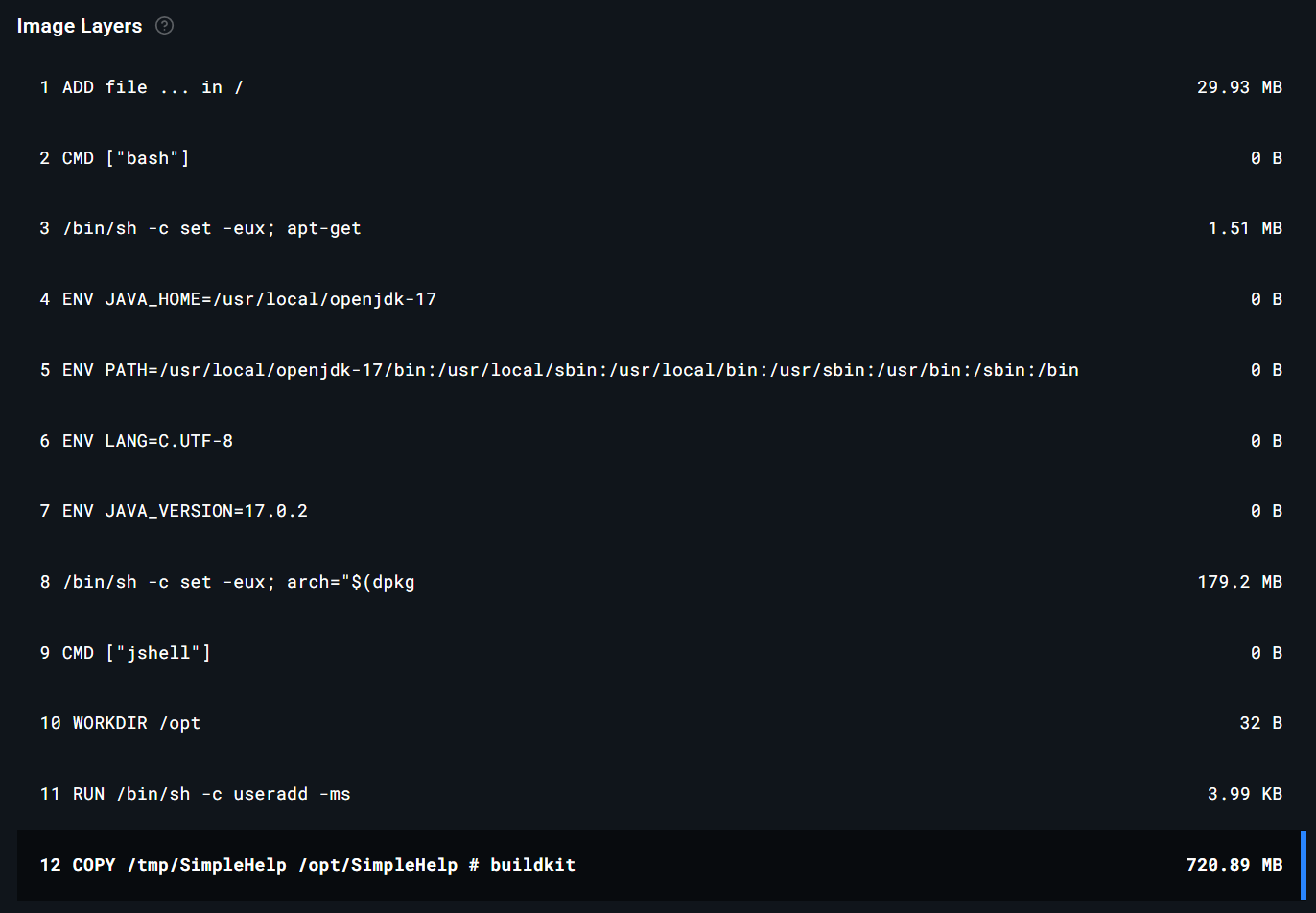
The “5 year old” package
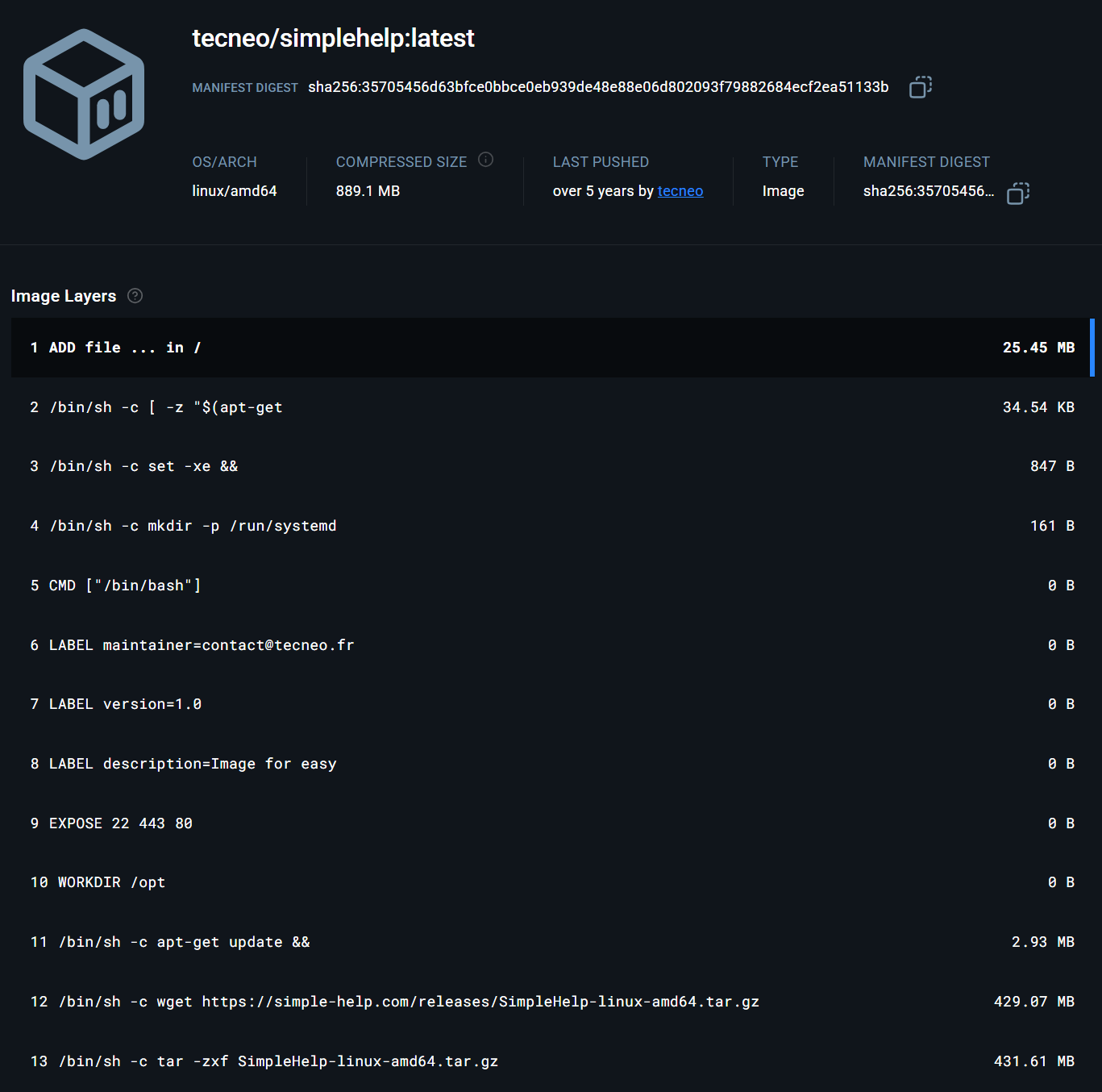
Runs wget raw to grab the software at build time directly from SH website.
And the final image is smaller.
I got my original package from the alhazar package you show above.
I’m not entirely certain how to set it up as an application. There is where I’m extremely ignorant. And I’m not sure about what you are saying about bind mount storage.
volumes:
      - /etc/localtime:/etc/localtime:ro
      - /share/something/somewhere/simpleHelp/config:/opt/SimpleHelp/configuration
What is /etc/localtime? I don’t understand this.
The SimpleHelp directory is located here:
/share/ZFS2_DATA/.qpkg/container-station/docker/zfs/graph/ae6c730f350f0edc71392752f1d67c9874b3dda9903540c21a75c0e7a6e4a1ce/opt/SimpleHelp
There is stuff in config:
[/share/ZFS2_DATA/.qpkg/container-station/docker/zfs/graph/ae6c730f350f0edc71392752f1d67c9874b3dda9903540c21a75c0e7a6e4a1ce/opt/SimpleHelp] # ls -la configuration
total 1775
drwxrwxr-x 22 Jono 1000      30 2025-09-04 19:38 .
drwxr-xr-x 10 Jono 1000      16 2025-04-10 09:03 ..
drwxr-xr-x  2 Jono 1000       3 2025-09-30 08:27 accessdb
drwxr-xr-x  2 Jono 1000       3 2025-04-10 08:33 alertsdb
drwxr-xr-x  4 Jono 1000       4 2025-04-10 19:33 backups
drwxr-xr-x  2 Jono 1000       7 2025-04-10 21:44 branding
-rw-r--r--  1 Jono 1000      30 2025-05-26 10:47 config.configurable
drwxr-xr-x  4 Jono 1000       5 2025-04-11 10:06 history
-rw-r--r--  1 Jono 1000    1934 2025-05-10 00:30 hostkey.ser
drwxrwxr-x  5 Jono 1000       6 2025-03-12 12:52 html
drwxr-xr-x  2 Jono 1000       2 2025-04-26 08:51 invitations
-rw-r--r--  1 Jono 1000 1555470 2025-04-18 13:26 lastbackup.dat
-rw-r--r--  1 Jono 1000      19 2025-08-30 19:38 latestversion
drwxr-xr-x  2 Jono 1000       3 2025-09-28 19:25 notifications
drwxr-xr-x  2 Jono 1000       3 2025-04-10 09:04 peers
drwxr-xr-x  2 Jono 1000       2 2025-04-10 08:33 recordings
drwxr-xr-x  2 Jono 1000       2 2025-04-10 08:33 remotework
drwxr-xr-x  2 Jono 1000      14 2025-09-30 06:17 secmsg
-rw-r--r--  1 Jono 1000    6531 2025-09-04 19:38 serverconfig.xml
-rw-r--r--  1 Jono 1000    1572 2025-04-10 08:35 serverkeys.dat
-rw-r--r--  1 Jono 1000    2646 2025-04-10 09:02 shlicense.txt
-rw-r--r--  1 Jono 1000     357 2025-09-04 19:38 simplehelpdisclaimer.txt
drwxr-xr-x  2 Jono 1000       2 2025-04-10 08:36 simulations
drwxr-xr-x  2 Jono 1000      10 2025-09-25 16:25 sslconfig
drwxr-xr-x  3 Jono 1000       3 2025-04-10 22:24 technicians
drwxr-xr-x  2 Jono 1000       5 2025-09-29 18:26 techprefs
drwxrwxr-x  2 Jono 1000       3 2025-03-12 12:52 templates
drwxr-xr-x  2 Jono 1000       3 2025-04-10 22:19 toolbox
drwxr-xr-x  2 Jono 1000       2 2025-04-10 08:33 toolbox-resources
drwxrwxr-x  2 Jono 1000       3 2025-03-12 12:52 translations
Where I am lost is setting it up as a new application. I attempted a while back to modify the YAML script to store the application elsewhere but I could not get it to run.
Try:
services:
  simplehelp:
    image: tecneo/simplehelp:latest
    container_name: simplehelpnew
    ports:
      - "8680:80"
      - "8681:80/udp"
      - "8643:443"
      - "8643:443/udp"
    volumes:
      - /etc/localtime:/etc/localtime:ro
      - /share/stuffz/simpleHelp/config:/opt/SimpleHelp/configuration
    restart: always
1 Like
Boom! You are a genius, my friend! Let me send you a virtual adult beverage of your choice! 
This looks like it will do EXACTLY what I want.
First of all @dolbyman - can you split this section with my Docker/CS questions into a new thread please? It’s getting way off the original topic.
OK so the above won’t work for me for a couple of reasons:
1.) It only remotely locates the configuration part of the server and in order to upgrade the server software, I need to have access to the entire full SimpleHelp directory
2.) It just doesn’t work. I mean it does work but when I try to log in, it first of all, won’t recognize the password on the administrator account and second, when I try to log in with my account, it gives an error. This is after I have copied over a backup of the configuration folder from the originally running container. It does not appear that something is being read correctly.
So instead of that the YAML above, I used this:
services:
  simplehelp:
    image: tecneo/simplehelp:latest
    container_name: simplehelpnew
    ports:
      - "80:80"
      - "80:80/udp"
      - "443:443"
      - "443:443/udp"
    volumes:
      - /etc/localtime:/etc/localtime:ro
      - /share/Container/SimpleHelp:/opt/SimpleHelp
    restart: always
This is very similar to something I had tried previously. But first, the install process installed nothing in the /share/Container/SimpleHelp folder and second, I copying in a download of the server package from the SimpleHelp website. When trying to start the container I get an error:
sh: 0: Can't open serverstart.sh
It just repeats over and over as it is trying to start the server. I have done a chmod -r 777 on the /share/Container/SimpleHelp directory but it still doesn’t make a difference.
So I am still stuck.
But here’s something interesting I learned about CS…
So you know I found the path to the program directory at:
/share/ZFS2_DATA/.qpkg/container-station/docker/zfs/graph/ae6c730f350f0edc71392752f1d67c9874b3dda9903540c21a75c0e7a6e4a1ce/opt/SimpleHelp
Well, guess what, when you stop the container, that path goes away! Well
/share/ZFS2_DATA/.qpkg/container-station/docker/zfs/graph/
is still there, but everything after it just goes away. Disappears. It comes back when the container is restarted.
So I am suspecting this has something to do with why I can’t get my server started with the location where I have it specified. I don’t know. I am stuck once again. So close yet so far…
Done
1 Like
Yeah that is how docker works.
You would then Application → Recreate it. Every time you create the container with the image tecneo/simplehelp made it calls wget and downloads the server at build time.
You are supposed to separate config data from the software image.
Bind mounts are the last step before starting a container. So you have a full /opt/SimpleHelp from the container build and then you are mounting a empty folder on top of it.
Did you see errors in the rsync output?
Does simple help have a backup and restore internally?
Yeah, anonymous mounts or some shit.
If you dig into it because we are running zfs docker is actually creating a dataset (QNAP “share” kinda, not really) and mounting it in graph/.
I don’t know enough ZFS off the the top of my head, in theory we could mount the dataset ourselves and then either move the data out or merge the contents with /share/CS/SH/.
Like it’s all there on your disks, it just gets unmounted.
I don’t get any errors when creating it. If doing a recreate always pulls the latest then that would work. But I kept getting an error in SimpleHelp when trying to sign in.
The backup of settings in SimpleHelp is downloaded as a zip file. It downloads the whole configuration folder.
And when you start with a clean /share/Container/SimpleHelp/config and extract the zip there it still fails to load up your old settings?
That sounds like a SimpleHelp problem now.
Would this be a large upgrade? or like 1.2.3.4 to 1.2.3.7?
Does it give you anything in the container logs?
Well, this is interesting… I have been working to install things using this package here. You say that it is supposed to get the very latest from the SimpleHelp website. But it doesn’t. The latest is 5.5.13. But what came up when I built it was 5.2.1. That could explain why I was having some issues with it ready my config file. Seems like wget is not “getting.”
Hmm…OK. Why isn’t this updating. So my issues were 100% related to trying to use a newer config and client software to log into a 5 year old server package. I switched to the Alzahar/Latest and that got me to 5.5.9, but the latest and according to the package there in your images it is 5.5.13.
This is the YAML code I have:
services:
  simplehelp:
    image: alzahar/simplehelpserver
    container_name: simplehelpserver
    networks:
      qnet-network:
        ipv4_address: 192.168.1.20
    volumes:
      - /etc/localtime:/etc/localtime:ro
      - /share/Container/SimpleHelp/configuration:/opt/SimpleHelp/configuration
    restart: always
networks:
  qnet-network:
    driver_opts:
      iface: eth3
    driver: qnet
    ipam:
      driver: qnet
      options:
        iface: eth3
      config:
        - subnet: 192.168.0.0/23
          gateway: 192.168.1.1
Why am I not pulling the latest package?