HDP app recently went through an update to 2.3.x which changed app a bit from the prior version. This thread is to list issue and suggestion for the app which hopefully qnap devs look into to help make the product better. If the issue big enough start it own thread and post a link to it so people can find it.
Links:
link to netbak app update for new version of hdp
Suggestions:
I recently had to restore a PC from backup and the process was a bit much. It did work in the end but I feel like the process can be improved to reduce time and effort needed.
- Creation of the USB - Having to download and install additional software is annoying and prone to errors. I had to install and uninstall the MS apps to create the USB a few times before the USB creation process was happy I had what I needed. I did eventually find a doc on QNAP showing the process but that link should be present in the USB creation process.
- My suggestion is figure out how to get that stuff included. Maybe create an ISO image someone downloads from the QNAP site and then it burns that image to a USB drive. Alternative is provide the link to accurate documentation so it’s easy for user to follow all the steps if installing software is really not optional
- Creation of USB - Drives for PC. There are no drivers of any kind on the USB drive, so going to restore a PC, you find out the drivers for NIC are not available.
- Suggestion: create another partition on the USB drive and suck in all the drivers Windows is using for that machine into the other partition, then during the restore process just load all those drivers back in. That should help with NICs, RAID etc. If that is not possible create the second partition and download Intel’s driver package and unzip it to the drive since that will most likely cover a large range of PCs. Even Realtek drivers should be included. Hopefully this can be automated by the USB creation process in NetBak app.
Issues:
- HDP crashes Firefox browser. I don’t know why but it causes Firefox to crash. I’ve been using Edge when I need to go into HDP.
- HDP - no way to clear out old logs. The old app let me remove activity so I would not need to see errors from weeks ago etc.
- HDP seems to use more data for backup. Might be just the dedup hasn’t caught up yet?
- When NetBak client is stuck in a long finalization process with one PC, no other backups can happen. Seems like it should be independent and handle multiple backups at once. Especially when each backup goes to its own repo.
It appears that the latest version of HDP PC Agent provides some new user options which were not included in the previous version. A detailed explanation of the purpose of each of these options would be useful.
- Netbak app renamed to HDP Agent and version 1.3.1 is out with the following
1.3.1

[Fixed Issues]
- NetBak PC Agent no longer sometimes fails to create a USB boot drive after a Windows security update is installed on the PC.
- Anyone else getting extremely long finalizing times when the backup is running? My last few have been multiple hours running for small amounts of data.

so i wanted to see if this delay was due to old backup jobs/repo with the new software causing some excessive delays in the job running.
I delete the backup job of one pc, removed the repo, recreated the repo and backup job and ran a new backup. First run took same time as other runs but transfered 1.2TB data.

Im doing another pc as a test to see if it is the same.
Also i left off compression option on the backup job. Encryption is now forced on, so i cannot turn it off.
2nd pc also ran faster

i have since updated all my pcs to HDP Agent and version 1.3.1. I also uninstall python2 which I believe an older version of netbak installs. All backups are working fine. I also went ahead and removed all backup jobs and repo for each pc, creating a new repo and backup job. Since then the backups have been way faster. So if you run into slow backup/waiting to finalize times, try resetting the repo and recreate the backup job.
looks like a new hdp app is out.
www.qnap.com/en/app-release-notes?app=HyperDataProtector&product-line=nas
HDP for PC/VM (Hyper Data Protector) 2.3.2.518
I also like to get the HDP client (netbak) to stop expiring the login credentials. or at least let it be set to 60 or 90 days. The app launches as nothing is wrong but shows a warning sign it cannot contact the NAS. It should popup a warning if that is the case or log out and popup asking to log back in. A few times I expect it to run then notice no backups because of this “feature”.
Any updates on if the timeout will be changed? I’m getting tired of having to re-login every few days. The time out should be longer or user selected especially for an app that runs in the background that doesn’t warn you its no connected. Only when you open the app and see backup greyed out and there is orange ! mark.
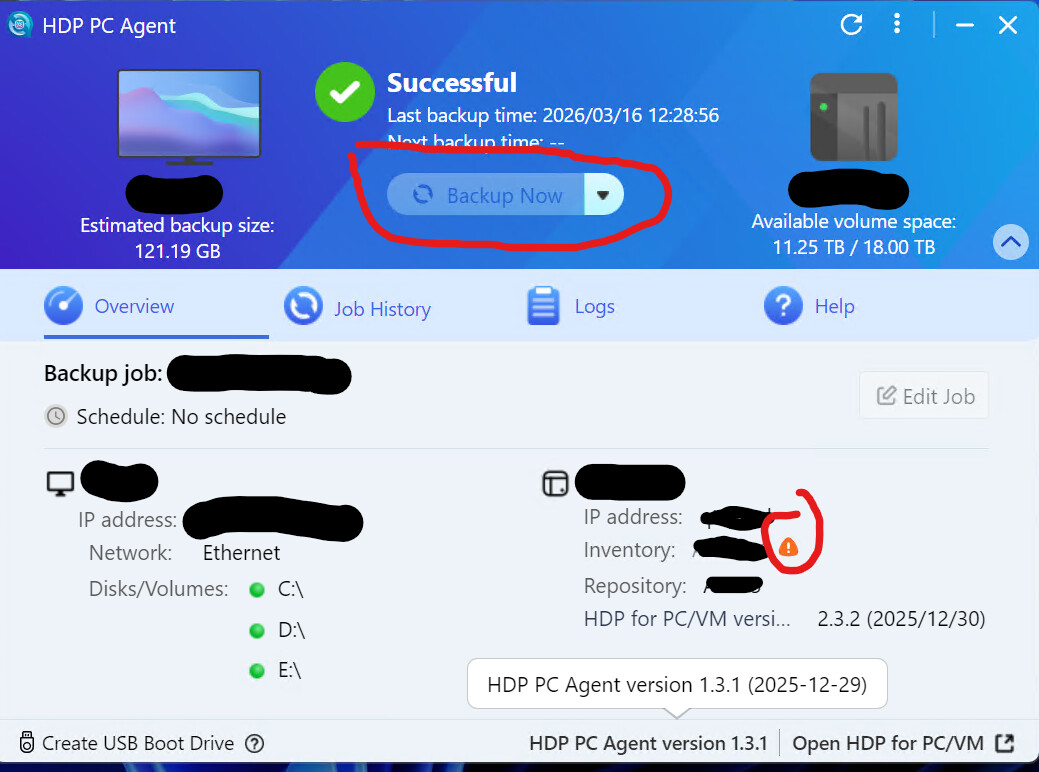
new version is out - im updating the clients and running a backup job - backups seem to be running fine post updates.
HDP for PC/VM (Hyper Data Protector) 2.3.3.715
HDP PC Agent 1.40
www.qnap.com/en/app-release-notes?app=HyperDataProtector&product-line=nas
https://www.qnap.com/en/utilities/essentials?utilityId=26¬es=Windows
you need to update agent as well since the old one disconnects as soon as it detects the HDP app version.
New version on PC you can’t uncheck encrypt. So I decided I should remake boot disk. Make boot disk doesn’t work..
I feel the forced encryption was on the last version as well. I dont need it enabled since it all local network i have my network setup with vlans and dual firewalls. But it seems devs feel like it should always be on.
For the create boot drive, I know the last time i did it, i had a hard time as well. The auxiliary software you download as to be install perfectly for it to work right. I had to do it a few times before i got it just right to proceed.
When you click to make recovery disk it takes you to a QNAP website telling about QNAP apps.,
lol that is new - i didnt click on it until you just said that.
they broke it out to new app
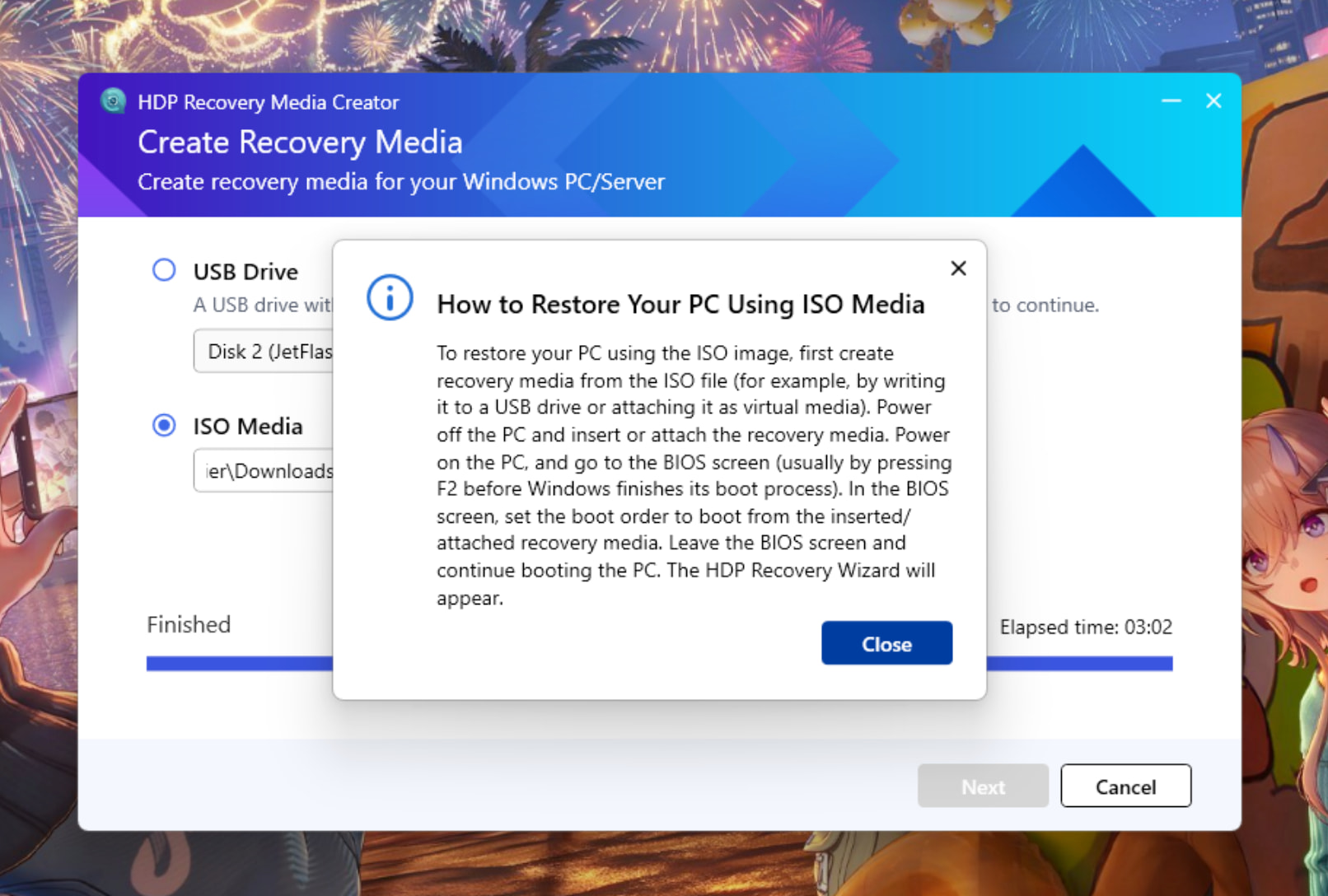
HDP Recovery Media Creator
https://download.qnap.com/Storage/Utility/QNAP_HDP_Recovery_Media_Creator-1.0.0.122.exe
Downloaded and ran both QNAP and Microsoft apps. Rebooted. App failed to create media!
yeah mine failing to create the usb drive. seems to fail on copy content.
also noticed the defaults are not the same as the pic in tutorial. the three MS app are not turned on by default.
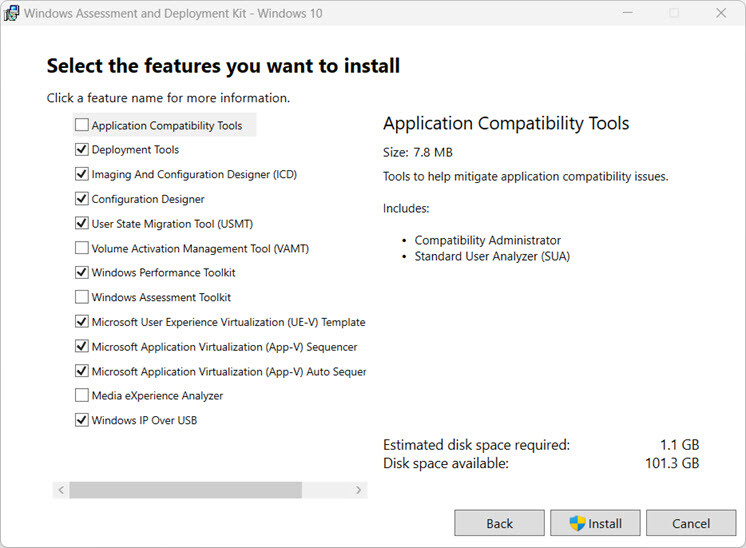
Update 2- there is a log file under the directory where you run the qnap app. looks like it failing on the not creating the following folder/file:
\Resources\winpe.7z
So it is broken again.
yeah seem that way. we need qnap support to review the code.
i may open a ticket later if no of their reps reply in the thread here.