We’re planning to officially launch QVR Surveillance 3.0 next week — the successor to both QVR Pro and QVR Elite. This post is mainly an early information share before release, just to give everyone a heads-up. Feel free to ask if there’s anything you’d like to know.
QVR Pro and QVR Elite, as QNAP’s second-generation surveillance software, have been widely adopted over the years — from small offices and retail stores to large-scale professional systems.
QVR Surveillance 3.0 is built upon that experience, combining performance and functionality into a unified platform, making the product line simpler and easier to understand.
About Surveillance 3.0
Starting from November 17, QVR Elite will be updated to QVR Surveillance 3.0.
In the NAS App Center, the icon will automatically change to “QVR Surveillance,” even if the system hasn’t been updated yet (this is by design in App Center).
If you’re currently using Elite 2.7.1, upgrading to Surveillance 3.0 requires no data migration, and all existing licenses remain valid.
Compared with Elite, the new version adds several improvements:
- AI Pack (including SmartSearch) is now free to use
- Attachments can include Snapshots
- Can be added to QVR Center for central management without additional licenses
- Added lifetime channel license option alongside subscription plans
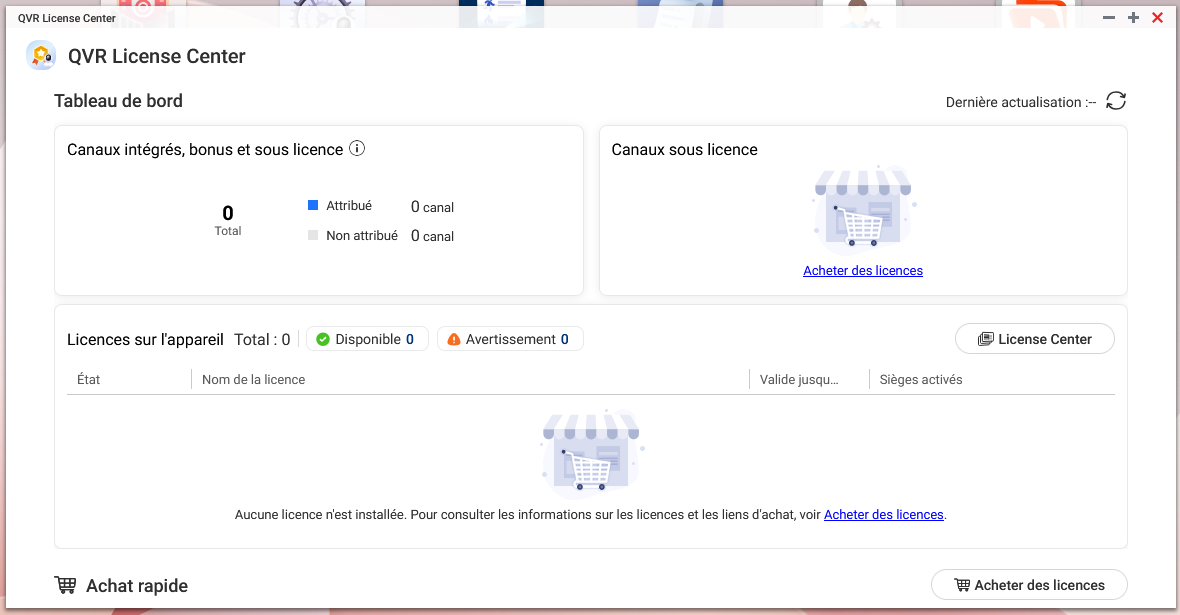
- Includes an extra 6 free channels upon activation, for a total of 8 free channels
All existing features remain intact.
For developers using APIs, note that the path changes from /qvrelite/ to /qvrsurveillance/.
QVR Elite will automatically become QVR Surveillance 3.0 after the update. And for QVR Pro users, version 2.8.x is scheduled for Q1 2026, with a migration tool that transfers camera settings and recordings.
Pro will continue to receive security and compatibility updates for about three more years.
If your current setup is stable, you can wait and update when building a new environment.
License continuity
As mentioned during the World Tour, any existing QVR Pro or QVR Elite licenses that have been activated on a NAS will be automatically recognized by QVR Surveillance 3.0 which no conversion needed.
Example:
If you have QVR Pro (built-in 8ch) + [GOLD (+8ch) + 4ch lifetime license],
then after upgrading, QVR Surveillance 3.0 will have:
2 (built-in) + 6 (bonus) + 8 + 4 = 20 channels total,
with the same number of usable cameras as before.
About the free 6 channels
- The NAS must first be linked to a QID.
- On the first launch of QVR Surveillance, an “Activate” prompt will appear — click it to claim the free channels.
- If missed, go to “… → Help → Feature Tour” to trigger it again.
- After activation, you can log out of QID or go offline; it won’t affect usage.
CAYIN Media Viewer
Since the NAS now includes free access to Media Viewer, we’ve coordinated with CAYIN so that QVR Surveillance can utilize it to generate thumbnails. This means there’s no need to purchase AI Pack or related add-ons. If you plan to use QVR Face or QVR Human, make sure to enable this service.
Face / Human detection license policy
This policy was already updated earlier. But seems not noticed by everyone.
Now, as long as the camera source is managed by QVR Surveillance, you can freely create analysis tasks for face and human detection and no extra license required.
Face function is supported starting from Celeron-based NAS models. Human needs more power that from i-series models.
myQNAPcloud Surveillance
Also launching on November 17.
It allows selected channels to back up their recordings to our cloud (per camera channel basis) and provides a web interface for viewing, playback, and sharing recordings. Cost is by channel.
QTS 6 HA functionality and surveillance
QVR Surveillance 3.0 (formerly Elite) supports HA mode under incoming QTS 6.
However, performance drops to about 50% when HA is enabled — for example, a NAS that handles 200 channels normally will handle around 100 with HA on.
For high-availability setups, it’s recommended to use QVR Center instead, which provides better performance and management flexibility.
In short, HA on QTS 6 works great for file management servers, but not that ideal for surveillance purposes, we do provide our own failover by utilizing QVR Center with multiple NAS units can be more efficiency.
That’s the current summary for now.
More details will follow after the official release. If there’s anything specific you’d like to know, feel free to leave a comment.