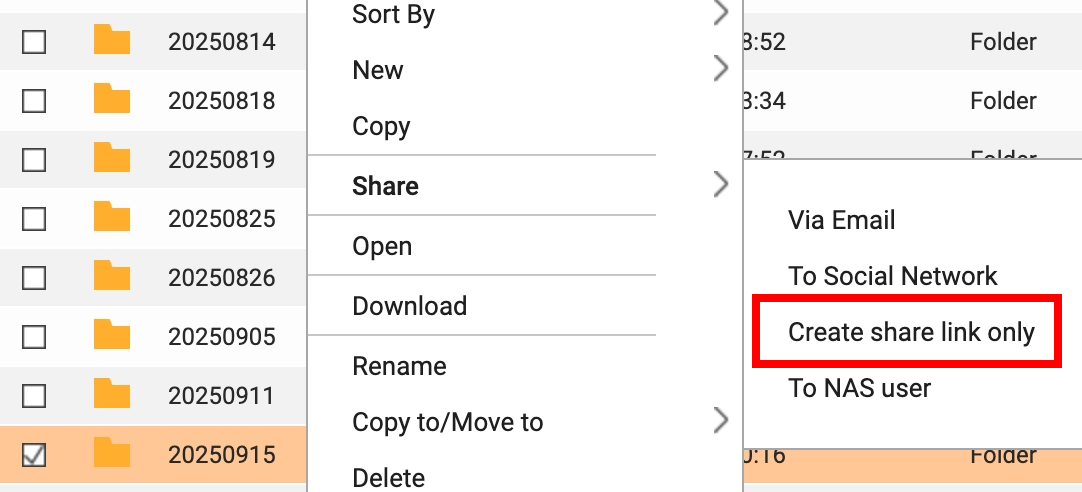
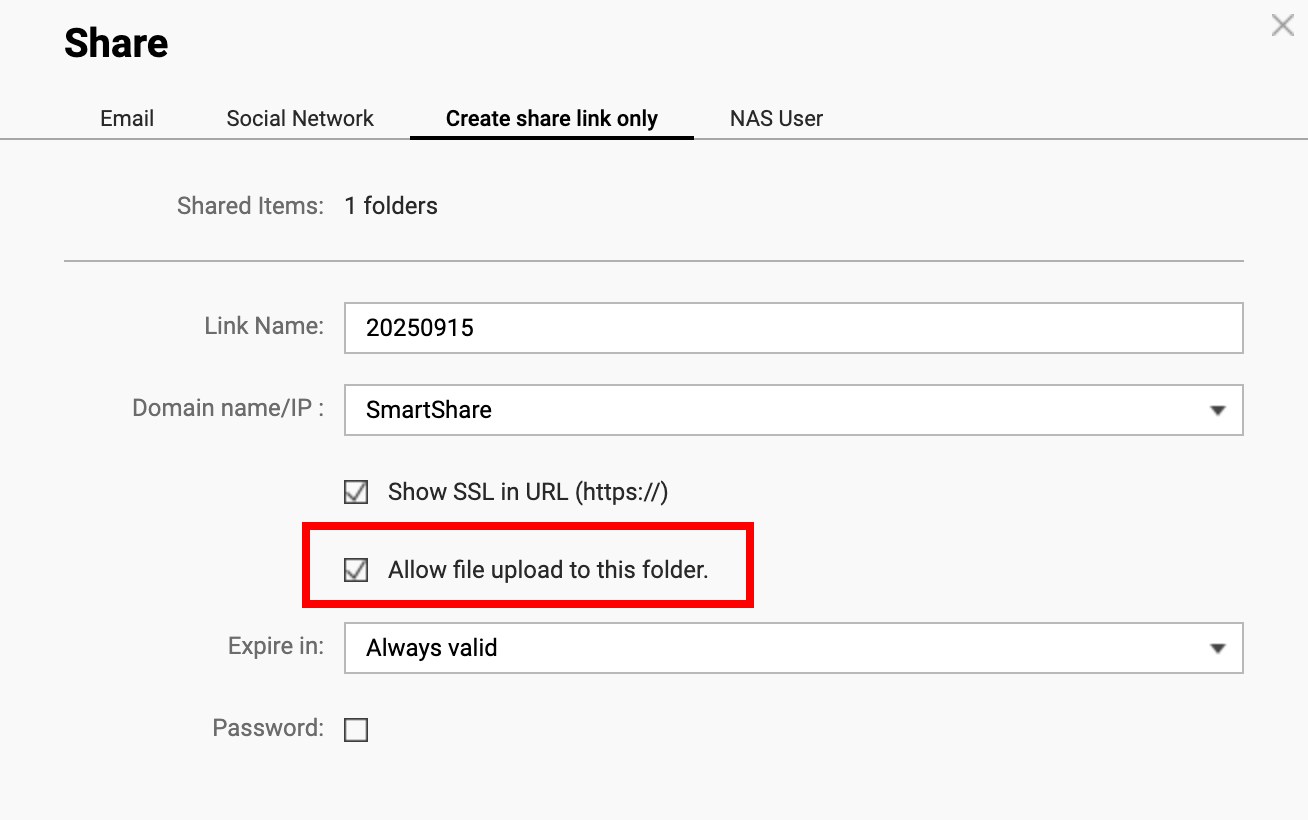
The Intention is for many purpose, and CoPilot suggest this setup. I guess CoPilot is wrong.
I see
Oh, I see. But the EO for our company ever share their Western Digital NAS with us for specific file.
Exchange data like use Google Drive? Drop Box?
well, we know but we’re on budget so we will just make sure everything is backup in different PC. After we have enough money, we will add secondary copy of the NAS same type of the archive backup.
What’s your suggestion for the Volume ? just one then, share folder or just use QuMagie then have different permission like Synology Photo?
Please do not trust any AI slop for your IT strategy, please hire/contract an IT person for your company. Careless activities like this have cost companies all their data or millions of dollars (malware infections due to no security and missing backup concepts)
For ease, keep your NAS to LAN only and manually copy to from cloud services data you want to exchange with clients. In a later step, you could use HybridMount to do the file exchange with filehosters for you (even bidirectional in real time)
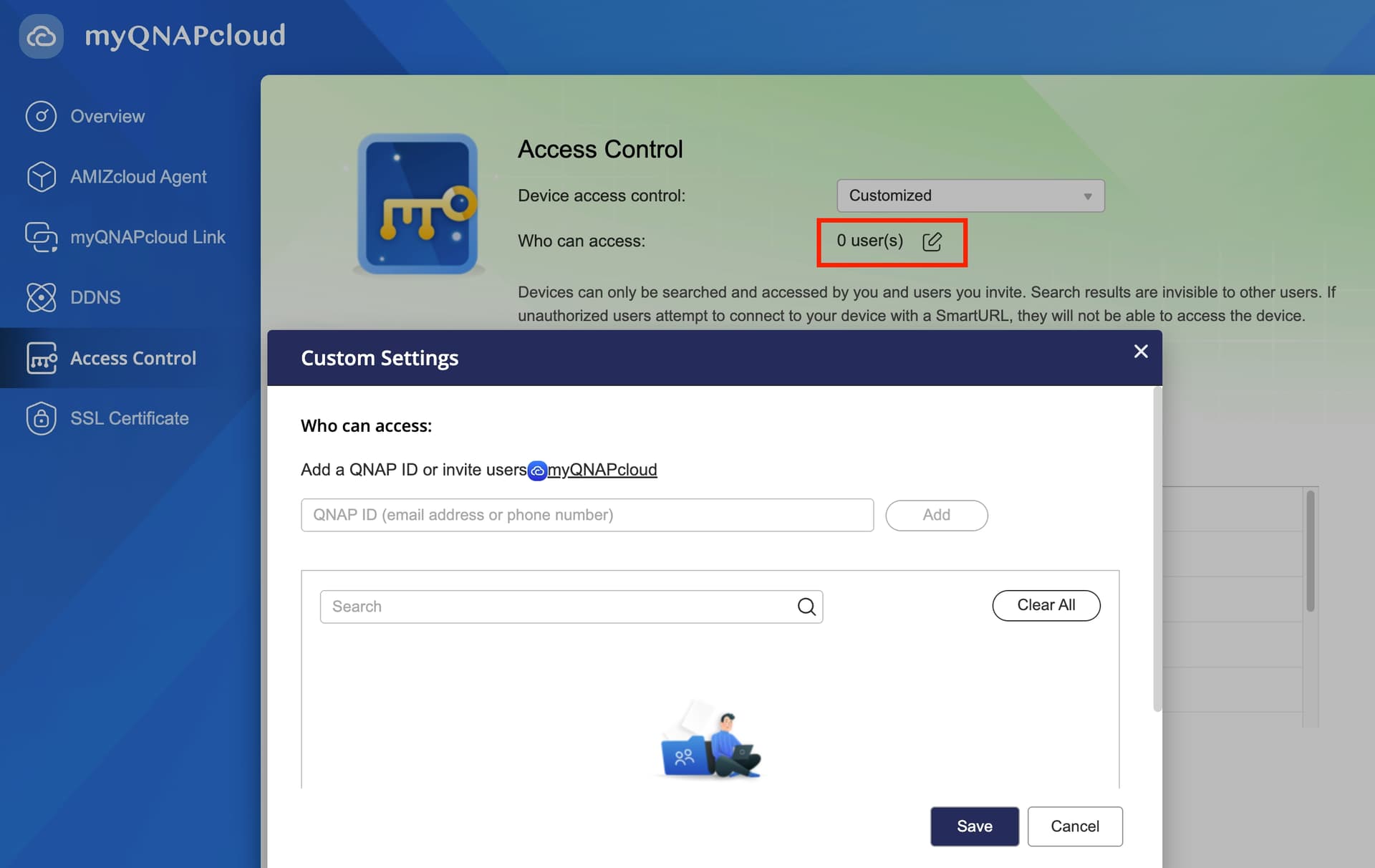
Larger number of files: set up Shared Folders and accounts for each external teams and share the NAS with them vis myQNAPcloud Access Control. More secure but more work.
Other methods: Options like Hybrid Mount are also possible, but they’re more complex and require the other side to have the right setup. That might be something to consider only if needed.
I think the current RAID and shared folder setup is fine, the main focus should be on how manage access. (Even for internal use within the company, do everyone share a few accounts, or does each person have their own account?)