To celebrate the launch of the platform, QNAP is holding a special welcome event!
Event Period: January 6, 2025 to March 31, 2025
How to Participate:
Make a post related to QNAP products or share your user experience. Posts must be at least 200 characters and include at least one hardware photo or interface screenshot. Currently, only articles written in Chinese, English, or Japanese are accepted.
Submit the link to your post as a comment under the QNAP Community Welcome Event announcement. Approval time may vary depending on user participation. Posts that do not meet the criteria may not be approved.
Rewards:
Once your post is approved by the QNAP team, your QID account will receive an “Early Bird” community badge and you will be eligible for the prize draw. Each account can only enter the draw once. Winners will be announced on the community platform by April 7, 2025.
Prizes:
1 winner: TS-216G 2.5 GbE 2-bay NAS
2 winners: QNA-UC10G1T USB 4 Type-C to 10GBASE-T RJ45 Network Adapter
The event organizer reserves the right to change, modify, or cancel the event content, period, and details without prior notice. The organizer is not responsible for any issues or inconveniences arising from these changes. Participants are advised to check official announcements for the latest information.
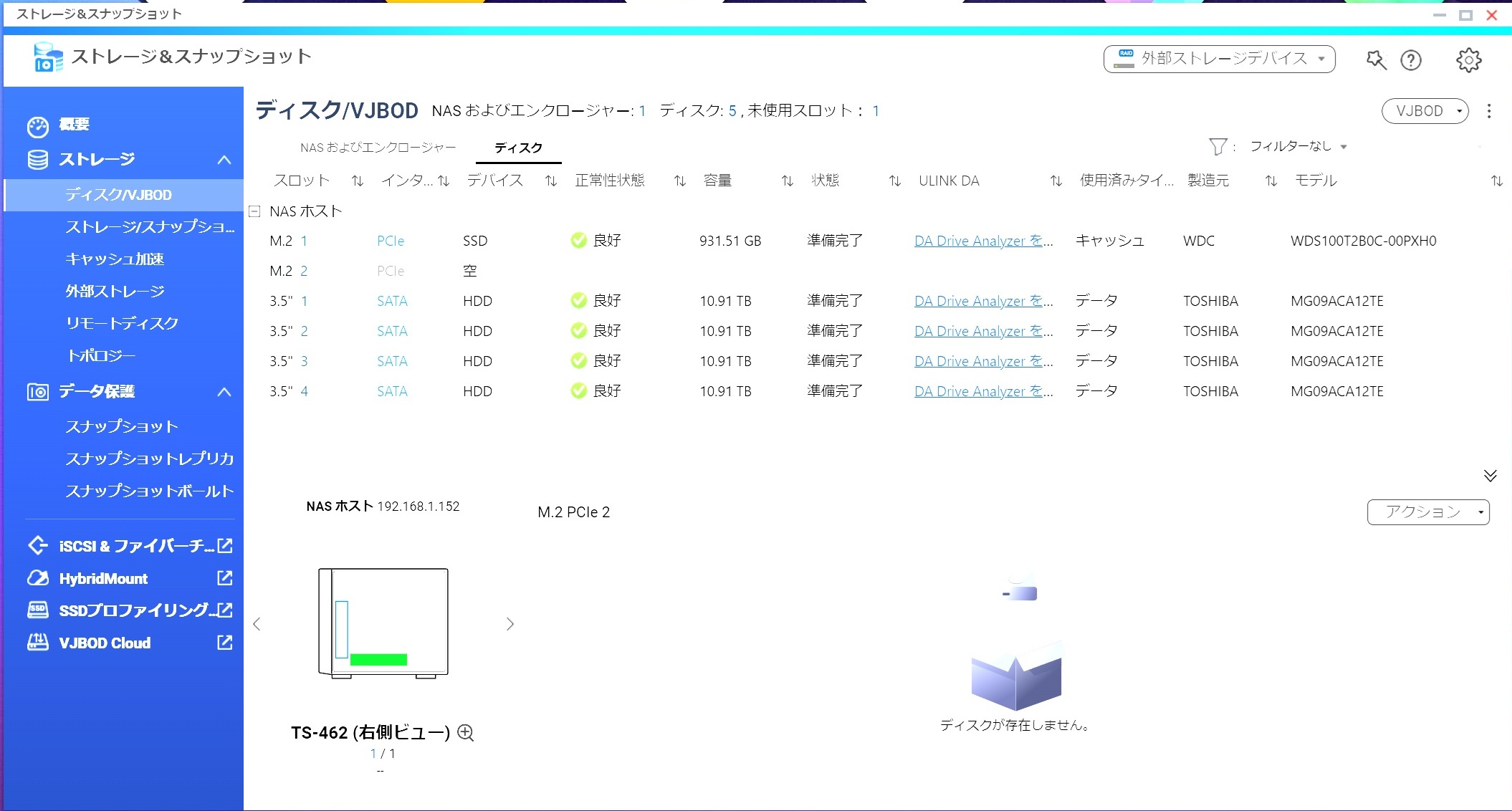
Since I take a large number of photos, I use a RAID10 setup with 10TB × 4 drives for backup. With the 10GbE (10 Gigabit Ethernet) optional add-on installed, it’s extremely comfortable to use! I can easily access files from outside, so I store all my music on the NAS and listen while driving. The support team has been very helpful, always responding kindly when I have issues. Even though they’re not fluent in Japanese, they do their best to use and understand it, which I truly appreciate.
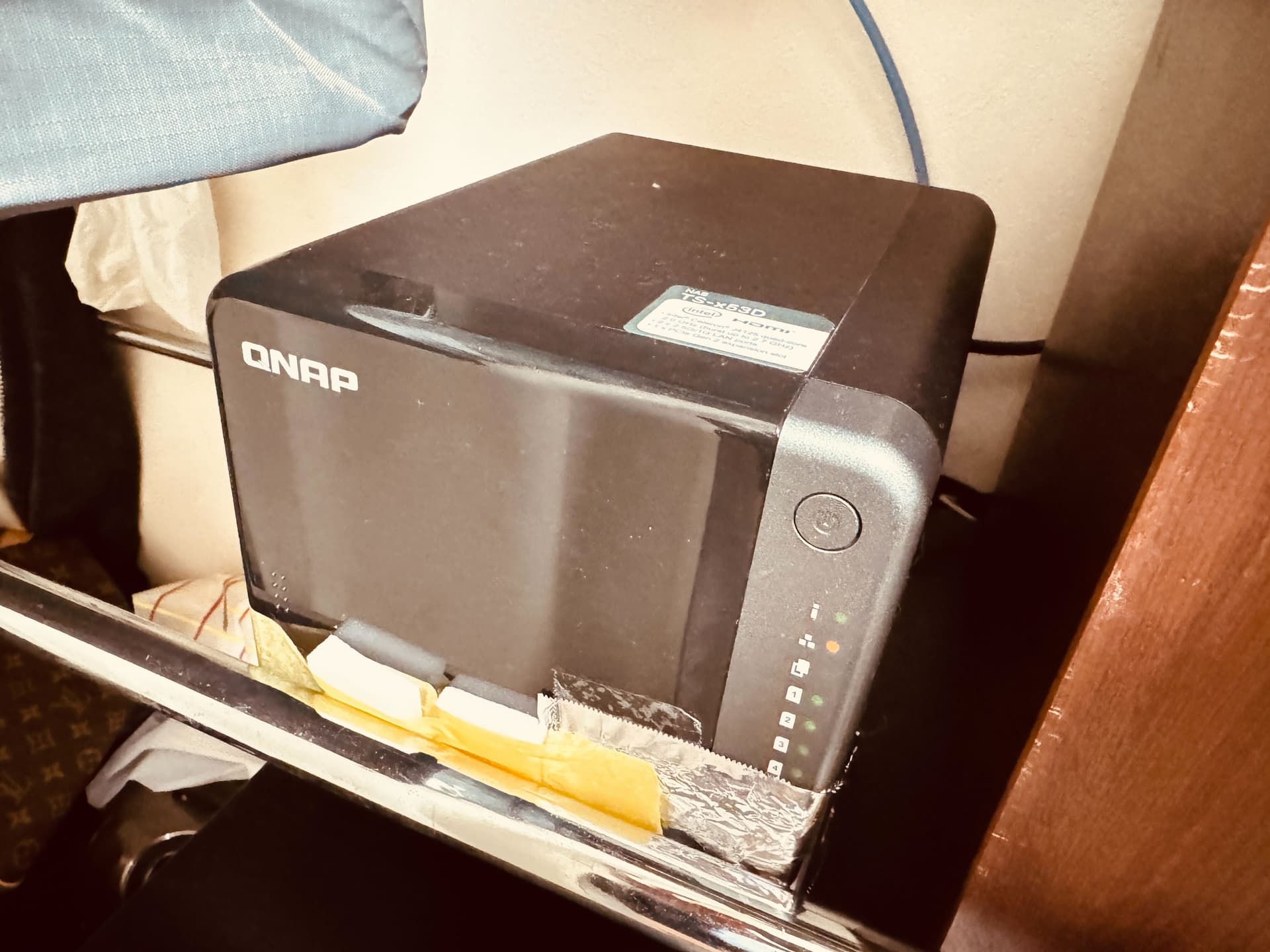
It looks a bit unsightly, but I’ll upload a real installation photo as well. There’s considerable vibration from the HDDs and fans, so ideally, I’d like to place it in a soundproof environment. However, if I do that, it might trap heat or I’d have to give up on 10GbE, so I’ve reluctantly set it up in an open environment… Instead, I’ve attached anti-vibration sheets to the HDDs, used anti-vibration washers for mounting the HDDs, lined the inside of the NAS with anti-vibration sheets, and covered the feet with “Gekiochi-kun” (cleaning sponge) plus anti-vibration material. I’m thinking of replacing the fan with a Noctua.
As for the aluminum foil on the right side, I consulted about unexpected sudden reboots, and this was the recommended method. However, the sudden reboot bug still hasn’t been resolved, so I would greatly appreciate your continued support!
Volume Configuration
・Comparison without SSD cache
・Test sizes such as “2GiB” are from CrystalDiskMark; I measured both below and above system memory size, thinking results might differ.
Result: Almost no difference (felt within margin of error)
Thick 2GiB Thick 8GiB Static 2GiB Static 8GiB
Read SEQ1M Q 8T1 296.48 296.51 296.35 296.34
Read SEQ1M Q 1T1 230.75 230.18 231.80 231.58
Read RND4K Q32T1 190.31 17.42 237.51 18.21
Read RND4K Q 1T1 27.36 18.70 28.61 19.49
Write SEQ1M Q 8T1 295.17 295.05 293.51 293.41
Write SEQ1M Q 1T1 200.58 200.52 200.77 197.66
Write RND4K Q32T1 37.87 32.77 41.03 32.55
Write RND4K Q 1T1 9.87 10.69 9.99 8.50
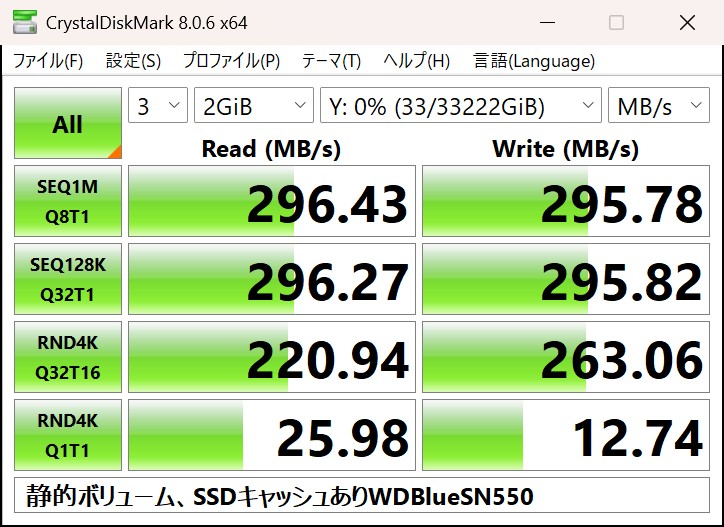
SSD Cache Configuration
・Comparison with CrystalDiskMark test size “2GiB”
・SSD Over-provisioning: 50%, for random I/O
・SSD over-provisioning test took about 20 hours
Result: Improved write performance, especially random write, which was previously low
None SN550
Read SEQ1M Q 8T1 296.35 296.43
Read SEQ1M Q 1T1 231.80 296.27
Read RND4K Q32T1 237.51 220.94
Read RND4K Q 1T1 28.61 25.98
Write SEQ1M Q 8T1 293.51 295.78
Write SEQ1M Q 1T1 200.77 295.82
Write RND4K Q32T1 41.03 263.06
Write RND4K Q 1T1 9.99 12.74
【Quietness】
It’s not quiet, but since the HDD noise is fairly noticeable (maybe I got a noisy one), I don’t think it’s something to worry about if you’re using HDDs.
【Functionality】
I only checked what appears in the menu, so I don’t know how usable they actually are, but features like transferring snapshots to another device, virtualization, NFS/FTP, etc. seem very versatile.
【Overall Evaluation】
Performance met my expectations and the features exceeded them—I’m glad I bought it.
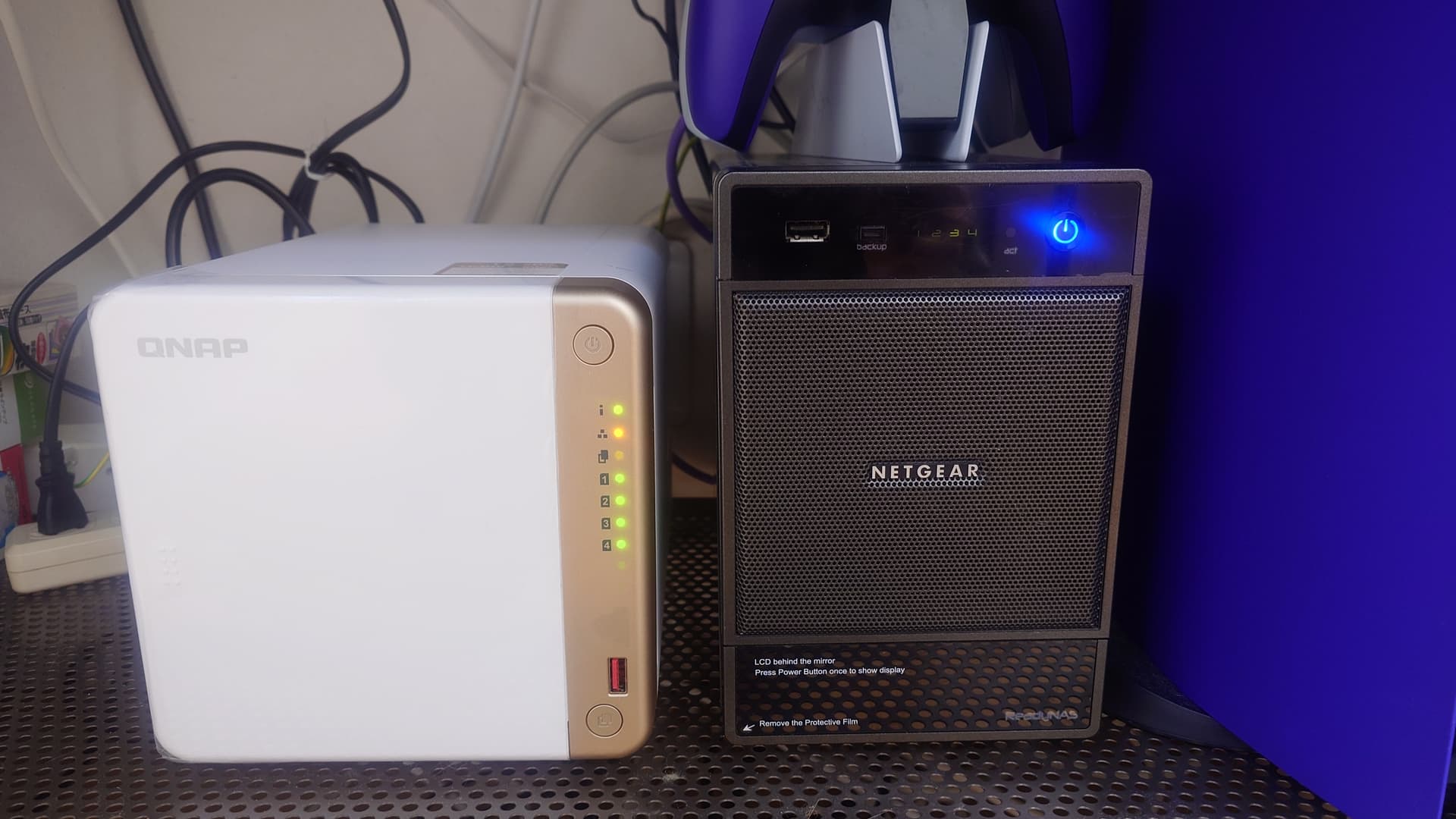
Since I didn’t have hardware photos, I’ve added them.
I purchased the TS-462 as a replacement for the NETGEAR ReadyNAS Ultra4 (on the right in the photo) that I bought 14 years ago.
File copy speed has increased about tenfold.
(Before replacing the NAS, I upgraded the network from 1GbE to 2.5GbE.)
Regarding the comparison between static volumes and thick volumes, I understand that while there may actually be a performance difference between the two, the network likely became the bottleneck, making it difficult to see that difference. (For example, if you check the performance within the NAS using fio, there might be differences like 500MB/s versus 400MB/s, but since it’s 2.5GbE (about 300MB/s), there’s no real difference when accessing from a client over the network.)
It really would be a waste to use it with just 1GbE. I still think “at least 2.5GbE is a must.”
Also, it seems SSD cache works well for random writes.
In my case, when saving virtual machine disk images, I often use volumes with SSD cache enabled.
Still, it’s amazing that “file copy speed increased tenfold”!
If you have any new discoveries or experiences, please do share them!
Thank you!
Yes, I think that’s quite possible, but in my environment, this is what happened.
(For me, the speed from the client is what I’m most concerned about.) So,
I hope this can serve as a reference.
Since the NAS has become extremely fast, I might have stored virtual machines on this NAS before,
but recently Gen5 M.2 SSDs have become more affordable,
so I’m storing them there instead.
QNAP Community Welcome Event – Announcement of Prize Draw Results
Thank you very much for participating in the QNAP Community launch commemorative event.
The results of the prize draw have been finalized, and we are pleased to announce them.
List of Winners:
Please check the details of the winners on the following English announcement page:
Instructions for Winners
By April 14, 2025 (UTC+8), please contact marketing.hq@qnap.com with the following information clearly stated.
Email Subject:QNAP Community Welcome Event Winner Required Information:
Screenshot of your QNAP Community profile
QID email address
Delivery information (country, postal code, address, recipient name)
Once we have confirmed your information, we will arrange to ship your prize as soon as possible.
Please note that shipping may take 2 to 4 weeks or longer depending on your region. Thank you for your understanding.
Congratulations on your win!
We would also like to express our heartfelt gratitude to everyone who participated but did not win. Thanks to your participation, this event was a great success.
We look forward to your wonderful posts and continued participation in the future.

 QNAP Community Welcome Event – Announcement of Prize Draw Results
  List of Winners:
 Instructions for Winners
 Congratulations on your win!