Original text: 使用 QNAP 的 NAS 產品的心得分享
Hello everyone, thank you for clicking into this article. Although it’s a bit long, this is my real experience using QNAP services—maybe it could even be considered an IT workplace ghost story (lol).
Background: Disorganized Handover & Outsourced IT Security Disaster
When I first started in MIS, the company was using QNAP NAS products, but no one had left behind any critical handover information—just some computer transfer documents and newcomer info. The most important server IP and server admin passwords were completely unrecorded. To make matters worse, the company had long outsourced IT to a senior from the neighboring company, but the handover documents were scattered and incomplete, and there was no proper security SOP established.
This outsourced IT senior initially gave me some internal IT documents and even told me a few passwords, but he hid the key server information and refused to teach me. On top of that, he was an anxious and high-pressure person, constantly pushing me to quickly master MIS work, nitpicking everything I didn’t know, and even verbally bullying me—just messing with my mindset. The problem was, he deliberately withheld important know-how, so I couldn’t learn the truly critical stuff, yet kept urging me to learn a bunch of miscellaneous skills. If I didn’t, he’d find fault, even over typos. Eventually, our special assistant directly certified him as a nutcase (lol). What’s worse, sometimes the things he taught were just made up, yet he acted like an expert.
I couldn’t stand being exploited like this for so long, so I finally asked the special assistant for help to separate my responsibilities from those of the outsourced IT senior, which finally prevented further escalation of the conflict. (That’s another story…)
The Story Begins: QNAP Self-Learning Journey vs. Outsourced IT’s Absurd Guidance
When this outsourced IT senior taught me about QNAP, he just gave me a rough overview and left me to figure it out myself, even demanding that I master it within 7 days and produce a NAS operation guide. So, I bit the bullet and learned while writing, checking the interface instructions, taking screenshots, doing hands-on tests, emailing customer service, testing cloud connections to Google, plugging in external hard drives for backup, and so on.
Our company’s NAS had been in use for 6–7 years and was still running well. The hard drive health was nearly perfect, backup speed was fast, network disk access was normal, and the interface was clean and intuitive—probably thanks to the Linux system. QNAP’s design is quite user-friendly; every app has a guided tour, which is great for beginners. The settings interface also has a “?” help section, clearly explaining how to configure and operate, so even a MIS newbie like me could quickly get started.
Whenever I had a problem, I would directly use QNAP’s online customer service to ask about operations, updates, UPS connection for auto-shutdown, NAS license expiration, and all sorts of issues. The customer service was super patient, always answering even the weirdest questions, and the email records were very complete, allowing me to track previous inquiries.
QNAP’s customer service is extremely professional, thoroughly understands the product, and responds quickly—worlds apart from the outsourced IT senior. His explanations were sometimes just nonsense, and only after consulting QNAP customer service did I realize their answers were the correct ones. This made me admire QNAP more and more; after all, customer service is professional, while the outsourced guy is just a loudmouth.
Case 1: Updating NAS
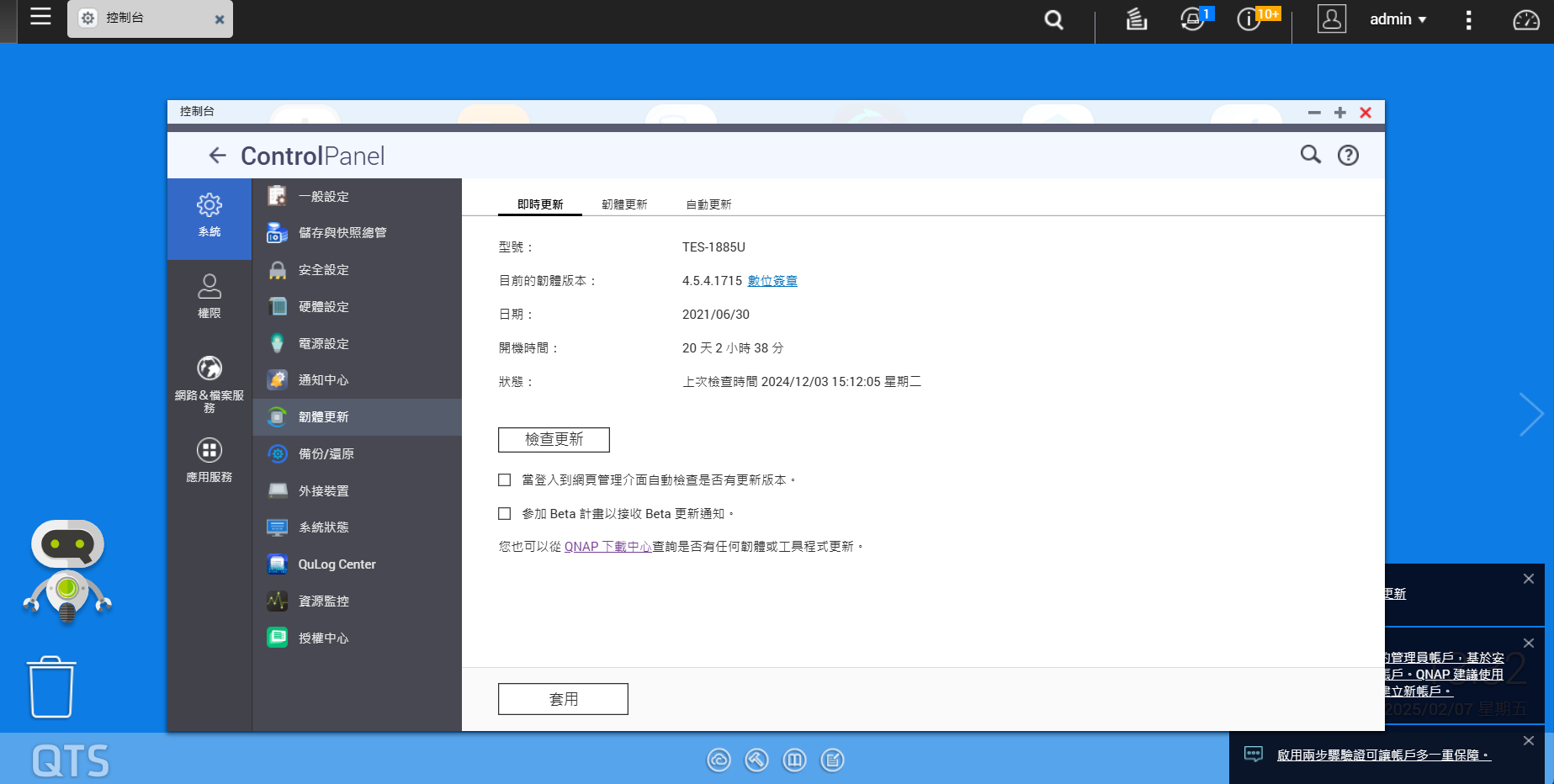
Our company bought 3 NAS units, which hadn’t been updated since 2021. I asked the outsourced IT: “Should we update?”
He started spouting a bunch of technical jargon, fearmongering about risks and possible problems, basically just making excuses and worrying he’d be held responsible if something went wrong. But he didn’t really understand how NAS works—just used jargon to make himself look professional.
Later, I directly asked QNAP customer service, and they clearly stated: “Updating is fine, and for security, you should update.” If you’re worried about accidents, just back up first, then update; after updating, you’ll get better security protection. Plus, QNAP promises to provide updates permanently, with no sudden license interruptions.
When I relayed this information to the outsourced IT senior, he started making excuses again, talking about compatibility issues and saying he needed the special assistant’s endorsement before daring to update… It was both infuriating and ridiculous. The saddest part is that updating the NAS was left unresolved.
Case 2: UPS and NAS Incompatibility
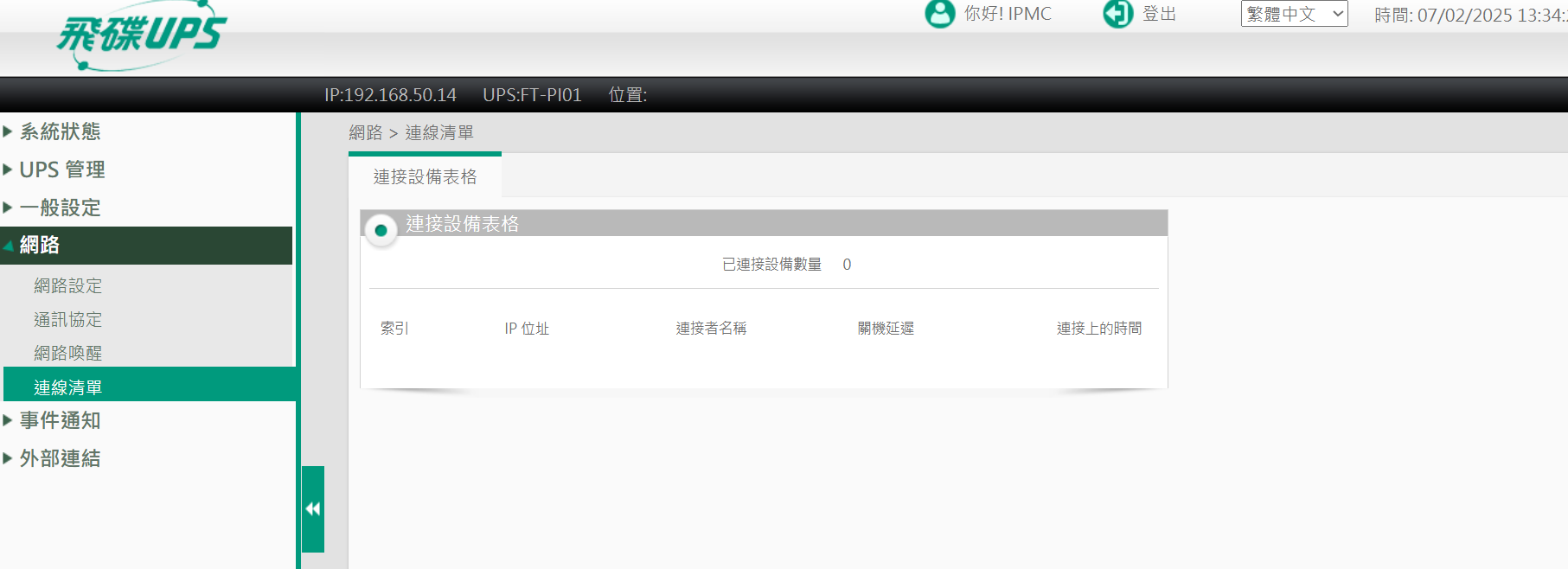
Six months before I joined, this outsourced IT senior led a major server upgrade and recommended the company buy a new UPS to support server operations. He was looking for a UPS device that “supports networking” and “can auto-shutdown.” In the end, he bought a UFO UPS, but it was incompatible with our 3 NAS units!
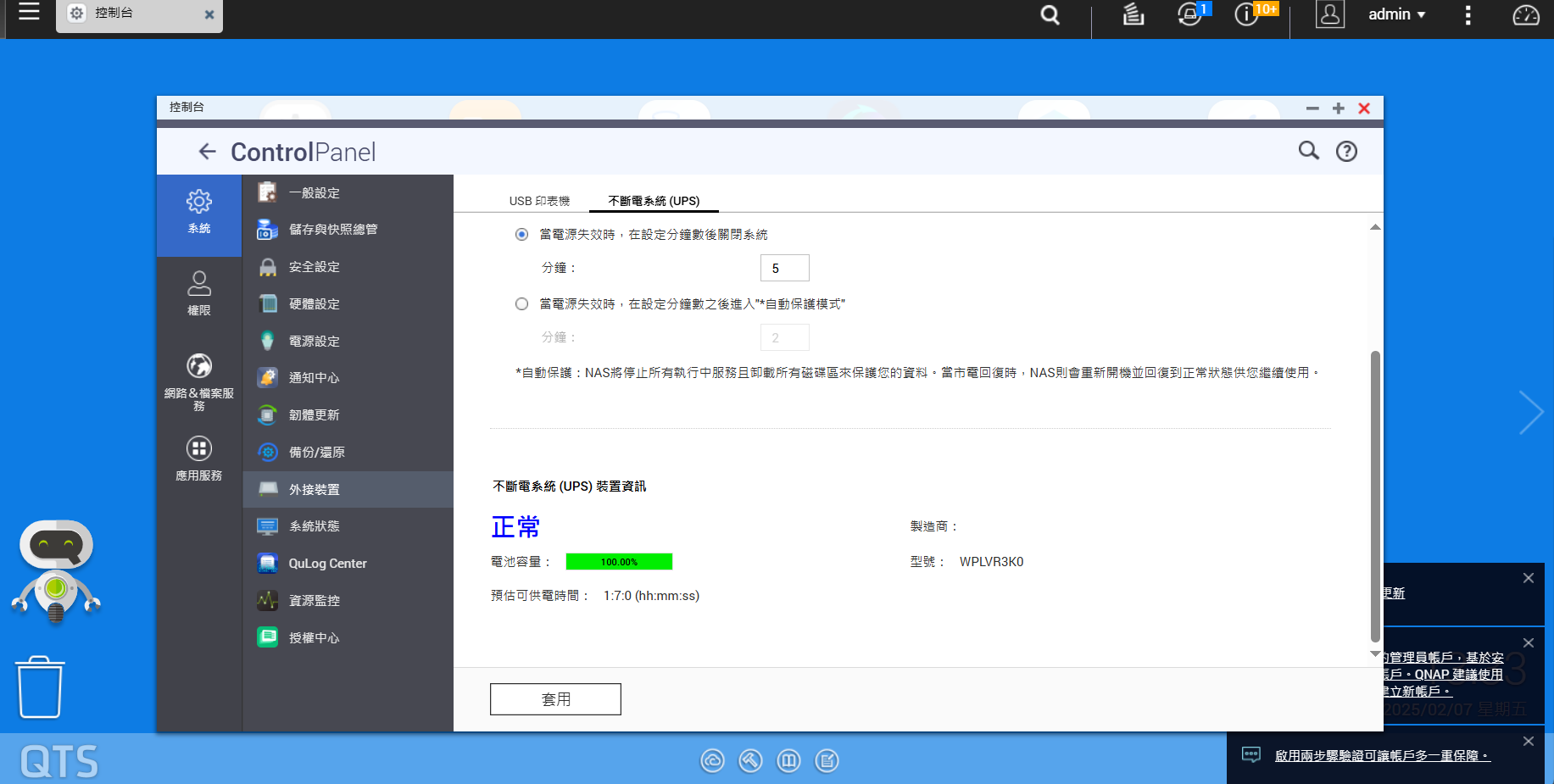
Later, while writing the NAS guide, I discovered the UPS issue. When I asked QNAP customer service to confirm whether the UPS and NAS could interact, they provided a list of UPS models compatible with NAS and taught me how to set up auto-shutdown. But our UPS simply doesn’t support the NAS’s auto-shutdown function during a power outage. Even if it’s networked and the corresponding software is installed, the NAS can detect the UPS, but the UPS can’t detect the NAS, meaning the auto-shutdown function is completely useless!
Basically, this UPS only lets us “see the power status,” but when the NAS needs to auto-shutdown, it can’t interact at all—if something happens, we have to shut down manually… Uh, so why did we insist on network functionality when buying? If we really want auto-shutdown, we’ll have to wait until all 3 NAS units are retired and buy new NAS units compatible with UPS—totally speechless. Frankly, that money was just wasted.
I reported this issue to the special assistant and also to the outsourced guy. The special assistant apologized for him, admitting it was a decision-making mistake, but it couldn’t be undone. Since then, the outsourced IT senior’s attitude toward me got even worse. He said he’d reflect on it, but in reality, he was just upset I found his mistake, and his bullying intensified. The outsourced guy didn’t learn any real NAS expertise, bought an incompatible UPS without considering everything, let the license expire without updating, didn’t understand license and update issues, and didn’t proactively consult QNAP’s professional customer service. When a newbie (me) pointed out his mistake, he said he’d reflect but actually just got embarrassed and angry. I can only say that people trained by QNAP are truly professional—if you hadn’t taught me correctly, I would’ve been completely fooled by this outsourced guy.
Professionalism vs. Loudmouth—There’s a Real Difference
This experience made me realize that truly professional IT personnel, like QNAP customer service, actually solve problems and are happy to share, rather than spewing jargon, pretending to know but hiding information, and getting angry when their mistakes are exposed.
Outsourced IT with the “don’t know but love to teach, wrong but won’t admit” attitude is the scariest security vulnerability.
This is my QNAP user experience thanks for reading XD

 QNAP Community Welcome Event Prize Draw Winner Announcement
  For the list of prizes and winners, please check the English announcement:
 marketing.hq@qnap.com
 , and sincere thanks to every participant for your support and sharing, making this launch event a great success! We look forward to seeing your wonderful content and participation in the future